
Quick Answer
The best WooCommerce alternatives in 2026 are Wcart, Shopify, BigCommerce, Magento, Wix, Squarespace, and Webnexs. If you’re moving because WooCommerce has become expensive or difficult to maintain, compare the platforms by total cost, hosting, plugins, order volume, and technical work, not just the advertised plan price.
Key Takeaway
- WooCommerce has no platform revenue share, and its core platform includes unlimited products, orders, and APIs. (Source: WooCommerce Pricing )
- WooCommerce powers 8.1% of all websites and 48.1% of websites using a tracked ecommerce system, making it the largest ecommerce system in W3Techs’ latest data. (Source: W3Techs )
- WooCommerce has 4.1M+ live installations, according to WooCommerce’s latest newsroom figures, which use third-party data including StoreLeads and W3Techs. (Source: WooCommerce )
- WooCommerce itself is free, but WooCommerce says hosting typically costs $25–$350/month for most stores, while extensions generally cost $29–$299/year each. (Source: WooCommerce)
I have set up stores on WooCommerce more than once, and it’s easy to like at first: the core software is free, it runs on WordPress, and you can build almost anything with the right extensions. The harder question comes later: once I was managing real order volume: what does the store actually cost and require once it grows?
That’s where WooCommerce alternatives start to make sense. This guide compares the platforms businesses are actually considering in 2026, looking beyond the monthly plan to hosting, plugins, maintenance, order volume, and the technical work that comes with running the store.
Real Stories
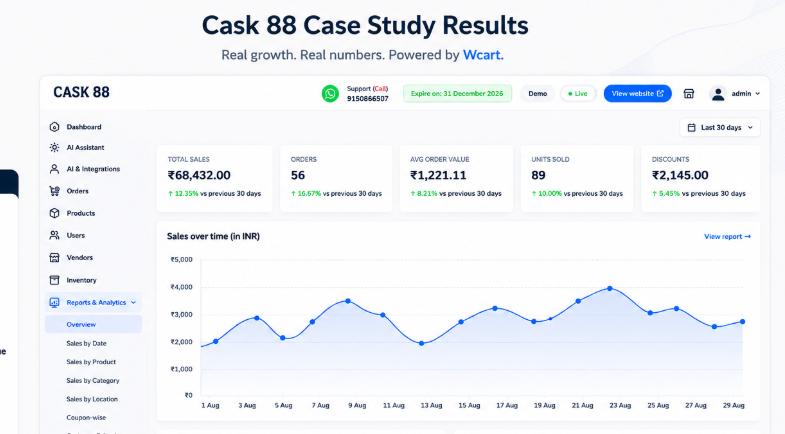
👉 Read the full Cask88 case study
Cask 88 uses Wcart to manage its online store with a smoother, more reliable shopping experience. The platform brings sales, orders, products, inventory, and customer activity together in one place, making day-to-day ecommerce management simpler as the business grows.
Why Ecommerce Businesses Search for WooCommerce Alternatives?
WooCommerce feels like the easy choice at first. Install WordPress, add the plugin, pick a theme, and you’re technically selling within a day. That part hasn’t changed in years, and it’s still true.
The biggest problem is not WooCommerce itself. The challenge usually comes from the growing complexity of running a store as traffic, products, and customer expectations increase.
After running and reviewing enough WooCommerce stores at scale, one issue kept showing up: I’d watch businesses spend more time managing technical operations than actually improving customer experience or sales growth.
Businesses often face problems such as:
1. Increasing Costs
The plugin itself costs nothing. Everything around it does. Reliable hosting, a premium theme, a security plugin, an SEO plugin, backup software, and a payment gateway extension can easily add up to $100 to $300 a month before you’ve sold a single product. Add developer time for anything custom, and the “free” platform stops looking free.
2. Too Many Plugins
- Want product filtering? Plugin.
- Abandoned cart recovery? Plugin.
- Better checkout? Plugin.
Each one adds another piece that has to keep working with every other piece. Store owners regularly report one plugin update breaking a completely unrelated feature, with no clear reason why until they’ve spent an afternoon troubleshooting.
3. Performance drops:
A WooCommerce store with a few dozen products usually runs fine on basic hosting. Push past a few hundred products, add customer accounts, order history, and a handful of active plugins, and load times start creeping up.
Page speed affects conversions directly. A few extra seconds of load time is enough to push a visitor back to the search results
4. Maintenance Takes Time
WordPress core, the theme, and every plugin need regular updates. Skip them and security risk goes up. Update everything at once and something often breaks. Store owners end up spending hours a month on maintenance that has nothing to do with running the business.
Top WooCommerce Alternatives (Quick Comparison)
| Platform | G2 Rating | G2 Reviews | At 50 orders/month | At 500 orders/month | At 5,000 orders/month |
|---|---|---|---|---|---|
| Wcart | 4.5/5 | Wcart G2 reviews | ~$9–37/mo equivalent (built-in tools, no plugin stacking) | Same tier typically covers this without a hosting upgrade | Custom/enterprise tier, priced on catalog size and API volume |
| Shopify | 4.4/5 | Shopify G2 reviews | ~$29–79/mo | ~$150–300/mo once 4–5 apps are added | ~$400–2,300/mo, often moving to Plus for advanced checkout requirements |
| BigCommerce | 4.2/5 | BigCommerce G2 reviews | ~$29–39/mo | Same tier, depending on sales volume and plan limits | Higher-tier plan as order volume and business requirements increase |
| Magento | 4.0/5 | Magento Open Source G2 reviews | Rarely used at this stage; usually more than needed for this order volume | ~$2,000–4,000/mo (hosting + development support) | ~$30,000–80,000/year total cost of ownership |
| Squarespace | 4.4/5 | Squarespace G2 reviews | ~$23–35/mo | ~$23–35/mo depending on plan and requirements | Not generally designed for this level of ecommerce complexity |
| Wix | 4.2/5 | Wix G2 reviews | ~$29–36/mo | ~$59–159/mo as storage and app needs grow | Larger catalogs and operational requirements can make the platform harder to manage at this volume |
| Webnexs | 4.6/5 | Webnexs G2 profile | Project-based; rarely the entry point at this volume | Project quote scales with build complexity | Project quote scales further; no fixed monthly reference point |
7 Best WooCommerce Alternatives for Scaling Ecommerce Stores
Here are some of the best ecommerce platforms that businesses are choosing in 2026.
1.Wcart The excellent WooCommerce Scaling Alternative

I tested Wcart specifically to see how it handled the transition away from plugin-stacking, and the built-in order management and multi-country tools stood out immediately
Many growing brands look for platforms that reduce technical workload because maintaining multiple plugins and handling website issues can eventually slow business operations.
Why Businesses Choose Wcart:
- Best for – Growing D2C and B2B brands that want built-in AI tools and an API-first setup without stacking plugins.
- Ease of use – Guided setup gets a store running fast, with AI-assisted layout tools cutting down manual configuration work.
- Growth support – Headless architecture means the front end isn’t locked to a fixed theme system, so stores can add traffic, products, and custom features without hitting a structural wall.
- Built-in features — Order management, analytics, and multi-country selling tools (currencies, languages, regional payment gateways) come built in rather than bolted on.
- Performance — Wcart runs on a 99.9% uptime guarantee, is SOC2 compliant, and processes over 50 million API calls a day across 150+ countries, based on our current platform infrastructure data.(Source : Wcart Features)
- Pricing — Quote-based, tied to store size and features needed. Check current plans directly on wcart.io.
- Limitations — Third-party app marketplace is smaller than long-established platforms like Shopify, since Wcart is newer to the space.
2. Webnexs Best for Custom Ecommerce Solutions
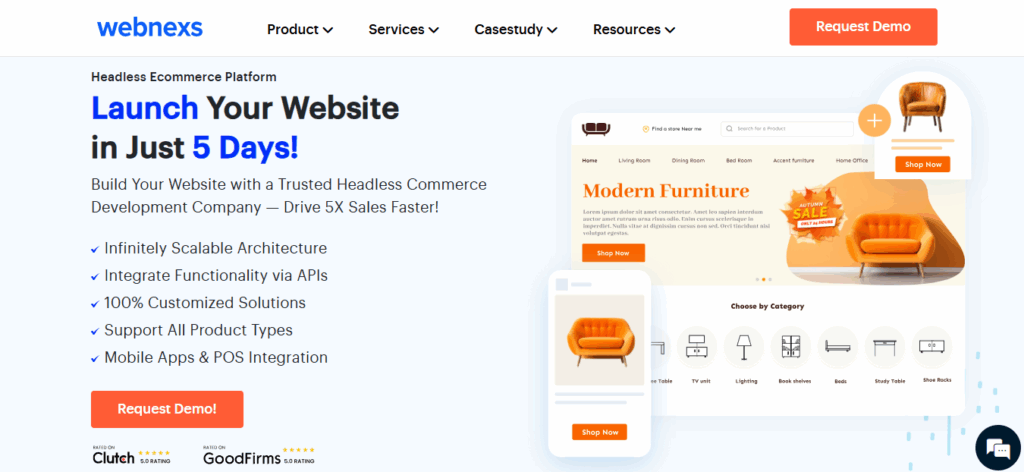
Testing Webnexs , the thing that stood out was how little was fixed in advance. Every feature I asked about came back as “built to spec,” which is either exactly what you want or more setup time than you bargained for, depending on your team.
The platform is often considered by businesses requiring marketplace functionality, advanced integrations, or specialized ecommerce setups. Many companies choose Webnexs when standard ecommerce platforms feel too restrictive.
Why Businesses Choose Webnexs:
- Best for — Businesses that need a fully custom build or marketplace-style setup a standard platform can’t accommodate.
- Ease of use — Setup takes longer since everything is scoped to the business’s actual requirements rather than a template.
- Growth support — Built around whatever the business needs, including multi-vendor marketplace models and specialized B2B workflows.
- Built-in features — Nothing is fixed in advance; features are built to the project spec rather than chosen from a preset list.
- Performance — Depends entirely on how the build is architected and hosted, since there’s no standard infrastructure tier.
- Pricing — Project-based, quoted per requirement. No fixed monthly figure to compare against fixed-plan competitors.
- Limitations — Longer setup and iteration cycle; small changes often route through a development cycle instead of a self-serve dashboard.
Launch Your Ecommerce Website in Minutes With Our Easy Builder.
3.Shopify The Greatest Option for Beginners

I have launched more than one store on Shopify and the setup speed still holds up. It is one of the easiest alternatives to WooCommerce.
This platform includes hosting, security, and store management tools within one system, which removes much of the technical work involved in managing an online store.
Many entrepreneurs choose Shopify because they can launch stores quickly without handling hosting or complex configurations.
Why Businesses Choose Shopify:
- Best for — Beginners and small teams who want to launch fast without managing hosting or infrastructure.
- Ease of use — Store setup is straightforward enough that a first-time seller can have a live store within a day, no technical background required.
- Growth support — Handles growing traffic and order volume well on its own, though checkout customization requires the $2,300/month Shopify Plus tier once a store needs it.
- Built-in features — Core store management is solid; most advanced features (email marketing, fulfillment automation, subscriptions) come through the app store rather than the base plan.
- Performance — Hosting, security, and updates are fully managed, so uptime and speed aren’t the store owner’s responsibility.
- Pricing — $29 to $360/month depending on plan tier, plus $50–200/month in typical app costs once a store adds the tools it actually needs. Shopify Plus starts at $2,300/month.(Source : shopify pricing)
- Limitations — Real monthly cost often runs 2–3x the listed subscription price once apps, a premium theme, and processing fees are added.
4. Magento Great for large Business Stores

I set up a test store on Magento , and it took some time to figure out the admin panel. Once I got familiar with it, I could see how much it offers, especially for B2B pricing and managing multiple stores.
WooCommerce would need several plugins to do the same.
Why Businesses Choose Magento:
- Best for — Large catalogs and enterprise teams with developers on staff to manage setup and updates.
- Ease of use — Steep learning curve; the admin panel is built for control, not simplicity, and non-technical staff will struggle with day-to-day changes.
- Growth support — Handles hundreds of thousands of SKUs, multi-store setups across regions, and tiered B2B pricing that WooCommerce can only approximate through multiple plugins.
- Built-in features — Deep customization at the code level, native B2B tools (company accounts, quote management), and a large developer ecosystem.
- Performance — Strong once properly optimized, but performance depends entirely on the hosting and development investment behind it.
- Pricing — Magento Open Source is free to download, but a mid-level store’s first-year cost typically runs $30,000–$80,000 once hosting, themes, and extensions are factored in.(Source : Magento Pricing)
- Limitations — Requires ongoing developer support; not a realistic option for a small team managing the store alone.
5. Squarespace Best for Simple Ecommerce

Squarespace is widely used by businesses that care strongly about branding, visual design, and content presentation. And also for content focused stores and small businesses, Squarespace is a good substitute.
The platform combines ecommerce functionality with modern website design tools, making it popular among creators, artists, and lifestyle brands.
Many businesses prefer Squarespace because it allows them to create visually polished websites without complicated setup.https://www.squarespace.com/pricing
Why Businesses Choose Squarespace :
- Best for — Design-led, content-heavy small stores where visual presentation matters as much as the product.
- Ease of use — Smooth, intuitive editing experience with templates that look polished without custom design work.
- Growth support — Comfortable for small to medium stores; performance and product management get harder to manage past a few hundred SKUs.
- Built-in features — Abandoned cart recovery, subscriptions, digital downloads, and appointment booking work smoothly across all plans.
- Performance — Reliable for its intended scale, though there’s no plugin ecosystem to extend it beyond what’s built in.
- Pricing — Core plan starts at $23/month with 0% transaction fee on physical products. Higher tiers reduce digital product fees further. (Source : Squarespace Pricing)
- Limitations — No app marketplace, and payment processing is largely limited to Squarespace Payments and PayPal.
6. BigCommerce Best for Growing Brands
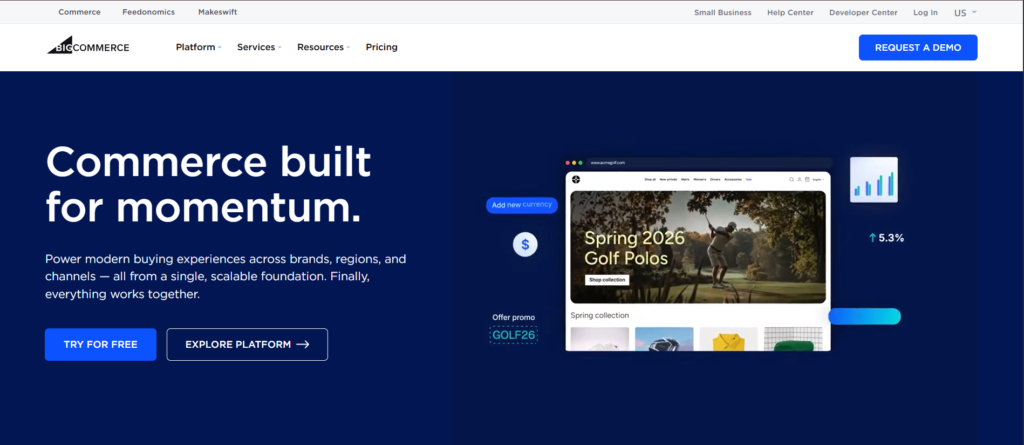
For businesses looking to grow. BigCommerce is a powerful substitute for WooCommerce. I tested BigCommerce alongside a WooCommerce store with several plugins.
BigCommerce is a strong ecommerce solution for businesses planning long-term growth and larger ecommerce operations.
The platform includes many built-in ecommerce tools, which helps reduce dependency on external plugins.
Why Businesses Choose BigCommerce :
- Best for — Mid-size stores that want more included in the base plan and fewer required add-ons.
- Ease of use — Slightly steeper learning curve than Shopify at first, but the dashboard covers more ground without needing extra apps.
- Growth support — Handles larger catalogs and multi-channel selling (Amazon, eBay, Instagram, Google Shopping) from one dashboard, though plans are tied to annual sales thresholds rather than feature needs.
- Built-in features — Product reviews, real-time shipping quotes, multi-currency support, and advanced filtering come standard, features Shopify usually charges extra for.
- Performance — Stable infrastructure with no platform transaction fee on any plan, regardless of payment gateway used.
- Pricing — $29 to $299/month depending on annual sales tier, with custom enterprise pricing above that. (Source : Bigcommerce Pricing)
- Limitations — Crossing $50K in sales on Standard forces an upgrade to Plus; crossing $180K on Plus forces an upgrade to Pro, whether or not the extra features are needed.
7. Wix Best for Small Stores

Wix is appropriate for novices launching an online store. Wix is a beginner-friendly ecommerce platform designed for businesses that want a simple website setup process.
I built a test store on Wix in about an hour without writing any code. It was easy to get started, but managing the catalog became harder once I added a few hundred products.
Why Businesses Choose Wix :
- Best for — Very small stores and first-time sellers who want visual control without touching code.
- Ease of use — Drag-and-drop editor with real layout control, not just color swaps inside a fixed template.
- Growth support — Comfortable for smaller catalogs; performance drops noticeably once a store grows past a couple hundred products.
- Built-in features — A stronger built-in marketing suite (email, SEO tools, social posting) than most competitors offer at a similar price.
- Performance — Solid for small stores, though there’s no clean fix for slowdowns beyond that point short of changing platforms.
- Pricing — $29 to $159/month depending on storage and support level.(Source : Wix pricing)
- Limitations — Switching site templates later means rebuilding from scratch; not designed for stores planning significant catalog growth.
WooCommerce vs Modern Ecommerce
The main difference between WooCommerce and modern ecommerce platforms is how they are built and how easily they can grow as your business grows.
| Feature | WooCommerce | Modern Platforms |
| Hosting | Self-hosted | Built-in |
| Plugins | Required for many features | Many built-in |
| Maintenance | Manual updates | Managed |
| Scalability | Hosting dependent | Cloud infrastructure |
| Security | User managed | Platform managed |
Modern platforms reduce technical overhead and simplify scaling operations.
When Should You Switch from WooCommerce?
If your business is growing slowly because of technical issues, changing your platform can help you grow faster.
Consider switching if:
- Your store crashes during traffic spikes
- Plugin updates break functionality
- You rely on multiple paid plugins
- Hosting costs keep increasing
- Page speed impacts conversions
If there are 3 or more apply, it may be time to upgrade your store.
How to Migrate from WooCommerce
I have walked through this migration process myself more than once, and here’s the sequence that actually avoids the common mistakes:
Step 1: Back Up Your WooCommerce Store
- Create a complete backup of your WooCommerce store before making any changes.
- Keep copies of your products, customers, orders, settings, and database so you can restore the store if something goes wrong.
Step 2: Export Your Store Data
- Export your product, customer, order, category, and other important store data from WooCommerce.
- Check the exported files to make sure the information is complete before moving it to the new platform.
Step 3: Choose Your New Ecommerce Platform
- Choose a platform based on your catalog size, order volume, integrations, budget, and future needs.
- Make sure it supports the features your business currently relies on.
Step 4: Set Up Your New Store
- Create your new store and configure the basic settings, including your domain, currency, shipping options, taxes, and store preferences.
- Set up your product categories and other important store structures before importing your data.
Step 5: Import Products, Customers, and Orders
- Move your exported WooCommerce data into the new platform and check that everything is mapped correctly.
- Pay special attention to product variants, prices, images, customer accounts, and order history.
Step 6: Reconnect Payment and Shipping Services
- Set up your payment gateways and shipping services on the new platform.
- Test payments, shipping rates, tax calculations, and order processing before making the new store live.
Step 7: Set Up SEO Redirects
- Create 301 redirects from your old WooCommerce URLs to their matching pages on the new store.
- This helps visitors find the right pages and reduces the risk of losing existing search rankings.
Step 8: Test the New Store
- Place test orders and check the entire buying process from product selection through checkout and delivery.
- Also check mobile pages, forms, search, account login, redirects, and tracking codes.
Step 9: Launch the New Store
- Once everything works correctly, point your domain to the new platform and make the store live.
- Keep your old WooCommerce backup available in case you need to check or recover any information.
Step 10: Monitor the Store After Migration
- Keep an eye on traffic, rankings, orders, checkout errors, redirects, and customer activity after launch.
- Fix broken links or missing data quickly so the migration doesn’t affect your customers or SEO.
When WooCommerce Is Still the Right Choice
Switching platforms isn’t always the answer. WooCommerce still makes sense if:
- You’re already comfortable managing WordPress : If your team knows the ecosystem well, the learning curve of a new platform may cost more than the plugin overhead you’re trying to avoid.
- Content is a big part of your business: WooCommerce’s WordPress foundation is genuinely strong for stores that lean heavily on blogging and content marketing alongside selling.
- Your current setup already works: If your site is fast, your plugin stack is small and stable, and maintenance isn’t eating real time, there’s no urgent reason to move.
- You’ve built custom functionality you’d lose: Custom plugins or integrations built specifically for your store can be a real asset, not something to walk away from for a trend.
Conclusion
Although it’s not always the best long term option, WooCommerce is a good place to start. However, many growing ecommerce brands eventually reach a point where technical maintenance, plugin management, and scalability challenges begin slowing growth.
If your store is growing and you are facing:
- High costs
- Performance issues
- Too much maintenance
It is time to looking for better WooCommerce alternatives. The right ecommerce platform should help your business grow without creating unnecessary operational stress.
Whether you choose Shopify, BigCommerce, Magento, WCART, or another solution, the most important decision is selecting a platform that fits your long-term business goals.
Future-proof Your Brand Today with a Powerful White Label Ecommerce Platform!
Frequently Asked Questions(FAQs)
Related Platform Comparisons
- 8 Best Jimdo Alternatives – compare features, pricing & the best fit for your store.
- 10 Best Big Cartel Alternatives – compare features, pricing & the best fit for your store.
- 10 Best Centra Alternatives – compare features, pricing & the best fit for your store.
- 9 Best commercetools Alternatives – compare features, pricing & the best fit for your store.
- 8 Best Webflow Alternatives – compare features, pricing & the best fit for your store.
- 8 Best GoDaddy Alternatives – compare features, pricing & the best fit for your store.
- 10 Best Online Store Builders – compare features, pricing & the best fit for your store.


























Leave a Reply