
Quick Answer :
Shopify is a strong starting point, but alternatives like Wcart, BigCommerce, and Woocommerce let you customize more of the store yourself, handle more orders without slowing down, and avoid the app costs that stack up as a store grows. Most alternatives offer stronger inventory management, more payment options, and deeper third-party integrations, with several platforms built around specific needs like multi-vendor marketplaces or large product catalogs.
Key Takeaways
- Shopify’s Basic plan runs $39/month ($29/month billed annually) plus a 2.9% + 30¢ transaction fee per online sale when using Shopify Payments,
(Source : NerdWallet’s) - Shopify now powers roughly 5.6 million active stores and processed over $280 billion in GMV, ( Source :DigitalApplied’s )
- Shopify holds 6.7% of the global CMS market, ranking second behind WordPress, based on (Source: W3Techs )
- Using an external payment gateway instead of Shopify Payments adds a 2% surcharge on the Basic plan, dropping to 0.6% on Advanced.
(Source : Presta’s ) - WooCommerce and Shopify together power over half of all ecommerce websites online,(Source :Mobiloud’s )
Shopify works well for a lot of businesses, but it’s not the only option, and it’s not the right fit for everyone. Some merchants hit a ceiling on transaction fees, others want more say over how their store looks and works, and some just want to own their platform outright instead of renting it.
This guide compares the 8 real alternatives on pricing, features, and fit, so you can figure out what actually works for your store instead of picking based on marketing copy.
What is Shopify?
Shopify is an ecommerce software that allows businesses to create, manage and grow an online store. With Shopify, you can build a website, add and organize products, accept payments, configure shipping and sell across multiple channels including social media and online marketplaces.
As a cloud-based SaaS (software-as-a-service) solution, Shopify takes care of hosting, security and software updates. This makes it an easy and accessible choice, especially for users who want to launch quickly without dealing with technical setup.
Shopify Alternatives Real Time Comparison
| Platform | Best For | Starting Price | Transaction Fees | Ease of Use | Customization | Hosting | G2 Rating |
| Wcart | Self-hosted, fee-free selling | Contact for pricing | None (self-hosted) | Moderate | High | Self-hosted | View reviews on G2 |
| WooCommerce | WordPress users wanting full control | Free plugin (hosting extra) | None (self-hosted) | Moderate | Very high | Self-hosted | View reviews on G2 |
| BigCommerce | Scaling stores needing built-in features | $39/month | None on Standard plan | Moderate | High | Hosted | View reviews on G2 |
| Wix | Beginners, small catalogs | $17/month | Varies by payment provider | Easy | Moderate | Hosted | View reviews on G2 |
| Squarespace | Design-focused brands | $23/month | None on paid plans | Easy | Moderate | Hosted | View reviews on G2 |
| Ecwid | Adding a store to an existing site | Free tier available | None | Easy | Moderate | View reviews on G2 | |
| Square Online | In-person plus online sellers | Free tier available | 2.9% + 30¢ per transaction | Easy | Low to moderate | Hosted (embeddable) | View reviews on G2 |
| PrestaShop | Open-source, EU-focused merchants | Free software (hosting extra) | None (self-hosted) | Advanced | Very high | Self-hosted | View reviews on G2 |
Why Consider Shopify Alternatives in 2026?
- Total cost of ownership matters more than the sticker price. Add subscription fees, transaction fees, required apps, and theme costs before comparing platforms.
- How much design freedom you get varies widely. Some platforms give you full code access, while others limit you to pre-built templates with minor customization.
- Payment options deserve a close look, since forcing customers through a single processor can hurt conversion in some markets.
- Room to grow is worth planning for even if you’re small today, since migrating a second time is more disruptive than picking the right platform now.
- Migration support differs by platform too. Some offer built-in import tools for Shopify data, while others require manual data mapping.
The good news: Shopify isn’t the only option. There are several strong ecommerce platforms available today, each striking a different balance between how much you can customize, how well it holds up as you grow, and how much control you get over the day-to-day setup, making it easier to find something that fits your business now and later.
What Are the Best Shopify Alternatives?
1. Wcart – #1 Best Alternative to Shopify
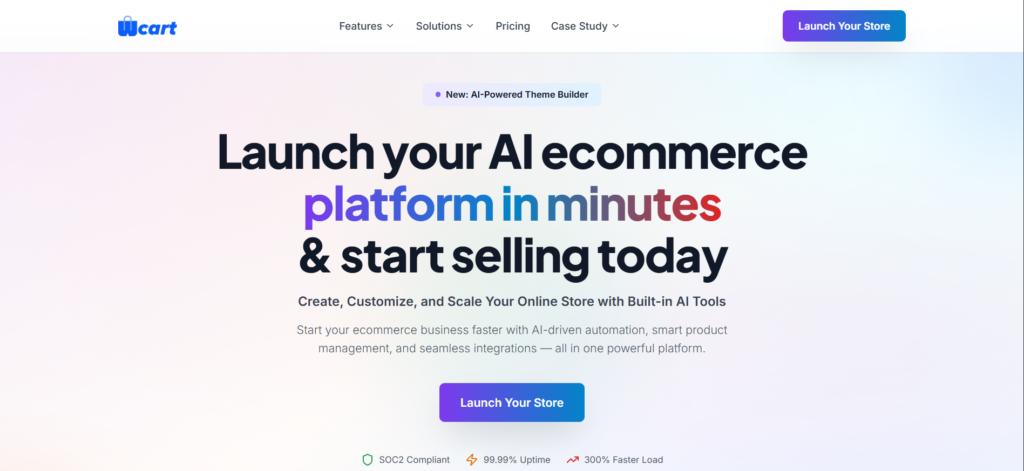
Overview: Wcart is a hosted ecommerce platform built around store ownership, giving merchants a shopping cart, product management tools, and design options without routing every sale through a third-party fee structure.
Key Features:
- AI Theme Builder for faster storefront setup
- Product and inventory management tools
- SEO-friendly page structure
Pros:
- No per-transaction platform fee model
- More direct control over store data and structure
- Migration support for stores moving off Shopify
Cons:
- Smaller third-party app selection than Shopify
- Less brand recognition among shoppers than Shopify or WooCommerce
Pricing: Contact Wcart directly for current plan details, since pricing is quoted based on store needs rather than published in a fixed public tier.
Who should choose it? Merchants who want to escape Shopify’s per-sale transaction fees and prefer owning their platform outright.
Who should avoid it? Stores that depend heavily on a large third-party app marketplace to run daily operations.
2. WooCommerce – WordPress Based Ecommerce

Overview: WooCommerce is a free, open-source plugin that turns a WordPress site into a full ecommerce store, giving merchants code-level access to nearly everything.
Key Features:
- Free core plugin with thousands of extensions
- Full access to WordPress’s content and blogging tools
- No mandatory transaction fees
- Large developer community for custom builds
Pros:
- Complete design and functionality control
- No platform lock-in since you own the WordPress install
- Strong SEO foundation through WordPress
- Large plugin selection for nearly any feature need
Cons:
- Requires separate hosting, which adds setup complexity
- Plugin conflicts can cause technical issues
- Security and updates become your responsibility
Pricing: The plugin itself is free, but hosting typically runs $10 to $50 per month depending on traffic, and premium extensions add further cost.
Who should choose it? Merchants who already run WordPress or want full ownership over their store’s code and data.
Who should avoid it? Business owners without any technical background who don’t want to manage hosting or plugin updates.
3. BigCommerce – High-Growth Ecommerce

Overview: BigCommerce is a hosted platform that bundles advanced features like multi-channel selling and B2B tools directly into its standard plans instead of charging for them as add-ons.
Key Features:
- No transaction fees on any plan
- Built-in multi-channel selling to marketplaces
- Advanced B2B functionality on higher tiers
- Strong native SEO tools
Pros:
- No added transaction fee cuts into margins
- Feature-rich standard plans reduce reliance on paid apps
- Solid performance at higher order volumes
Cons:
- Revenue-based plan thresholds can force upgrades
- Steeper learning curve than Wix or Squarespace
- Theme selection is smaller than Shopify’s
Pricing: Plans start around $39/month for the Standard tier, with higher tiers required once your store crosses certain annual sales thresholds, per BigCommerce’s official pricing page.
Who should choose it? Stores planning to scale that want enterprise features bundled in from the start.
Who should avoid it? Very small stores that don’t need multi-channel or B2B tools and would rather pay less upfront.
4. Wix – Beginner Friendly Ecommerce

Overview: Wix is a website builder with ecommerce functionality layered in, built around drag-and-drop simplicity rather than deep platform customization.
Key Features:
- Drag-and-drop visual editor
- Built-in templates for fast setup
- Integrated marketing and email tools
- App market for added functionality
Pros:
- Very beginner-friendly setup process
- Fast to launch a basic store
- Room to adjust design within the visual editor
Cons:
- Less suited to large product catalogs
- Switching templates after launch can be limited
- Advanced ecommerce features require higher-tier plans
Pricing: Business plans with ecommerce start around $17/month, according to Wix’s official pricing page.
Who should choose it? New store owners who want to launch quickly without a steep learning curve.
Who should avoid it? Larger catalogs or businesses needing deep backend customization.
5. SquareSpace – Design-Focused Stores

Overview: Squarespace built its reputation on polished, template-based design, and its ecommerce features extend that same visual-first approach to online selling.
Key Features:
- Award-winning template designs
- Built-in blogging and content tools
- Integrated email marketing
- Mobile-friendly storefronts by default
Pros:
- Strong visual design out of the box
- Clean, intuitive editor
- Good fit for portfolio-style or lifestyle brands
Cons:
- Fewer ecommerce-specific features than BigCommerce or WooCommerce
- Smaller app selection than Shopify
- Less flexible for complex product variants
Pricing: Commerce plans start around $23/month, according to Squarespace’s official pricing page.
Who should choose it? Brands where design and content quality are central to the shopping experience.
Who should avoid it? Merchants with complex inventory or variant needs beyond simple product setups.
6.Square Online – Best for Budget-Conscious Scaling Brands

Overview: Square Online extends Square’s point-of-sale system into ecommerce, syncing inventory between physical and online sales automatically.
Key Features:
- Free tier available
- Real-time inventory sync with Square POS
- Built-in payment processing
- Simple setup for hybrid retail businesses
Pros:
- Direct connection to in-person Square sales
- No monthly fee required at the entry tier
- Straightforward setup for non-technical users
Cons:
- Design customization is limited compared to other platforms
- Transaction fees apply even on the free tier
- Less suited to large, complex catalogs
Pricing: A free plan is available, with paid tiers adding features; standard online transaction fees run 2.9% + 30¢ per sale, per Square’s official pricing page.
Who should choose it? Retailers already using Square in-store who want matching online inventory.
Who should avoid it? Online-only sellers who don’t need a point-of-sale connection.
7. Ecwid – Best for Multi-Channel Expansion
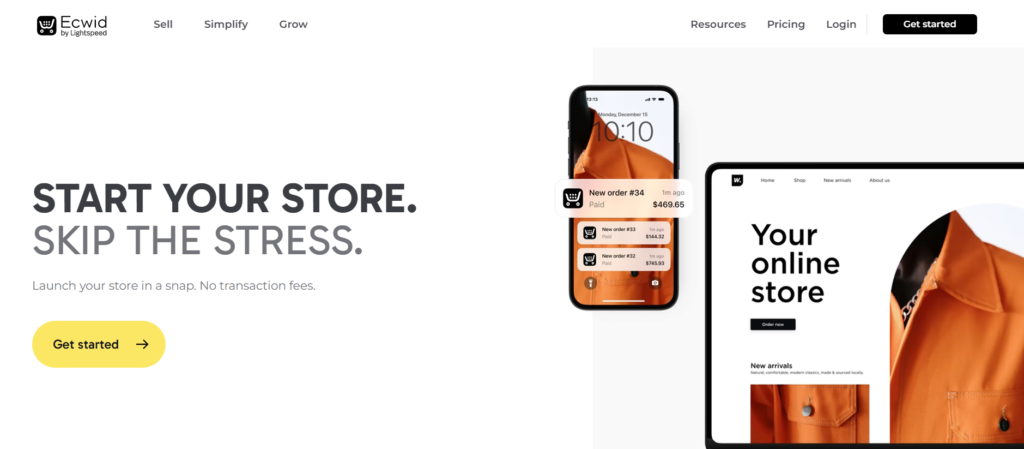
Overview: Ecwid, now part of Lightspeed, lets merchants embed a shopping cart into virtually any existing site, blog, or social page rather than requiring a full platform migration.
Key Features:
- Embeddable store widget for any website
- Multi-channel selling across social platforms
- Free tier available for small catalogs
- No required redesign of your existing site
Pros:
- Doesn’t require abandoning an existing website
- Fast to set up alongside current content
- Reasonable pricing at the entry level
Cons:
- Less design control than a dedicated ecommerce platform
- Advanced features gate behind higher tiers
- Smaller app selection overall
Pricing: A free tier covers small catalogs, with paid plans scaling up from there, according to Ecwid’s official pricing page.
Who should choose it? Businesses with an existing website that just need to add selling functionality.
Who should avoid it? Merchants wanting a fully dedicated, standalone ecommerce storefront.
8. PrestaShop – Best Open-Source for Scaling
Overview: PrestaShop is free, open-source ecommerce software popular across Europe, giving merchants full code access similar to WooCommerce but built as a dedicated ecommerce platform from the ground up.
Key Features:
- Free core software
- Large module marketplace
- Multi-language and multi-currency support by default
- Full backend customization access
Pros:
- No licensing cost for the core platform
- Strong fit for international and multi-currency selling
- Full control over hosting and infrastructure
Cons:
- Requires technical skill to set up and maintain
- Hosting and security become the merchant’s responsibility
- Smaller English-language community than WooCommerce
Pricing: The core software is free, but hosting, modules, and development time add real cost, according to PrestaShop’s official pricing information.
Who should choose it? International sellers who want deep customization and don’t mind managing their own hosting.
Who should avoid it? Merchants without development resources who need a quick, low-maintenance setup.
Shopify Alternatives by Feature
- Free platforms: WooCommerce and PrestaShop (core software is free; hosting and extensions are the real cost). Ecwid and Square Online also offer usable free tiers for small catalogs.
- No transaction fees: WooCommerce, PrestaShop, Wcart, BigCommerce’s Standard plan, and Ecwid all avoid a platform-level transaction fee.
- Open source: WooCommerce, PrestaShop, and Magento Open Source (the free edition of Adobe Commerce) give full code-level access.
- Self-hosted: Wcart WooCommerce and PrestaShop put hosting and maintenance in your hands more control, more responsibility.
- Highly customizable: Adobe Commerce, PrestaShop, and WooCommerce sit at the top of the customization ceiling among the platforms compared here.
How to Switch From Shopify to an Alternative
Step 1: Audit Your Shopify Store
- Review your current product catalog, customer list, order history, and any custom code or apps before starting, so nothing gets missed in the move.
Step 2: Choose Your New Ecommerce Platform
- Weigh the comparison points covered above against your specific catalog size, technical comfort, and budget before committing.
Step 3: Back Up Your Shopify Store Data
- Export and securely store your products, customers, orders, collections, images, content, redirects, and settings before touching anything else.
Step 4: Set Up the New Store
- Create your account on the new platform and configure the basic store settings, currency, and shipping zones before importing data.
Step 5: Import Products and Store Data
- Transfer your product catalog, customer records, and order history using the new platform’s import tools or a migration service.
Step 6: Recreate Your Store Design
- Rebuild your theme, navigation, key pages, and branding elements to match or improve on your original Shopify storefront.
Step 7: Configure Payments, Shipping, and Taxes
- Reconnect payment gateways, set up shipping rules, and confirm tax settings are correctly configured before going live.
Step 8: Recreate Important URLs and Redirects
- Map your old Shopify URLs to their new equivalents and set up 301 redirects to protect existing SEO value.
Step 9: Test the New Store
- Run through checkout, payments, product pages, mobile display, forms, navigation, search, shipping, and confirmation emails before launch.
Step 10: Launch and Monitor
- Update your domain’s DNS settings, submit your new sitemap to Google Search Console, and track rankings, traffic, and conversions closely for the first month.
For a full walkthrough of this process specific to one platform, see our complete guide to migrating from Shopify to Wcart.
Case Study: Cask88
Cask88, a UK whisky investment brand, moved off a legacy WordPress setup and onto Wcart, adding two custom investor-facing tools for tracking valuations and managing day-to-day operations.
The business now runs at over 1 millon a month. That’s not a typical result for every store, but it shows what’s possible once the platform stops being the limiting factor.
👉 View full case study: Read the Case study
Choosing the Right Platform for Your Business
There’s no shortage of Shopify alternatives available today from beginner friendly builders to enterprise-grade ecommerce platforms. The right choice depends on your specific business goals, whether that’s scalability, customization, multi-vendor capabilities or overall cost efficiency.
To make your decision easier, the table below compares the top Shopify alternatives for high-growth ecommerce platforms based on key factors like flexibility, scalability, built-in features and ideal use cases.
Use this comparison as a quick guide to identify which platform aligns best with your current needs and your future growth plans.
Which Shopify Alternative Best Fits Your Business Needs?
When selecting a Shopify alternative, it’s important to look into your business’s unique needs and long term goals. Are you a first-time seller looking for a simple, no-code setup? Or a growing brand that needs advanced features like multi-channel selling and custom workflows?
Here’s a quick decision-making checklist to guide your choice:
- Ease of Use vs Customization: Do you need a plug-and-play solution or deep control over design and features?
- Budget: Consider both upfront setup costs and ongoing expenses.
- Scalability: Think about future needs like larger inventories or marketplace integrations.
- Technical Support: Do you have a development team, or will you need hands-on support?
Still unsure? Book a free consultation with our experts to match your needs with the perfect platform.
The Final Word
Shopify may be one of the most well-known ecommerce platforms but in 2026, brand recognition alone isn’t enough. As ecommerce continues to evolve, businesses need more than just a starting point they need a platform that can adapt, scale and support increasingly complex operations without adding limitations.
There are several Shopify alternatives available today, each designed to meet different business needs. However, when it comes to combining built-in functionality, scalability, flexibility and ease of management, Wcart positions itself as a strong future-ready platform for growing brands.
Whether your goal is to launch a multi-vendor marketplace, manage multiple storefronts, simplify your tech stack or gain more control over your operations, Wcart is built to support your growth at every stage without heavy reliance on third-party tools.
If you’re looking for a platform that goes beyond basic ecommerce and gives you the flexibility to scale without friction, Wcart is worth exploring.
Frequently Asked Questions
Related Platform Comparisons
- 12 Best PrestaShop Alternatives – compare features, pricing & the best fit for your store.
- 9 Best Dukaan Alternatives – compare features, pricing & the best fit for your store.
- 5 Best Weebly Alternatives – compare features, pricing & the best fit for your store.
- 8 Best Jimdo Alternatives – compare features, pricing & the best fit for your store.
- 10 Best Big Cartel Alternatives – compare features, pricing & the best fit for your store.
- 10 Best Centra Alternatives – compare features, pricing & the best fit for your store.


























Leave a Reply