
Quick answer
Shopping cart optimization means reducing friction in your checkout and cart experience so more visitors complete their purchase through simpler checkout flows, clear payment options, and abandoned cart recovery. Wcart provides built-in shopping cart and checkout optimization tools, including guest checkout, multiple payment gateways, and automated cart recovery, for growing ecommerce stores.
We tested a one-page checkout against a multi-page flow across a set of Wcart stores, and the one-page version consistently completed faster on mobile matching what Bolt and Shopify’s own platform data have found industry-wide. The five sections below cover what actually moved the needle, not just what sounds good in theory.
Key Takeaways:
- Well-optimized stores typically see checkout completion rates between 45% and 55%, while the average ecommerce site sees roughly 70% checkout abandonment showing just how much room most stores have to close that gap.(Source: Mida — Checkout Conversion Rate Benchmarks for Ecommerce 2026)
- Optimized checkouts use as few as 7 form fields, compared to the industry average of 14.88 — cutting the form roughly in half is one of the most direct, measurable ways to reduce checkout friction. (Source: Swell — 35 Custom Checkout Statistics for 2026)
- Mobile checkout conversion rates run 1.5x to 2x lower than desktop, making the mobile experience the single largest untapped conversion opportunity for most ecommerce stores.(Source: ClickPost — 12 Ecommerce Checkout Optimizations Ranked by Conversion Impact)
- The average add-to-cart rate sits between 7% and 15% depending on industry and traffic quality — a low number here usually points to problems on the product page rather than in checkout itself.(Source: Mida — Checkout Conversion Rate Benchmarks for Ecommerce 2026)
- Checkout conversion with PayPal integration reaches as high as 88.7%, reinforcing how much offering a trusted, familiar payment method affects whether a shopper actually completes the purchase.(Source: Swell — 35 Custom Checkout Statistics for 2026)
Here’s a number that should give you pause: the average ecommerce cart abandonment rate sits at around 70.19%, according to the Baymard Institute (Source: Baymard Institute). That means , about 7 out of every 10 shoppers who add something to their cart leave without buying. If your store is getting a thousand visitors a day, that’s hundreds of potential sales just disappearing before they even hit your bank account.
The good news: most of that is preventable. The question is how? Not with a bigger ad budget or more traffic, but with the right shopping cart optimization, fixing the specific points where people lose momentum after they’ve already decided to buy.
This article breaks down five practical ways to do exactly that. These aren’t surface-level tips. Each one addresses a real pattern that causes customers to leave and explains what to do instead.
Explanation of Ecommerce Shopping Cart
An ecommerce shopping cart is a software application that allows customers to select and store items they wish to purchase while shopping on an online store. It’s a virtual shopping cart that holds items until the customer is ready to check out and complete the purchase. Once the customer has finished selecting items, they can review their cart, make any necessary changes, and proceed to the checkout page to complete the purchase.
The shopping cart software manages the order processing, payment, and shipping of the items, making it a critical component of any ecommerce website. A well-designed shopping cart can help increase conversions and boost sales, while a poorly designed one can lead to cart abandonment and lost revenue.
Launch Your Ecommerce Website in Minutes With Our Easy Builder.
Why Shopping Cart Optimization Matters More Than You Think
Most ecommerce brands spend the majority of their marketing budget attracting new visitors. That makes sense awareness drives growth. But optimizing for what happens when people are on your site is often far more cost effective.
Consider : A 1% increase in your ecommerce conversion rate can converts into 10000$ of additional revenue, without spending a single extra rupee or dollar on advertising.
Shopping cart optimization sits at the intersection of UX, trust, and psychology. If someone has reached your cart, they are not a cold lead, they are warm, interested and close to a decision. Small hurdles at this point have a huge impact on whether or not they complete the purchase.
By Shopping cart optimization, you can reduce cart abandonment, boost your checkout conversion rates and ultimately grow your online store conversions without requiring additional traffic to achieve this.
1.Understanding Your Target Audience
Defining your target audience
Defining your target audience is a crucial step in any marketing strategy, including for ecommerce businesses. Before you can optimize anything, you need to understand who you’re optimizing for. Defining your target audience means going beyond basic demographics like age or location.
It involves understanding psychographics what motivates your customer, what they’re anxious about, what kind of experience they expect and behavioral patterns, like how they browse, what makes them hesitate, and what pushes them to finally click “Buy Now.”
Practically, this means building detailed customer personas based on your actual data. Look at who’s buying from you right now. What products do they gravitate toward? Where are they dropping off? What questions does your support team keep answering? Those patterns tell you a lot about what your audience needs and what’s getting in their way.
If you’re running a headless or API-first ecommerce setup, you’re in a strong position here. You can instrument your store with fine-grained event tracking and build a much richer picture of buyer behavior than most traditional platforms allow.
Read More: For Identifying Your Target Audience
Analyzing their shopping behavior
Understanding how your audience shops is where things get actionable. Tools like Hotjar or Microsoft Clarity let you watch session recordings real footage of actual users navigating your store. It’s humbling, and often surprising. You’ll see people clicking on elements that aren’t links, missing obvious CTAs, or abandoning checkout the moment they see a shipping cost field.
Google Analytics (or your analytics stack of choice) will show you exit rates by page, which reveals where people are leaving in the funnel. Pair that with heatmaps and you’ll start to see patterns: maybe mobile users consistently drop off at the address form, or desktop shoppers bounce after viewing the payment page.
A few questions worth investigating:
- Which product categories see the highest add-to-cart rate, but the lowest purchase completion?
- At what step of the checkout process do most users exit?
- How does behavior differ between mobile and desktop users?
- Are returning customers completing purchases at a higher rate than first-timers?
The answers to these questions should drive your optimization priorities, not guesswork.
Identifying pain points and addressing them
Pain points in ecommerce are the friction points moments where a customer’s buying intent runs into an obstacle. They might not be dramatic. Sometimes it’s just one too many form fields, or a shipping estimate that appears too late in the process, or a payment option they expected that isn’t there.
Research from the Baymard Institute found that 48% of US online shoppers abandoned a cart because of unexpected extra costs shipping, taxes, fees showing up at checkout. Another 26% left because they were required to create an account. These aren’t obscure edge cases; they’re the norm.
Common pain points to look for:
- Slow page load speeds, especially on mobile
- Forced account creation before checkout
- Confusing or cluttered navigation during the buying flow
- Hidden costs that appear only at the final step
- Limited payment options that don’t match regional preferences
- Lack of trust signals near the payment section
Once you’ve identified where the friction lives, fixing it usually isn’t as complex as it seems. Many of the highest-impact changes are simple is playing shipping costs upfront, enabling guest checkout, or switching from a multi-page to a single-page checkout flow.
2.Simplify the Checkout Process
Streamlining the checkout process
The checkout process is where buying intent either converts into revenue or evaporates. Even small amounts of friction here an extra click, a confusing field label, a form that doesn’t autofill can push someone to abandon their cart.
According to a Baymard study, the average large-scale ecommerce checkout flow contains 14.88 form fields by default but can be reduced to just 8 without losing any necessary information. That reduction alone can meaningfully improve completion rates.
Practical steps to streamline:
- Offer guest checkout don’t require account creation before purchase
- Enable browser autofill for address and card fields
- Show a progress indicator so customers know where they are in the process
- Display shipping costs as early as possible ideally on the cart page
- Remove navigation headers and footers from the checkout page to eliminate distractions
- Keep the cart accessible (a persistent side cart can help)
The goal is to remove every decision and distraction that isn’t directly necessary for completing the purchase. The fewer clicks between “Add to Cart” and “Order Confirmed,” the better your ecommerce checkout optimization will perform.
One-page checkout vs multi-page checkout
This is a question a lot of store owners wrestle with, and there’s no universal right answer but the context matters a lot.
- One-page checkout puts everything in a single view: shipping information, payment details, and order summary all visible at once. It tends to work well for stores with straightforward products and lower average order values. Customers can see the full picture at a glance, which reduces uncertainty and speeds up the transaction. Studies from Bolt and Shopify’s own platform data have shown that one-page checkout can reduce checkout time by 16–18 seconds which sounds small, but it matters on mobile.
- Multi-page checkout breaks the process into steps: contact info, shipping, payment, review. This structure works better for complex orders custom configurations, B2B purchases, high-ticket items where the customer wants to verify details at each stage before moving forward. It also gives you natural moments to show trust signals and reassurances between steps.
If you’re unsure which works better for your audience, run an A/B test. Don’t assume your customer behavior data should decide this, not intuition.
Eliminating distractions and unnecessary steps
- Once a customer enters the checkout flow, every element on the page should serve one purpose: helping them complete the purchase. Navigation menus, promotional banners, pop-up chat widgets, “you might also like” carousels all of these introduce exit opportunities at the worst possible moment.
- Strip the checkout page down. Remove anything that links away from the purchase flow. If you use live chat, configure it to be available but not intrusive. Keep the order summary clear and accurate. Make the “Place Order” button visually dominant and easy to find on both desktop and mobile.
- Also, audit your form fields. Are you asking for a phone number when you don’t actually need it? Are you collecting a “company name” field even though you’re a B2C store? Every unnecessary field adds cognitive load and another chance for someone to pause and reconsider.
Future-proof Your Brand Today with a Powerful White Label Ecommerce Platform!
3.Optimize Your Product Pages
High-quality product images and descriptions
The product page does a job that no salesperson can do at scale: it has to answer every question a buyer might have, remove every doubt, and make the purchase feel low-risk all without any human interaction.
Poor product content is one of the most underappreciated reasons for cart abandonment. Customers add something to their cart, then hesitate. They go back to the product page, look for more information, don’t find it, and leave. This pattern shows up clearly in session recordings.
What strong product content looks like:
- Multiple high-resolution images showing the product from different angles, in use, and with scale references
- A short, specific product title that names the product clearly (not keyword-stuffed)
- A description that explains what the product does and who it’s for not just what it is
- Key specs and dimensions in a scannable format
- A short FAQ section covering the questions your support team hears most often
- Video demonstrations where the product has moving parts, complex assembly, or a use case that’s hard to convey in photos
Research by MDG Advertising found that 67% of consumers consider image quality “very important” when making a purchase online. Don’t underestimate how much a blurry or inconsistent product image can undermine buyer confidence
Product reviews and ratings
Social proof works. According to a Spiegel Research Center study, displaying reviews can increase conversion rates by up to 270%. That’s not a marginal improvement , it’s transformational for most ecommerce businesses.
The reason is straightforward: reviews reduce perceived risk. When someone is about to spend money on something they can’t touch or try, hearing from others who already have helps them feel more confident in the decision.
A few things that help here:
- Make reviews easy to leave a post-purchase email with a one-tap rating prompt works well
- Display the average rating prominently near the product title, not buried below the fold
- Don’t filter out negative reviews a mix of ratings actually feels more trustworthy than 500 five-star reviews with no criticism
- Respond to negative reviews publicly it shows you care about customers
- Show verified purchase badges where possible to confirm authenticity
If your store is new and doesn’t have reviews yet, consider a structured sample program or invite early customers directly. A product page with zero reviews converts significantly worse than one with even five or ten genuine ones.
Cross-selling and upselling strategies
Cross-selling and upselling, when done well, don’t feel like selling. They feel like good service. If someone is buying a camera, showing them a compatible memory card is helpful. If someone’s adding a mid-range product to their cart, showing them the premium version with a clear explanation of the difference can easily increase average order value.
According to McKinsey, cross-selling and upselling can drive 10–30% of ecommerce revenue. But the execution matters. Poorly timed or irrelevant suggestions do the opposite they interrupt the buying flow and create noise.
Where to place them:
- On the product page below the main product description, not above the fold
- In the cart a section showing “Frequently bought together” works well here
- Post-checkout the thank you page is underutilized; customers who just bought are often receptive to complementary products
Avoid placing upsell popups in the middle of checkout. That’s where they hurt conversions rather than help.
Explore More: To know about Product Page
4.Offer Multiple Payment Options
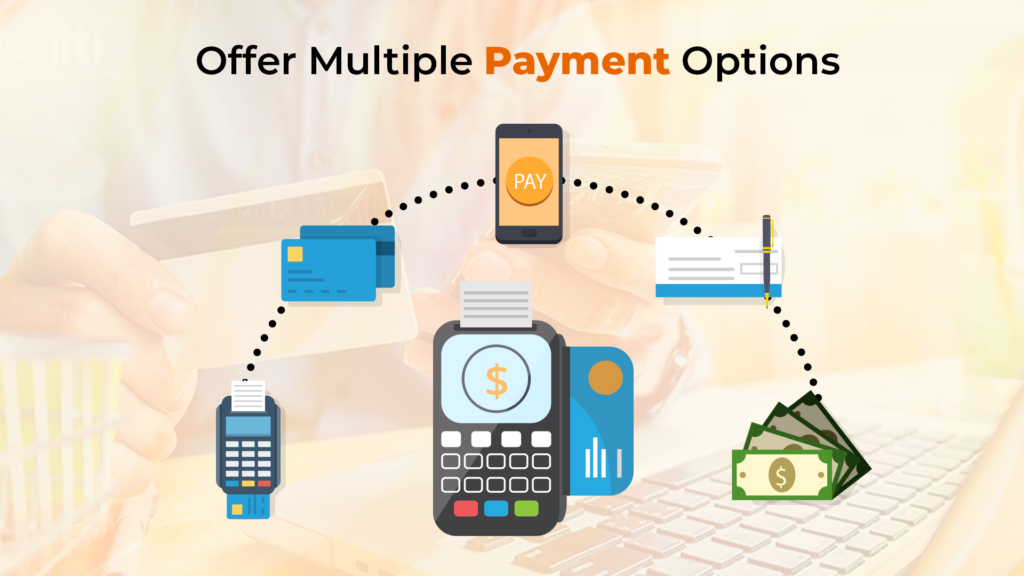
Common payment options for ecommerce businesses
Payment is the last moment before revenue becomes real. It’s also, surprisingly, one of the most common points of failure. If a customer reaches your payment page and doesn’t see a payment method they trust or use, they’re gone and they probably won’t come back.
The data backs this up. A PPRO report found that 42% of customers will abandon a transaction if their preferred payment method isn’t available. That’s not a small drop-off nearly half of your warm, checkout-ready buyers.
Common payment options for ecommerce businesses
The payment methods that matter most will vary by market, but here’s a practical breakdown:
- Credit and debit cards – Visa, Mastercard, and Amex remain essential across most markets
- PayPal – widely trusted in the US, UK, and EU; adds a layer of buyer protection that many customers prefer
- UPI (India) – for Indian markets, UPI is non-negotiable. It accounts for the majority of digital payments in the country
- Buy Now, Pay Later (BNPL) – options like Klarna, Afterpay, and LazyPay have grown rapidly. BNPL can increase average order value by 20–30% for mid-to-high ticket products
- Digital wallets – Apple Pay, Google Pay, and similar wallet-based options reduce checkout friction dramatically, especially on mobile
- Bank transfers – preferred for larger B2B purchases or in markets where card penetration is lower
If your store targets multiple geographies, think about this regionally. The US audience expects cards and PayPal. Indian shoppers expect UPI and wallets. UK shoppers increasingly expect BNPL. Serving all three markets well means supporting different checkout experiences something a headless ecommerce platform handles much more gracefully than a template-based one.
Emerging payment options such as cryptocurrency
Cryptocurrency payments are worth a mention, though context matters. Accepting Bitcoin or Ethereum positions you as forward-thinking, and some customer segments do actively seek it out. However, crypto’s price volatility creates complications for merchants a product priced at $50 today might receive payment worth $45 or $58 in crypto by the time the transaction confirms. Stablecoins reduce this problem, and a handful of payment processors now make crypto acceptance rfairly straightforward. It’s not a mainstream requirement yet, but for brands targeting a tech-forward audience, it’s worth considering.
The importance of security and trust in payment processing
You can have every payment method under the sun and still lose customers if they don’t trust your checkout. Security signals at the payment stage are not optional they’re conversion-critical.
At minimum:
- Use HTTPS across your entire site not just the checkout page
- Display recognizable security badges (SSL certificates, payment processor logos)
- Be PCI DSS compliant if you’re handling card data directly
- Never store card details unless you have the infrastructure and compliance to do it safely
- Show a clear, easy-to-find return policy near the payment section
Trust is built in small moments. A buyer who sees a padlock icon, recognizes a PayPal or Stripe logo, and reads a 30-day return guarantee is more likely to follow through than one who sees none of those things.
5.Implement Abandoned Cart Recovery Strategies
Understanding the reasons for cart abandonment
Cart abandonment doesn’t happen randomly. Customers leave for specific, identifiable reasons and when you know the reasons, you can fix them.
The Baymard Institute breaks down the most common causes:
- 48% – unexpected extra costs (shipping, taxes, fees)
- 26% – required to create an account
- 23% – slow delivery
- 22% – didn’t trust the site with payment information
- 19% – too long or complicated checkout process
- 13% – preferred payment method not available
Notice that most of these are addressable. They’re not about price or product quality they’re about the experience around the purchase. That’s within your control.
There’s also a category of “soft abandonment” shoppers who are genuinely interested but got distracted, decided to think about it, or wanted to compare options. This group is very recoverable with the right follow-up.
Email and push notification reminders
Abandoned cart recovery is one of the highest-ROI tactics in ecommerce. A well-structured recovery sequence can recapture 5–15% of abandoned carts, according to Klaviyo benchmark data. For a store doing significant volume, that’s material revenue.
Email recovery works best when it’s structured as a sequence, not a single blast:
- Email 1 (1 hour after abandonment): A gentle nudge “You left something behind.” No discount yet. Show the cart, make it easy to return. This captures the low-hanging fruit: people who just got distracted.
- Email 2 (24 hours later): Address the hesitation. Highlight your return policy, security, and key benefits. If you know their concern is shipping cost, lead with that.
- Email 3 (48–72 hours later): This is where a time-limited offer can work a small discount, free shipping, or a bonus item. Be careful not to train customers to abandon carts intentionally to wait for the offer.
Push notifications serve a different function. They’re shorter, more immediate, and work particularly well for mobile shoppers. A push sent within 30 minutes of abandonment “Your cart is waiting” with a direct link can achieve click-through rates well above email because it appears directly on the customer’s screen without requiring them to open an app.
SMS recovery is also gaining traction, particularly in markets with high mobile commerce penetration. Open rates for SMS are dramatically higher than email often above 90% though conversion depends heavily on the message and timing.(Source : messageiq)
Measuring Shopping Cart Optimization Success
Optimization without measurement is just guessing. Once you’ve made changes to your cart, checkout flow, or recovery sequences, track these core metrics:
- Ecommerce conversion rate – the percentage of sessions that result in a purchase
- Cart abandonment rate – percentage of cart additions that don’t convert
- Checkout completion rate – how many customers who start checkout actually finish it
- Average order value (AOV) – especially important after adding cross-sell or BNPL options
- Revenue per visitor (RPV) – combines conversion rate and AOV into one business-level metric
- Recovery email open rate and click-through rate – to measure how effectively you’re recapturing abandoners
These metrics give you a clear before-and-after picture. Run changes as A/B tests where possible most ecommerce platforms and analytics tools support this so you know whether an improvement is real or coincidental.
Conclusion
Shopping cart optimization isn’t a one-time project. It’s an ongoing commitment to removing friction from the buying experience and giving customers every reason to follow through on a purchase they were already considering.
The five areas covered here are not isolated tactics, they are compound. If a customer lands on a well-built product page, trusts your brand, sails through a streamlined checkout, pays with their preferred method, and gets a recovery email when they hesitate, you’re doing everything right.
The ecommerce conversion rate gains you get from this type of work tend to be lasting, because they’re based on better experience not tricks. Customers return. They tell other people. And you build your revenue without having to keep throwing more money into acquisition.
The best ecommerce stores don’t try to fix everything at once. They identify the biggest obstacle in the customer journey, solve it, measure the results, and keep improving. That’s how the best ecommerce stores build compounding advantages over time.”
Frequently Asked Questions(FAQs)
What is an Ecommerce Shopping Cart?
An Ecommerce Shopping Cart is a software application that allows online shoppers to select products they want to buy from an online store and keep track of the items they have selected.
What are the key features of an Ecommerce Shopping Cart?
An Ecommerce Shopping Cart should have some essential features, including a user-friendly interface, the ability to accept various payment methods, the ability to calculate shipping and taxes, the ability to store customer data, inventory management, and the ability to create discounts and coupons.
How can I choose the right Ecommerce Shopping Cart for my business?
To choose the right Ecommerce Shopping Cart for your business, consider your budget, the size of your business, your target audience, and the features you require. You should also look for a shopping cart system that is easy to integrate with your website and other business applications.
How can I ensure the security of my customers’ data when using an Ecommerce Shopping Cart?
To ensure the security of your customers’ data when using an Ecommerce Shopping Cart, you should choose a system that complies with industry standards for data security and privacy, such as PCI DSS. You should also use secure encryption protocols, have a secure server, and regularly update your software to protect against vulnerabilities and potential hacks.
What are the advantages of using an Ecommerce Shopping Cart for my business?
Using an Ecommerce Shopping Cart offers several advantages for your business, including increased sales, improved customer satisfaction, a more efficient and streamlined order management process, and the ability to reach a broader audience. It also enables you to gather and analyze customer data to help you make informed business decisions.
How can I reduce cart abandonment on my ecommerce store?
Start with the biggest friction points: show shipping costs early, offer guest checkout, simplify the checkout flow, and follow up with a structured abandoned cart email sequence most of the highest-impact fixes come from these four alone.
What are the benefits of a well-optimized shopping cart?
Higher sales, better customer satisfaction, a smoother order management process, and the ability to reach a wider audience plus the customer data you collect along the way helps you make better business decisions going forward.
How do I choose the right shopping cart platform for my business?
Weigh your budget, business size, target audience, and the specific features you need and make sure it integrates cleanly with your website and other business tools.

























Leave a Reply