
Quick Answer: A B2B ecommerce platform is software built for selling to other businesses online, not individual consumers. It handles B2B online shopping the way business buyers actually expect: company accounts with multiple buyers, private or tiered pricing, quotes and negotiated deals, bulk ordering, and payment on terms like net-30. Unlike a retail store, it assumes every buyer might see a different price and every order might need approval before it ships.
Key Takeaways
- US B2B ecommerce site sales reached $2.297 trillion in 2024, up 10.5% year over year, and are projected to surpass $3 trillion by 2028. (Source: Uncap)
- Order processing costs drop from roughly $50–150 per order under manual handling to about $25 per order once self-service ecommerce is in place. (Source: Elogic Commerce, Elogic Commerce)
- 83% of B2B buyers say they’d abandon a purchase if no payment terms were offered at checkout. (Source: via Elogic Commerce)
- High-maturity B2B digital commerce suppliers beat their annual sales goals by a 110% greater margin than low-maturity suppliers. (Source: Deloitte Digital 2026 via Uncap)
Business buyers expect the same convenience as online shoppers , but B2B selling comes with extra requirements.Like, different customers often have different prices, bulk ordering needs, payment terms, and approval processes. Managing all of this manually through emails and spreadsheets quickly becomes difficult for your business growth.
A B2B ecommerce platform brings these processes into one system, making wholesale and business selling faster and easier to scale.
This guide covers what a B2B ecommerce platform actually is, the models businesses run on top of one, the features worth requiring before you buy, five real platforms to consider, and how to launch without the common mistakes.
What Is a B2B Ecommerce Platform?
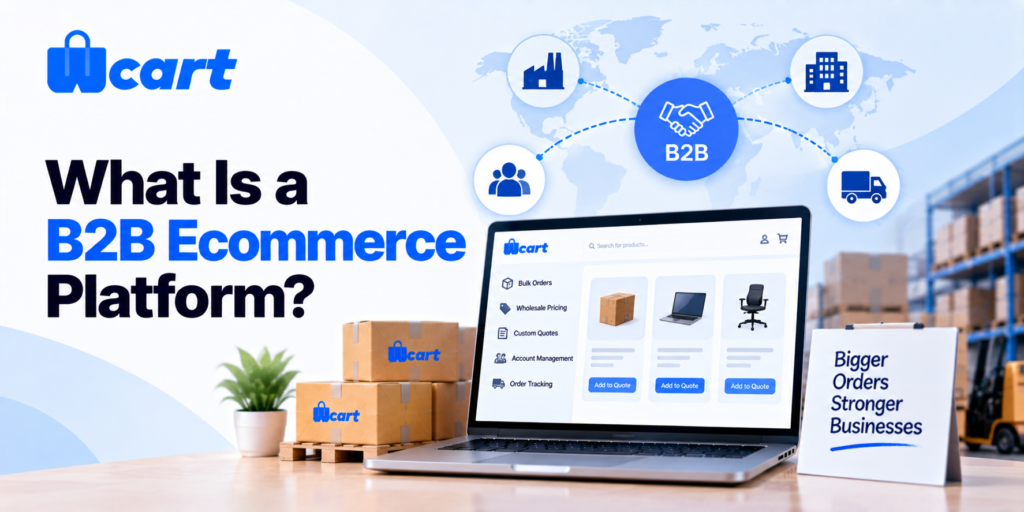
A B2B ecommerce platform is software for selling products or services to other businesses online, rather than individual shoppers. It’s built around company accounts instead of anonymous visitors, and pricing that changes by customer rather than staying fixed for everyone.
How B2B Ecommerce works :
- Supports company accounts with multiple buyers under one login.
- Applies account- or group-specific pricing instead of one public price.
- Handles quotes, negotiated deals, and purchase orders alongside card payment.
- Manages bulk ordering, minimum order quantities, and repeat reorders
- Connects to ERP, accounting, and inventory systems so data stays in sync.
What makes a platform “B2B” rather than retail
The line between B2B and B2C software comes down to a handful of capabilities. A retail cart assumes anonymous browsing, one price for everyone, instant card payment, and a single shopper. B2B inverts almost all of those assumptions.
1. Account-based buying and customer groups
- In B2B, a “customer” is usually a company with several buyers: a procurement lead, an accounts-payable contact, maybe a warehouse manager who reorders.
- The platform needs company accounts with multiple sub-users, each potentially with different permissions and spending limits.
- Pricing is then assigned to the account or to a customer group (for example “Tier 1 distributors” or “registered resellers”), not published globally.
If you want the mechanics of this, see our deep-dive on how to set up wholesale pricing and customer groups.
2.Negotiated pricing, quotes, and minimums
- Most wholesale relationships involve some negotiation. That shows up in software as tiered or quantity-break pricing.
- Contract price lists pinned to specific accounts, minimum order quantities (MOQs), and case-pack increments.
- When a deal can’t be a fixed list price, buyers request a quote and a rep responds. That’s the request-a-quote (RFQ) loop.
Our companion guide covers the request-a-quote (RFQ) workflow for B2B stores end to end.
3.Payment terms and tax handling
- Business buyers frequently pay by purchase order on net-30 or net-60 terms rather than entering a card at checkout
- The platform needs to support PO-as-payment, credit limits, and invoicing alongside card and ACH
- Many B2B buyers are tax-exempt or buying for resale, so exemption certificates need to be captured and validated, with tax suppressed accordingly
What Are the Different B2B Ecommerce Business Models?
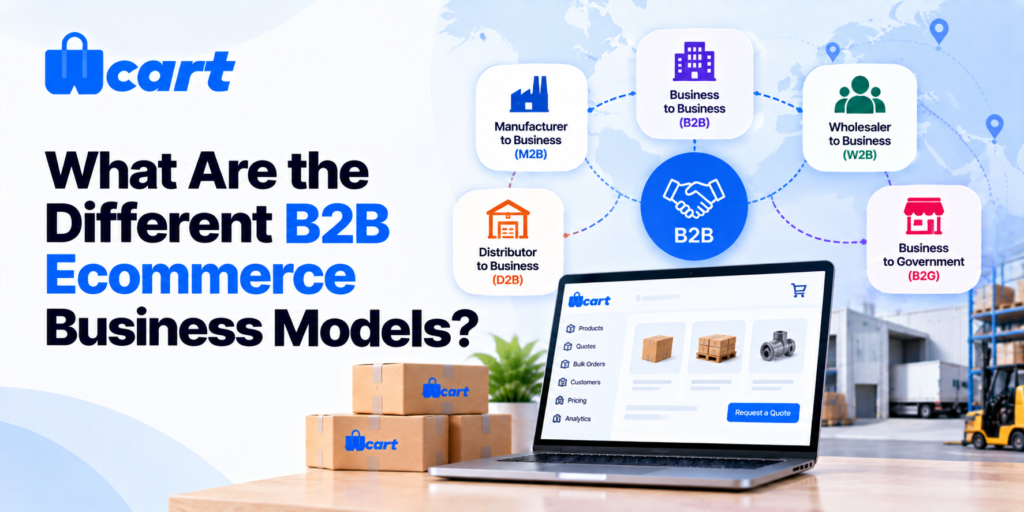
B2B ecommerce isn’t just wholesale distribution. The right platform choice depends heavily on which model you’re actually running, since each one puts different weight on different features.
- Wholesale and distribution – selling bulk quantities of finished goods to retailers or resellers, usually with tiered pricing by volume. This is the most common B2B wholesale ecommerce model.
- Manufacturer-to-business (direct) – manufacturers selling directly to businesses rather than through a distributor layer, often with configurable products, MOQs, and longer lead times baked into the buying flow.
- B2B marketplace – a platform where multiple suppliers sell to business buyers side by side, with the marketplace operator taking a cut or fee. This needs per-vendor pricing, routing, and payout logic a single-seller platform doesn’t have. Our multi-vendor marketplace guide covers this model specifically.
- Subscription and replenishment B2B – businesses ordering the same consumables or supplies on a recurring schedule (cleaning supplies, packaging materials, raw ingredients), where the value is in automatic reordering rather than one-off negotiation.
- Hybrid B2B2C – one catalog serving both public retail customers and gated wholesale accounts from the same storefront, with price and product visibility controlled by login status.
The main B2B platform models Platform Types?
There is no single “best” B2B platform. There are trade-offs between control, speed, and cost. The four common models below cover most of what you’ll evaluate.
| Model | Best for | Strengths | Watch-outs |
|---|---|---|---|
| Hosted SaaS (retail-first with a B2B add-on) | Small wholesalers, fast launch | Quick setup, managed hosting, large app ecosystem | B2B features often bolt-on; per-transaction or tiered fees; limited deep customization |
| Dedicated B2B SaaS | Mid-market with complex catalogs | Native quotes, price lists, approvals; strong ERP connectors | Higher monthly cost; can be heavy for a simple reseller program |
| White-label / self-hosted (e.g. Wcart) | Brands wanting ownership and a marketplace option | Own the code and data, no per-sale platform tax, multi-vendor capable, full brand control | You own hosting and updates (or your vendor does); more upfront setup |
| Headless / API-first | Teams with developers and custom front-ends | Maximum flexibility, omnichannel, fast front-end iteration | Needs engineering capacity; you assemble more of the stack yourself |
A useful rule of thumb: the more your pricing and ordering logic differs from “everyone pays the same sticker price,” the more you benefit from a platform where B2B is native rather than retrofitted. If you also plan to onboard third-party suppliers and take a cut, a multi-vendor-capable platform saves you from rebuilding the marketplace layer later.
What Are the Best B2B Ecommerce Platforms in 2026?
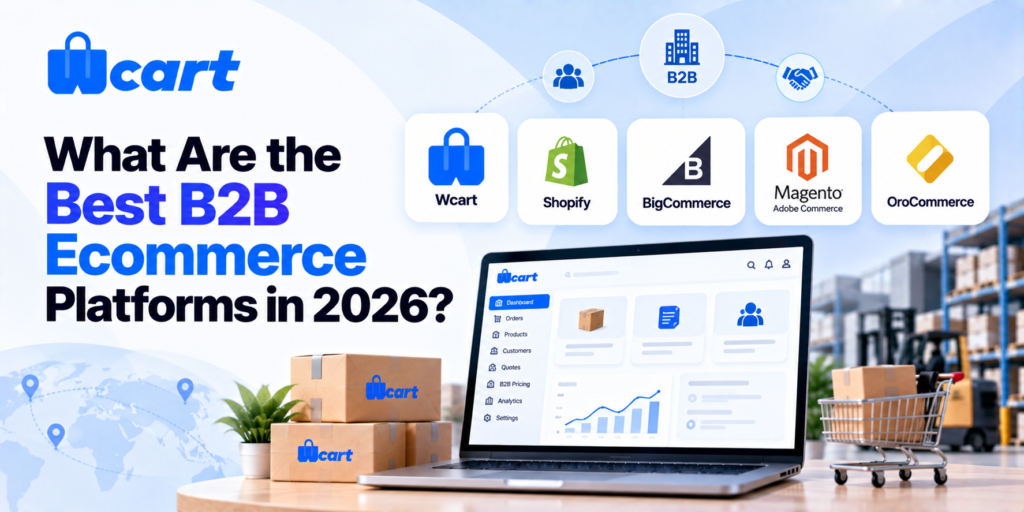
Here are five platforms worth putting on a shortlist, spanning the different types above so you can compare across models, not just within one.
1. Wcart

A white-label, self-hosted platform built for B2B and multi-vendor selling together, best for brands that want to own their code, data, and economics.
Features:
- Company accounts with multiple sub-users and role-based permissions
- Multi-vendor marketplace support without extra middleware
- No per-sale platform commission, since you own the infrastructure
Pros:
- Full ownership of code, data, and customer relationships
- No percentage-of-revenue platform tax as you scale
- Handles wholesale and marketplace models on the same system
Cons:
- You (or your hosting partner) own uptime and updates
- Fewer pre-built apps and integrations than long-established SaaS platforms
- More upfront setup work compared to a pure SaaS signup
Pricing: Custom, based on hosting and setup needs, with no per-transaction fee built into the platform itself.(Wcart Pricing)
2. Shopify Plus (B2B)

Shopify’s B2B layer added on top of its retail core, best for merchants already on Shopify who want to add company accounts and wholesale pricing without switching platforms entirely.
Features:
- Company accounts and customer-specific catalogs
- Tiered and volume-based pricing
- Payment terms and purchase order support
Pros:
- Fast to launch if you’re already running Shopify for retail
- Runs B2C and B2B from a single store and admin
- A large, mature app store covering nearly any add-on need
Cons:
- B2B capabilities only unlock at the Plus tier, a steep jump from lower plans
- B2B features can feel layered on rather than built B2B-first
- Deep customization often needs developer resources and third-party apps
Pricing: Starts around $2,300/month on a 3-year term, or roughly $2,500/month on a 1-year term. .( Pricing)
3. BigCommerce (B2B Edition)
A dedicated B2B feature set built into BigCommerce, covering buyer portals, quoting, and custom price lists, good for mid-market catalogs that need native B2B tools without full custom development.
Features:
- Native B2B Edition (built on the BundleB2B acquisition) with buyer portals
- Multi-tier customer pricing and shared catalogs
- Quote workflows and requisition lists
- Headless-friendly architecture for multi-storefront setups
Pros:
- One of the more polished native B2B feature sets available out of the box
- Pricing tiers are actually published, unlike most competitors on this list
- Extensible via third-party apps for anything not built in natively
Cons:
- Full B2B functionality requires the B2B Edition add-on on top of the base plan
- Enterprise-tier pricing still requires a custom quote for larger catalogs
- Can run notably higher cost than Shopify Plus at scale, depending on complexity
Pricing: Core plans start around $39/month ($29/month billed annually), scaling to $399/month for Scale and from $1,499/month for the Performance tier; (Enterprise pricing is custom.)
4. Adobe Commerce (Magento)

A long-established platform with deep B2B extensions, popular with larger catalogs that need heavy customization and have in-house development resources.
Features:
- Native B2B Suite covering company hierarchies, shared catalogs, and quote-to-order
- Deep customization at the code level via Magento’s open architecture
- Strong ERP and multi-region support for complex enterprise catalogs
Pros:
- The most customizable option for genuinely complex B2B requirements
- Native quote workflows go deeper than most SaaS competitors
- Well suited to businesses with existing PHP or Magento development skills
Cons:
- Highest total cost of ownership in its category by a wide margin
- Pricing is never published; every deal is quoted privately based on GMV
- Implementation typically takes longer and needs specialized developers
Pricing: Licensing starts around $22,000/year and can scale past $200,000/year depending on GMV, with 3-year total cost of ownership commonly landing between $400,000 and $1,000,000+ once implementation and hosting are included.
5. OroCommerce
Built B2B-first from the ground up, with strong native support for complex account hierarchies, multi-org buying, and quote workflows, a solid fit for businesses whose buying structure is genuinely complicated.
Features:
- Company accounts native to the platform, not bolted on as an add-on
- Multi-organization and multi-tier buyer hierarchies
- Native quote management built around B2B negotiation from day one
- Strong ERP connector options for manufacturers and distributors
Pros:
- Purpose-built for B2B, so core workflows feel native rather than adapted
- Handles genuinely complex account structures better than retail-first platforms
- Often more cost-effective than Adobe Commerce for comparable B2B depth
Cons:
- Steeper learning curve than more retail-adjacent platforms
- Smaller community and fewer third-party resources than Shopify or Adobe
- Pricing isn’t published, so evaluating cost takes a direct sales conversation
Pricing: Custom licensing, with 3-year total cost of ownership commonly cited in the $350,000-$900,000+ range for mid-market B2B implementations. (Pricing)
Core features to require before you buy
Use this as a checklist when you demo platforms. Treat anything that is “on the roadmap” as not present.
- Company accounts with sub-users and roles. Buyers, approvers, and viewers under one account.
- Customer-group and account-level price lists. Including quantity breaks and contract pricing.
- Request-a-quote and quote-to-order. A buyer can request, a rep can counter, and an accepted quote converts to an order without re-keying.
- Purchase-order checkout and net terms, with per-account credit limits.
- Tax exemption capture. Store and apply resale/exemption certificates.
- Bulk ordering and reorder. CSV upload, SKU quick-order pads, and one-click reorder of past carts.
- MOQ and case-pack rules, enforced at the line level.
- ERP / accounting integration. Inventory, pricing, and order sync are where B2B implementations succeed or fail.
- Approval workflows. Orders above a threshold route to an approver.
- Catalog visibility controls. Show different products (or hide pricing) per group, including a login-to-see-prices mode.
Two of these deserve special attention.
- First, integration: if your ERP holds the real inventory and price truth, the platform must read from it reliably, or your buyers will see wrong stock and you’ll oversell. Real-time inventory visibility is one of the highest-priority capabilities industrial B2B buyers ask for specifically. (Source: Uncap)
- Second, catalog visibility: many B2B brands legitimately hide prices from the public and from competitors, so a clean “login to view pricing” gate is not a nice-to-have.
One thing worth checking in the demo is what actually happens to a logged-out visitor who lands on a product URL directly. Some carts leak the price in the page source or meta tags even when the storefront hides it, which defeats the whole point.
How Do You Choose a B2B Ecommerce Platform?
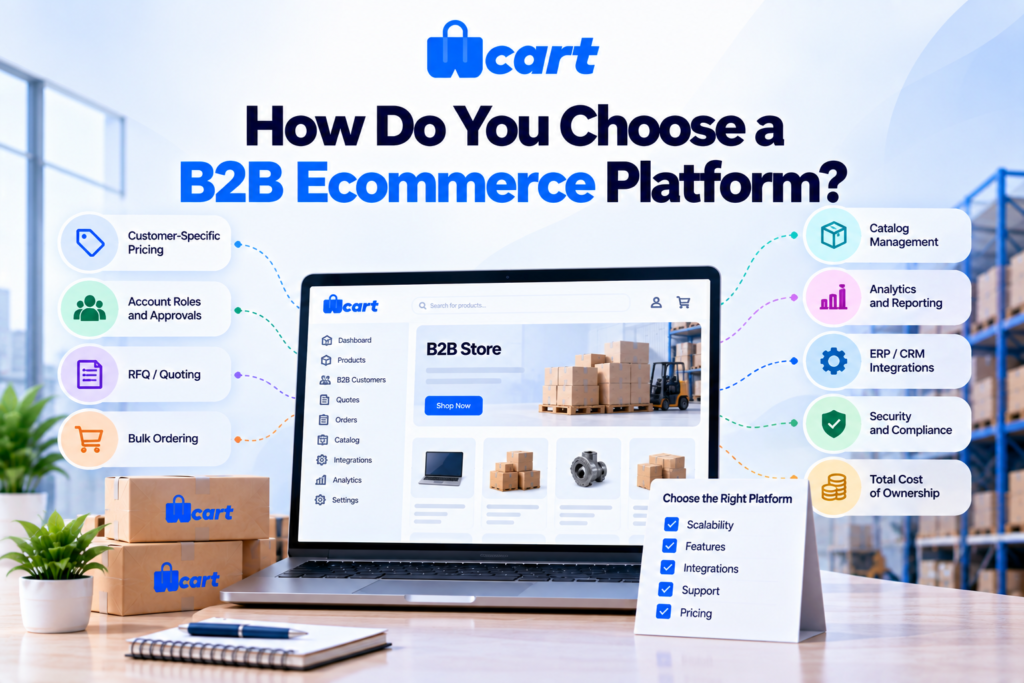
Work through these ten checks before signing anything, ideally against a real order in your own catalog, not a generic demo script.
- Identify your actual B2B buying model (wholesale, manufacturer-direct, marketplace, subscription, or hybrid)
- Check pricing flexibility, specifically whether it supports account-level and group-level pricing, not just one discount code
- Check company accounts, including multiple sub-users with different permission levels
- Check bulk ordering support, like CSV upload and quick-order pads
- Check request-a-quote functionality and whether an accepted quote converts to an order automatically
- Check payment terms support, including purchase orders, net terms, and credit limits
- Check ERP and CRM integration depth, not just the existence of an integration
- Check catalog controls, including price hiding and per-group product visibility
- Check total cost, including any per-transaction platform fee that scales with your revenue
- Test the platform with a real B2B order end to end, not a scripted demo cart
How to launch wholesale selling online (a practical sequence)
You do not need every feature on day one. Sequencing the rollout keeps the project shippable.
1. Model your accounts and groups first
- Before touching the storefront, decide how you segment buyers. Most wholesalers start with two or three customer groups (for example retail, reseller, distributor) and refine later. Getting this taxonomy right early prevents painful price-list re-work.
2. Load pricing as the data layer, not as manual edits
- Import price lists from your ERP or a clean spreadsheet rather than editing prices product-by-product. This keeps ongoing updates sustainable and auditable.
3. Turn on quotes for the deals that can’t be list-priced
- Rather than trying to encode every negotiation as a fixed price, route the genuinely custom deals through RFQ. This lets you launch with most of the catalog self-serve while keeping flexibility for big accounts.
4. Add payment terms once order volume justifies it
- Card and ACH can carry you early. Introduce PO/net-terms billing and credit limits when you have the AR process to support collections. Otherwise you are extending credit without controls.
5. Integrate, then automate
- Before you start optimizing your B2B store, make sure your inventory and order systems are properly connected.
- One of the biggest mistakes businesses make is relying on manual stock updates, which often leads to overselling and frustrated customers.
- The problem usually isn’t obvious at first. Your online store and ERP system may both look accurate on their own, but small differences start to build up over time.
- Returns, warehouse adjustments, or stock corrections might get updated in one system but not the other.
- After a while, those small mismatches turn into bigger issues, and you could end up selling products that are no longer in stock
For background on the broader discipline of selling between businesses, the Wikipedia overview of business-to-business commerce is a reasonable primer, and Google’s SEO starter guide is worth following if you want your wholesale catalog to be discoverable for the buyers who are allowed to see prices.
What Common Mistakes Do Businesses Make With B2B Ecommerce Platforms?
Many businesses make the same mistakes when choosing a B2B ecommerce platform.
- Some invest in an expensive enterprise solution with features they never use, while others start with a basic ecommerce platform and end up relying on multiple plugins for quotes, pricing, and payment terms.
- Since customers will handle more tasks through self-service, your business should also guide and train buyers to get the most value from the platform
- Skipping ERP integration to speed up the launch is another common mistake, often leading to inventory and order management issues later.
- It’s also important to remember that a B2B platform isn’t just a technology upgrade.
Conclusion
If owning your brand, data, and economics matters, and especially if you might run a multi-vendor marketplace where other suppliers sell alongside you, a white-label platform avoids the per-transaction “platform tax” and the customization ceiling that hosted retail tools impose.
That’s the lane Wcart is built for: B2B and multi-vendor commerce you control, without rebuilding the marketplace layer yourself. The trade-off is that someone has to own hosting and updates. With a supported white-label vendor, that someone can be us rather than your own team.

























Leave a Reply