
Quick Answer
The best Squarespace alternatives in 2026 depend on what you’re building. For ecommerce, Shopify, Wcart and BigCommerce offer stronger store management and growth tools. For blogging and SEO, WordPress gives the most control. For beginners, Wix is the simplest to set up.
Wcart provides ecommerce and B2B-focused website building tools as a Squarespace alternative, built for businesses that plan to scale past a basic online store.
Key Takeaways
- Squarespace itself powers only about 2.5% of all websites, a fraction of WordPress’s footprint and a sign of how concentrated the market is around a handful of platforms (Source: W3Techs)
- Annual revenue is estimated at $1.32 billion in 2026, up from just over $1 billion in 2024 (Source: Backlinko)
- Around 70-75% of Squarespace’s revenue comes from the United States, making it a heavily US-concentrated platform compared to more globally distributed competitors (Source: WiserReview)
- Squarespace’s own SEO score averages around 40.5 out of 100 in third-party audits – the lowest of any major builder compared here, which explains why SEO-focused businesses look elsewhere (Source: Colorlib Squarespace Statistics)
You are not alone. Many people start with Squarespace because it looks clean and is easy to use. But as your website or online store grows you may start facing some problems.
In actuality WordPress powers over 43% of websites( Source : Wonderful) worldwide due to its increased features and control. Then ecommerce platforms such as Shopify are growing in popularity due to their superior online selling tools.
What usually pushes the decision isn’t one single problem it’s a combination that shows up over time. A store outgrows Squarespace’s ecommerce feature set once order volume picks up. SEO becomes something the team wants to actually manage instead of accept as-is. Design requests start hitting the platform’s ceiling. And long-term site performance starts to matter more than how fast the initial setup was.
In this guide we will explain the best Squarespace alternatives in 2026. We will compare features pricing and use cases so you can choose the right platform easily.
Why Look for a Squarespace Alternative?
Before switching it is important to understand the common problems.
- Limited customization: Squarespace does not allow full customization. You cannot change everything as you want.
- Higher Cost as You Grow : You may need to upgrade to expensive plans to unlock advanced features.
- Basic Ecommerce Features : It is not the best option if you want to grow a large ecommerce business.
- SEO Limitations : You do not get full control over technical SEO compared to platforms like WordPress.
Top 3 Features To Look For In Squarespace Alternatives
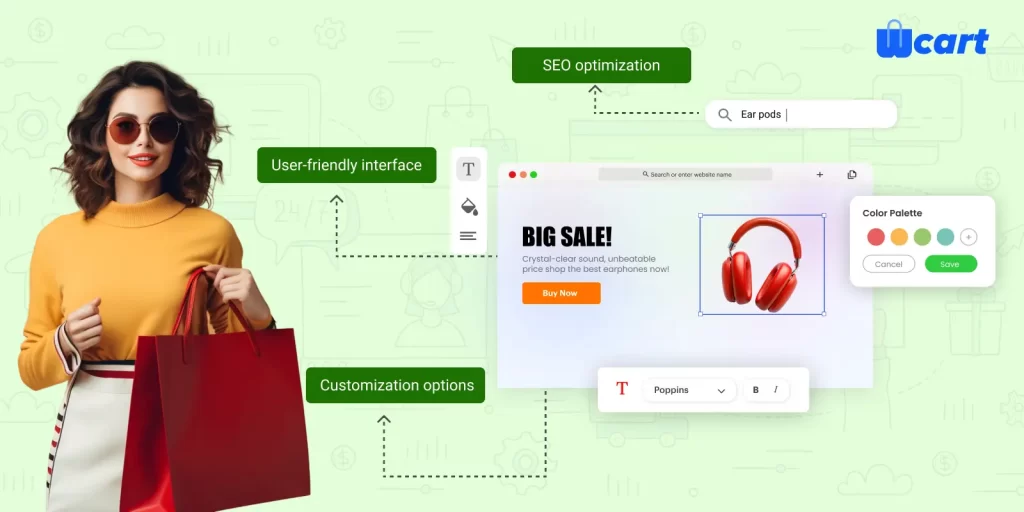
Let’s see the features needed for Squarespace alternatives shortly
1. Customization options
Customization options refer to the amount of control that a store builder gives its users to design and modify the functionality and features of their website based on their preferences and needs. When searching for alternatives to Squarespace, it’s essential to consider the level of customization options that each platform provides.
store builders vary in design options. Some offer limited templates and customization, while others provide extensive design choices, including access to HTML and CSS codes for complete control over website design and functionality.
Choose a online store builder that matches your storegoals and requirements. The level of customization needed varies based on the website’s purpose; e-commerce sites may need advanced options while personal blogs may not. An intuitive and user-friendly platform is significant for a great user experience.
2. User-friendly interface
A user-friendly interface is a website builder design that’s easy for users to navigate and use, requiring no instructions and being intuitive.
Generally, a user-friendly interface should have clear and visible menus, icons, and buttons that are easy to find and use. The design should also be aesthetically pleasing, with good use of color, fonts, and images that enhance the user experience.
A user-friendly website builder interface is crucial. A complex interface frustrates, while a simple one makes building easy. To find a suitable Squarespace alternative, consider the user interface. Therefore choose a website builder that’s easy to use and allows customization to your preferences.
3. SEO optimization
SEO optimization involves a range of strategies and techniques aimed at improving your website’s visibility and ranking on search engine results pages. Some of the most important aspects of SEO optimization include:
- Keyword research: Identifying the keywords and phrases that your target audience is searching for and incorporating them into your website’s content.
- On-page optimization: Optimizing individual pages on your website to make them more attractive to search engines. This may involve optimizing page titles, headings, meta descriptions, and other elements.
- Off-page optimization: Building high-quality backlinks from other reputable websites to your own website.
- Content creation: Crafting quality, relevant, and SEO-friendly content for your intended audience.
- Technical SEO: Optimizing your website’s technical elements, such as site speed, mobile-friendliness, and schema markup.
Finally, by implementing these strategies and techniques, you can improve your website’s visibility and ranking on search engine results pages, Which can lead to increased traffic, leads, and revenue for your business.
How Do Squarespace Competitors Compare?(Quick Comparison)
| Platform | Best For | Pricing | SEO | Ecommerce | Ease of Use |
| Wcart | B2B and scalable ecommerce | $37 to $699 per month | High | Advanced | Medium |
| Webnexs | Marketplace and enterprise ecommerce | Custom pricing | High | Advanced | Medium |
| Shopify | Online stores | $50 to $300 plus per month | Medium | Strong | Easy |
| WordPress | Blogging and SEO | $25 to $50 per month | Very High | Flexible | Medium |
| Wix | Beginners | $29 to $159 per month | Medium | Basic | Very Easy |
| Webflow | Designers | $18 to $50 plus per month | High | Limited | Medium |
| WooCommerce | Custom ecommerce | $30 to $150 plus per month | Very High | Advanced | Medium |
| Bigcommerce | Growing ecommerce brands | $39 to $399+ per month | High | Advanced | Medium |
What Are the Best Squarespace Alternatives?
We have listed the top 8 e-commerce platforms for Squarespace alternatives, let us see them one by one in the detailed overview.
1. Wcart
Wcart is a strong option if you want to build a serious ecommerce business. It is designed for companies that need advanced features and long term growth.
Unlike simple website builders, The platform is mainly focused on online selling, store management, marketplace operations, and business growth.
The platform supports both B2B and B2C ecommerce operations while offering marketplace functionality, advanced pricing systems, shipping management, inventory control, and customizable storefront experiences.
Businesses looking for stronger ecommerce architecture often choose Wcart because it supports larger product catalogs, customer-focused shopping experiences, and flexible ecommerce workflows without depending heavily on third-party plugins.
Advantages
- Wcart is suitable for businesses that need better ecommerce control, marketplace features, and tools for handling larger online store operations.
Limitations
- It may not be the ideal choice for users who only need a simple portfolio or personal website.
Pricing
Business-focused ecommerce plans start around $37/month.(Source: Wcart Pricing)
- Starter Plan ($37/month): Suitable for small ecommerce businesses launching their online store.
- Growth Plan ($99/month): Includes additional ecommerce tools, improved store management, and better support for growing businesses.
- Advanced Plan ($299/month): Designed for brands handling larger inventories, advanced workflows, and higher traffic.
- Enterprise Plan (Custom Pricing): Suitable for large ecommerce operations needing custom integrations, marketplace functionality, and enterprise-level support.
2. Webnexs

Webnexs is useful for businesses that want to build custom ecommerce platforms or marketplaces.Many startups and larger businesses choose Webnexs because it allows them to create websites based on their own business requirements instead of depending only on fixed templates.
The platform also supports custom integrations, marketplace management, and ecommerce tools needed for expanding online businesses.
Advantages
- Webnexs works well for businesses looking for multi-vendor marketplace support, OTT integration, subscription-based business models, and custom ecommerce solutions.
Limitations
- Some businesses may require development support during setup and customization.
Pricing
Flexible business pricing is available based on project requirements. (Source: Webnexs Pricing)
- Startup Package: Suitable for small businesses and early-stage ecommerce projects.
- Business Solution: Includes marketplace features, ecommerce management tools, and additional integrations.
- Enterprise Package: Built for larger businesses requiring custom workflows, OTT solutions, and advanced ecommerce systems.
- Custom Development Pricing: Available for businesses needing fully personalized ecommerce platforms.
3. Shopify

Shopify is one of the easiest platforms to start an online store.Many users choose Shopify because it is simple to set up and does not require technical experience.
The platform includes payment systems, inventory tools, app integrations, mobile-friendly themes, and built-in ecommerce features. Businesses can quickly launch online stores and start selling products without handling server management or coding.
Shopify also supports selling through social media channels, marketplaces, and mobile commerce platforms.
Advantages
- Shopify is beginner-friendly, secure, and suitable for businesses that want a quick ecommerce setup process.
Limitations
- Businesses may need additional paid apps as their store requirements increase.
Pricing
Ecommerce plans start from $39/month. (Source : Shopify Pricing)
- Basic Shopify ($39/month): Includes online store setup, product management, and payment processing tools.
- Shopify Plan ($105/month): Adds better reporting, more staff accounts, and lower transaction fees.
- Advanced Shopify ($399/month): Suitable for businesses managing larger sales volumes and advanced ecommerce operations.
- Shopify Plus (Custom Pricing): Enterprise solution for high-volume ecommerce brands and international businesses.
4. WordPress

WordPress is widely used for websites, blogs, and content-focused businesses because it provides more control over SEO and website management.
The platform allows users to manage website structure, metadata, blog content, plugins, and themes more freely compared to many website builders. Businesses focused on content marketing and organic traffic often prefer WordPress because of its strong blogging features.
When combined with WooCommerce, WordPress can also support ecommerce operations for online stores.
Advantages
- WordPress gives businesses better SEO control, strong blogging tools, and more website management freedom.
Limitations
- Users need to handle updates, hosting management, and plugin maintenance separately.
Pricing
Website costs depend on hosting, themes, and plugins.(Source : WordPress Pricing)
- Basic Setup ($25–$50/month): Suitable for blogs, business websites, and smaller content-focused platforms.
- Business Website Setup ($80–$150/month): Includes premium plugins, better hosting, and improved SEO tools.
- Ecommerce Setup ($150+/month): Suitable for WooCommerce websites requiring advanced ecommerce functionality and higher website performance.
5. Woocommerce
WooCommerce works with WordPress and gives full control over your store. It allows businesses to build fully customized online stores while maintaining complete ownership over their website.
It supports different payment gateways, shipping systems, inventory tools, and ecommerce extensions. Businesses already using WordPress often prefer WooCommerce because it combines content management with ecommerce selling tools.
WooCommerce is suitable for businesses wanting greater control over their store setup and website structure.
Advantages
- WooCommerce provides better store ownership, SEO support, and website customization options.
Limitations
- Users need to manage updates, hosting, security, and plugins manually.
Pricing
WooCommerce is free, but website costs vary depending on hosting and plugins.(Source : Woocommerce Pricing)
- Basic Ecommerce Setup ($30–$80/month): Includes hosting, basic plugins, and online store functionality.
- Growing Store Setup ($100–$250/month): Suitable for businesses needing premium plugins, payment systems, and shipping tools.
- Advanced Ecommerce Setup ($300+/month): Designed for larger stores requiring custom development and advanced ecommerce features.
6. Wix
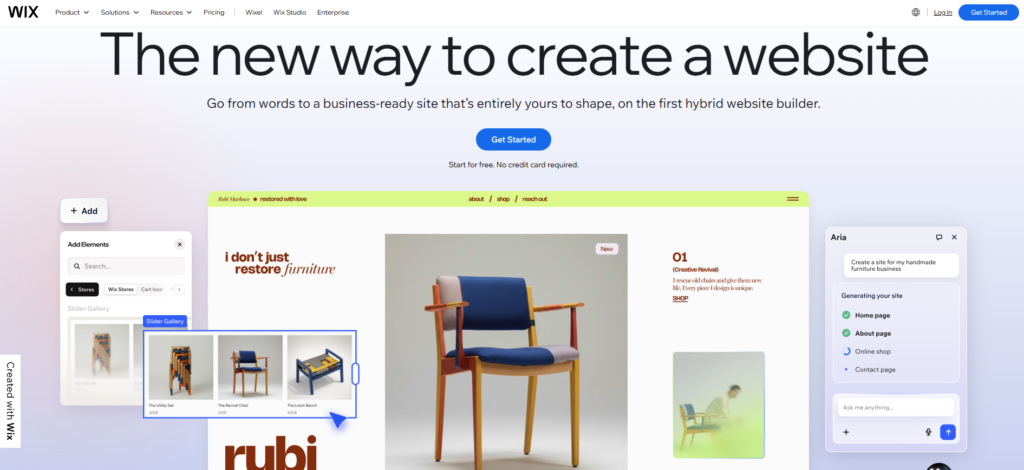
Wix is very easy to use and good for simple websites.Wix is known for its simple drag-and-drop website builder and beginner-friendly editing experience. It is suitable for freelancers, personal websites, local businesses, and smaller online stores.
The platform provides ready-made templates, built-in hosting, and visual editing tools that help users build websites quickly without technical skills.
Wix also includes ecommerce features for businesses planning to sell products online on a smaller scale.
Advantages
- Wix is easy to use, beginner-friendly, and suitable for users who want a quick website setup process.
Limitations
- It may not be the best option for businesses planning larger ecommerce expansion in the future
Pricing
Website and ecommerce plans start around $17/month.(Source : Wix)
- Light Plan ($17/month): Suitable for simple websites and personal brands.
- Core Plan ($29/month): Includes ecommerce functionality and online payment support.
- Business Plan ($39/month): Designed for growing businesses needing additional marketing and ecommerce tools.
- Business Elite ($159/month): Includes advanced business features, larger storage, and improved operational support.
- Enterprise Solution (Custom Pricing): Suitable for larger organizations needing enterprise website management.
7. Webflow
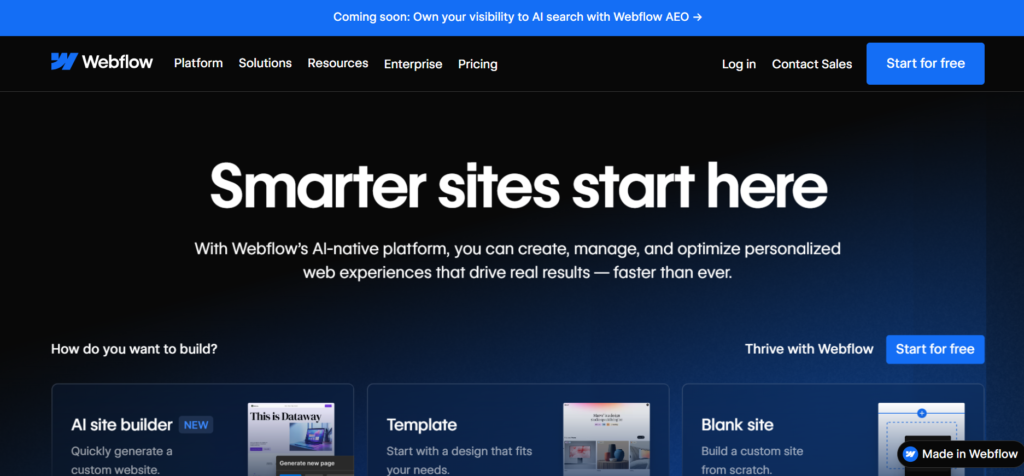
Webflow is great if you want full design control. It is popular among designers and agencies because it gives more visual control over website design and frontend experiences.
The platform combines website design tools with CMS functionality, responsive layouts, and cleaner frontend structure. Businesses focused heavily on branding and visual presentation often prefer Webflow because of its design freedom.
Webflow is useful for businesses wanting more creative control without depending entirely on developers.
Advantages
- Webflow offers strong design control, professional layouts, and modern frontend editing tools.
Limitations
- New users may take time to learn the platform properly.
Pricing
Website plans start around $18/month.( Source : Webflow Pricing)
- Basic CMS Plan ($18/month): Suitable for blogs, portfolios, and business websites.
- Business Website Plan ($39/month): Includes higher traffic support and improved CMS functionality.
- Ecommerce Standard Plan ($29/month): Supports online selling and ecommerce management features.
- Advanced Ecommerce Plans ($74+/month): Suitable for businesses needing larger product catalogs and advanced ecommerce operations.
8. BigCommerce

BigCommerce is built mainly for online stores planning long-term ecommerce growth. The platform includes many ecommerce features directly inside the system without requiring too many external apps.
Businesses pick it for larger inventories, multi-channel selling, SEO tools, and B2B ecommerce support it’s aimed at stores expecting real traffic and scale over time.
Advantages
- BigCommerce includes many built-in ecommerce tools and works well for businesses managing larger online stores.
Limitations
- Some businesses may feel limited when making deeper frontend design changes.
Pricing
Ecommerce plans start around $39/month. (Source : Bigcommerce Pricing)
- Standard Plan ($39/month): Suitable for small online stores and startup ecommerce businesses.
- Plus Plan ($105/month): Includes customer segmentation, abandoned cart tools, and improved ecommerce features.
- Pro Plan ($399/month): Designed for businesses handling larger inventories and higher sales volumes.
- Enterprise Plan (Custom Pricing): Suitable for enterprise ecommerce businesses requiring custom integrations and advanced operational support.
How to Choose the Right Alternative To Squarespace
Finding the best Squarespace alternative depends on what your business actually needs today and how you plan to grow in the future. Some platforms are better for ecommerce, while others work well for blogging, SEO, design flexibility, or beginner-friendly website management.
1.For Ecommerce Businesses
If your main focus is online selling, inventory management, customer experience, and business growth, platforms like Wcart, Shopify, BigCommerce, and Webnexs can be better options. These platforms offer stronger ecommerce tools and better support for growing online stores.
2. For Blogging and SEO
Businesses focused heavily on blogging, organic traffic, and content marketing often prefer WordPress because it gives more control over SEO settings, website structure, and content management.
3. For Beginners and Small Websites
If you want a simple website builder with an easy setup process, platforms like Wix may be a good choice. They are suitable for smaller businesses, personal brands, and users with limited technical experience.
4. Think About Long-Term Growth
Before selecting any platform, it is important to think about your future business needs. Moving a website later can take time and cost money, so choosing a platform that can support your business as it grows is always a better long-term decision.
How Do You Migrate From Squarespace?
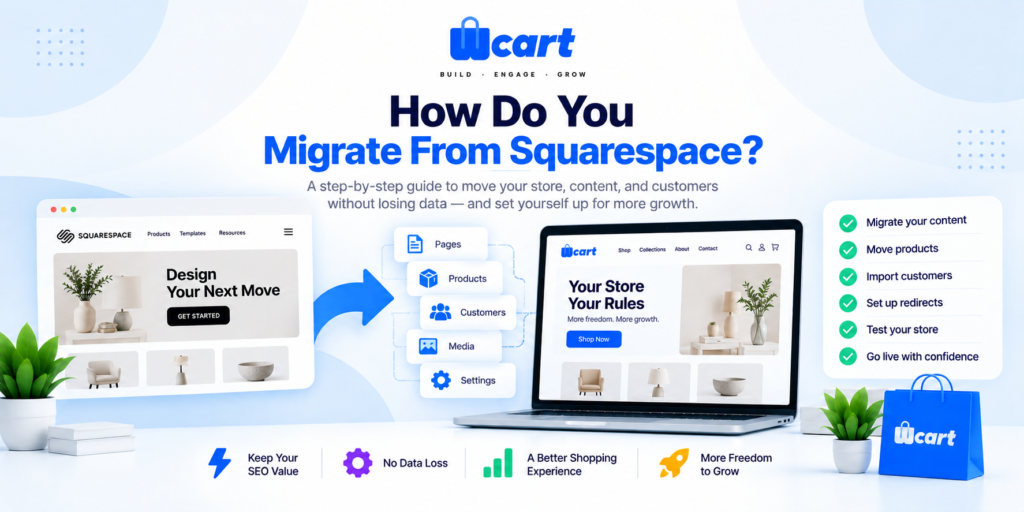
- Step 1 : Back up your store. Save everything first, products, orders, customer data, and content, before you touch anything else.
- Step 2 : Export your data. Pull your product catalog, customers, and order history out of Squarespace. Check the files, some details need cleanup before they’ll import cleanly.
- Step 3 : Pick your new platform. Choose based on your catalog size, order volume, and where the business is headed, not just where it is right now.
- Step 4 : Set up your new store. Configure your domain, currency, shipping, and taxes. Build your categories and structure before you import anything.
- Step 5 : Import your products, customers, and orders. Move the data over and double-check it landed correctly, especially variants, images, and pricing.
- Step 6 : Reconnect payments and shipping. Set up your gateways and carriers, then test real transactions before going live.
- Step 7 : Add your redirects. Point every old Squarespace URL to its new page. Skip this and you risk losing the rankings you already have.
- Step 8 : Test everything. Walk through the whole buying process yourself, browsing, cart, checkout, mobile, the works.
- Step 9 : Launch. Point your domain to the new store and go live. Keep your Squarespace backup around just in case.
- Step 10 : Watch it closely afterward. Check traffic, rankings, and orders for the first few weeks, and fix anything broken fast.
Read Complete Guide : Ecommerce Site Migration Without Losing Seo
Conclusion
For starters, Squarespace is an appropriate website as it is user-friendly. However, as companies expand, some individuals would seek for platforms that allow better ecommerce integration, SEO, and full management of their websites.
Companies with ecommerce purposes may consider Shopify. However, those companies with purposes like blogging may prefer WordPress for their SEO purposes. Ecommerce companies will always seek platforms such as WCart, BigCommerce, and Webnexs in order to improve on their business and ecommerce management capabilities.
The best platform is not the most popular one. It is the one that fits your business needs and future goals.
Before choosing any platform, it is always better to think beyond just website design. A good platform should help your business grow comfortably without forcing you to rebuild everything later.
Frequently Asked Questions
Related Platform Comparisons
- 5 Best Weebly Alternatives – compare features, pricing & the best fit for your store.
- 8 Best Jimdo Alternatives – compare features, pricing & the best fit for your store.
- 10 Best Big Cartel Alternatives – compare features, pricing & the best fit for your store.
- 10 Best Centra Alternatives – compare features, pricing & the best fit for your store.
- 9 Best commercetools Alternatives – compare features, pricing & the best fit for your store.
- 8 Best Webflow Alternatives – compare features, pricing & the best fit for your store.
- Best Ecommerce Platforms – compare features, pricing & the best fit for your store.


























Leave a Reply