
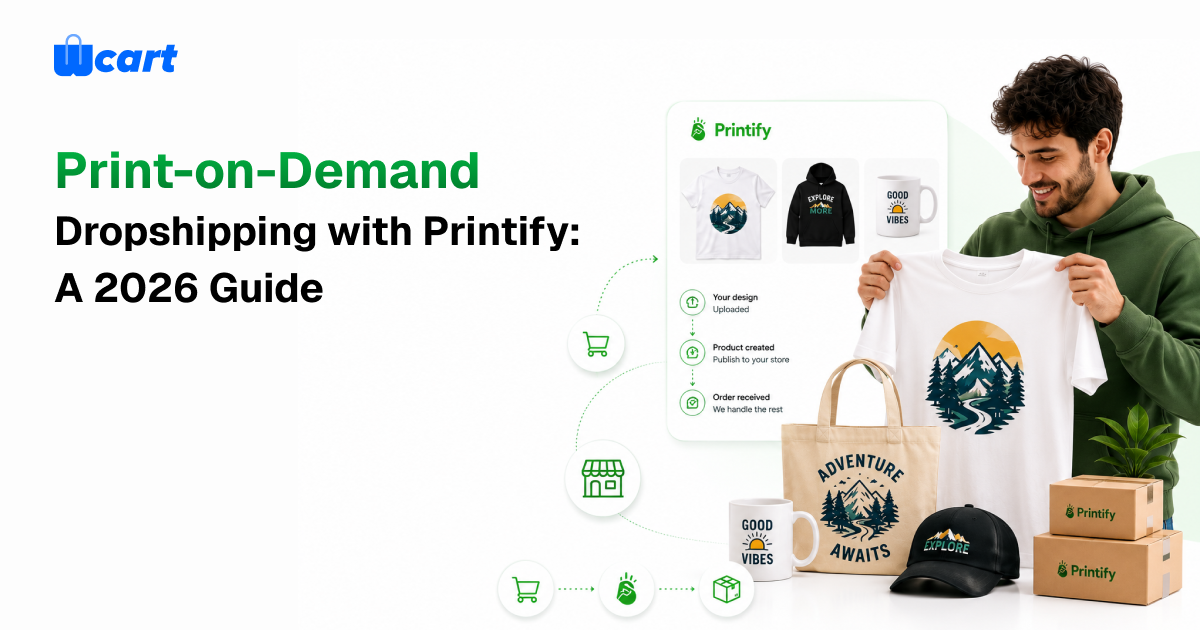
Sell custom T-shirts, mugs, posters, and a few hundred other products without ever stacking a single box in your spare room. That’s the pitch behind Printify dropshipping, and it mostly holds up. You upload a design, a print partner makes and ships each order the moment it sells, and the margin is yours.
This 2026 guide walks through how print-on-demand actually works, where it beats old-school dropshipping, the margins you can realistically expect, the product categories worth your time, and how to wire Printify into your store and grow it.
What Is Print-on-Demand Dropshipping?
Print-on-demand (POD) dropshipping is a fulfillment model where nothing gets made until someone buys it. You’re not ordering 500 shirts and praying they sell. You list designs, and the second an order lands, a manufacturing partner prints, packs, and ships that one item.
It’s a flavor of dropshipping with one big difference: the products are yours. You’re not reselling the same generic gadget a thousand other stores already list at a lower price. You’re putting your own designs on blank base products, and that gives you something commodity dropshipping almost never does, which is a brand people remember and the pricing power that comes with it.
That low barrier is why POD is one of the friendlier ecommerce business models for someone just getting started. Little money down, no warehouse, and full say over what you sell.
How Printify Works
Printify is a print-on-demand network that plugs your store into a global pool of print providers. It owns no presses itself. Instead, it hands each order to a third-party print shop chosen on location, price, and whether the product is in stock.
Here’s how a typical order moves through it:
- You pick a base product from the catalog, anything from apparel to drinkware to wall art to home goods.
- You add your design, dropping artwork into Printify’s mockup generator to see it on the actual item.
- You set the retail price. Printify shows you the production cost, and the markup is your call.
- You publish to your store, and products sync over with images and descriptions attached.
- An order comes in, and it’s routed to a print provider automatically.
- The provider prints, packs, and ships straight to your customer, often with your branding on the packing slip.
You only pay the production and shipping cost after a sale closes, and you pocket the gap between that cost and your retail price. No sale, no charge.
Printify vs. Traditional Dropshipping and Holding Inventory
Every fulfillment model asks you to give something up. Here’s how print-on-demand trades.
POD vs. Traditional Dropshipping
- Differentiation. Traditional dropshipping resells the same catalog items everyone else has, so the fight is over price. POD sells designs nobody else carries, so the fight moves to brand, which is a much better fight to be in.
- Margins. Commodity dropshipping margins get squeezed thin fast. A custom product carries higher perceived value, and customers pay for it.
- Quality control. Both lean on third parties. The edge with Printify is that you can order samples and swap print providers the moment quality dips.
POD vs. Holding Inventory
- Upfront cost. Holding inventory means buying stock in bulk and locking up cash. POD costs you next to nothing to start.
- Risk. Unsold inventory is just money sitting in a box. With POD, you never make an item that hasn’t already sold.
- Margins and speed. Bulk inventory wins on per-unit cost and shipping speed, but only if you actually sell through it. POD gives up some margin and some speed for flexibility and zero waste.
My honest take: POD is the lowest-risk way to start and to test designs, full stop. Once a design proves itself at real volume, plenty of sellers move that one winner to bulk production for fatter margins while keeping POD running for the long tail. You don’t have to pick a side forever.
Best Product Categories for Printify Dropshipping
Not everything sells the same. The products that consistently perform combine broad appeal, workable margins, and print quality you can trust.
Apparel is the backbone, and probably always will be. T-shirts, hoodies, and sweatshirts carry niche slogans and community-specific designs better than anything else. Drinkware is the easy second pick, since mugs and tumblers are cheap, giftable, and forgiving when a print isn’t perfect.
Wall art and posters punch above their weight on margin, ship light, and resonate with home and office niches. Then there are the impulse buys: tote bags, phone cases, and hats that customers add without much thought. Rounding it out, home goods like throw pillows, blankets, and framed prints feed the still-growing home-decor crowd.
The trap is trying to sell all of it. Pick your audience first, then carry the two or three product types that audience genuinely buys. Everything else is clutter.
Profit Margins and Pricing
Profit in print-on-demand lives in one number: the gap between your retail price and the combined production plus shipping cost.
A 40 percent or higher margin after production costs, before you spend a cent on marketing, is a reasonable target. Say a shirt runs about $12 to produce and ship. Price it at $26 to $30 and you’re in a healthy spot while staying competitive.
A few pricing habits worth keeping:
- Bake in ad costs. If paid ads bring your customers in, your margin has to swallow that too. This is where a lot of POD sellers quietly go broke. They price for production and forget what it actually costs to find a buyer.
- Use confident pricing. Round, clean prices like $29 tend to convert better than $24.50 for branded apparel. Odd numbers read as bargain-bin.
- Bundle to lift the order total. Pair a shirt with a matching mug and the order value climbs without your ad spend climbing alongside it.
- Sell premium when the product earns it. Heavyweight apparel and framed art justify higher prices than basic blanks, so charge for them.
How to Integrate Printify with Your Ecommerce Store
Integration is what turns Printify from a browsable catalog into a sales channel that runs itself. The cleaner the connection, the less you touch each order.
- Create your Printify account and dig through the catalog to confirm the products and providers you want.
- Connect your storefront through Printify’s API or a native integration so products and orders sync both directions.
- Map your products so variants, images, and prices land in your store accurately.
- Set up automated order routing so paid orders fire off to the print provider without you approving each one.
- Test the whole thing end to end with a real sample order before you flip the store live.
For anyone treating this as a real business, the integration layer matters as much as the catalog itself. An API-first storefront keeps product data, pricing, and order status in sync as volume climbs, and it lets you bolt on new sales channels without rebuilding everything. If you’re sizing up a foundation, look hard at the platform’s enterprise ecommerce features, things like headless APIs, multi-currency support, and uptime you can count on.
POD also plays well with bigger catalogs. A lot of sellers mix print-on-demand products with other vendors in a multi-vendor marketplace setup, and some take it all the way and build a marketplace where outside sellers list right alongside their own designs.
Design and Quality Tips
In print-on-demand, your design and the print quality are the product. There’s no shipping fast enough to save a blurry shirt. A handful of habits protect both your conversions and your reviews.
- Use high-resolution artwork. Upload at the resolution Printify recommends, or you’ll ship something blurry and eat the return.
- Respect the print area. Design inside each product’s safe print zone so nothing gets clipped at the edges.
- Order samples. Every time. Buy a physical sample before you list anything. Colors and placement drift from the on-screen mockup more than you’d expect.
- Choose providers carefully. Compare provider ratings, location, and turnaround. The same product can come out noticeably different from one print shop to the next.
- Write honest descriptions. Accurate fabric, sizing, and care details head off returns and angry reviews before they happen.
How to Scale Printify Dropshipping
Landing your first sale is one thing. Turning it into a business that repeats is another entirely. Scaling without burning out usually comes down to doing more of what already works and ripping out the manual steps.
- Double down on winners. Find your best-selling designs and spin up variations of them instead of chasing unrelated new ideas every week.
- Expand product lines inside a niche. Put proven designs on more product types to push the average order value up.
- Automate fulfillment completely. Strip out every manual step so doubling your orders doesn’t double your workload.
- Build retention. Email, loyalty perks, and fresh design drops bring past customers back for a fraction of what new ones cost.
- Diversify channels. Add marketplaces and social commerce so one traffic source going quiet doesn’t sink you.
- Use multiple print providers. Spreading fulfillment across regions trims shipping times and cuts your single-provider risk.
As your volume grows, infrastructure becomes the thing that holds you back. Fast page loads, dependable uptime, and an API that doesn’t fold during a spike are what separate a hobby store from a brand that scales without breaking. Real brands run on this foundation, too. Printro, one of the brands on Wcart’s Trusted By list, runs its store on the platform.
Frequently Asked Questions
Build Your Print-on-Demand Store on a Platform That Scales
Print-on-demand takes the inventory risk off the table, but your storefront decides how far you can actually grow. Wcart is an AI-based headless ecommerce platform with a developer-friendly API, multi-currency and multi-language support, a global CDN, and 99.99 percent uptime. On the Enterprise tier, its Printify integration lets you connect a print-on-demand catalog and automate fulfillment end to end. Explore Wcart to launch a Printify dropshipping store built to scale.

























Leave a Reply