
Quick Answer
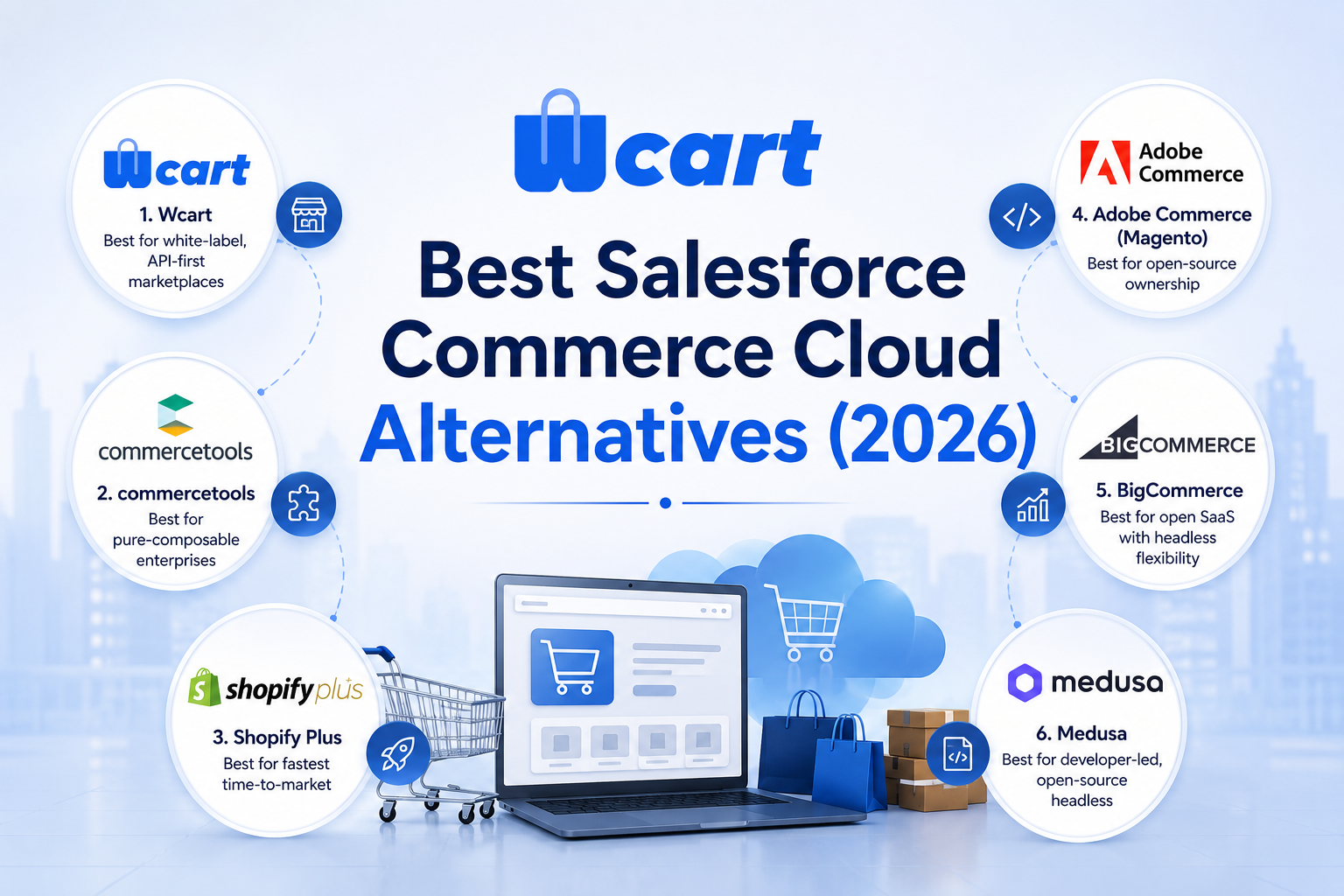
Businesses look for Salesforce Commerce Cloud alternatives mainly because of its GMV-based pricing, long implementation timelines, and the overhead of managing two connected systems. The right replacement depends on your architecture needs, budget model, and whether you need built-in multi-vendor marketplace support.
Key Takeaways
- A Forrester study found a composite group of BigCommerce merchants achieved 211% ROI with an eight-month payback period after migrating. (Source: Business Wire)
- License costs typically run 1–3% of GMV depending on edition, so the bill grows automatically as sales grow. (Source: Shopify Enterprise )
- Rainbow Shops moved off SFCC and cut platform fees by roughly 80%, switching to pay-for-what-you-use pricing. (Source: Shopify Enterprise Blog )
- Forrester estimates roughly a third of businesses abandon or restructure their migration partway through due to complexity.( Source: Adobe)
- The US & Europe headless commerce market was valued at $1.37B in 2023, projected to reach $5.0B by 2030 (20.3% CAGR).( Source: GlobeNewswire)
Many businesses requires ecommerce platform that supports complex operations, integrate with existing systems, and adapt as their requirements grow. At the same time, they also want to avoid lengthy implementation projects and high software costs.
Each platform is built for a different type of business. Pick commercetools if you have a experienced engineering team and want a fully composable architecture, Shopify Plus for the fastest time-to-market on a closed SaaS, and Adobe Commerce if you want open-source ownership with a large extension ecosystem.
The comparison below looks at the factors that typically have the biggest impact on choosing the right platform.
Why teams look for a Salesforce Commerce Cloud alternative
Salesforce Commerce Cloud is a well-established enterprise ecommerce platform, especially for large B2C retailers already invested in the Salesforce ecosystem. However, it’s not the best for every business. Because, buyers go looking for alternatives usually come down to four things: cost structure, implementation complexity, ecosystem lock-in, and architectural fit.
- Cost that scales with revenue. Pricing is typically tied to a percentage of your GMV, so the bill grows as you grow regardless of whether the platform is doing more work for you.
- Slow time-to-value. Enterprise rollouts commonly take several months to over a year, which rules SFCC out if you need to launch in weeks.
- Two systems to manage. Because Commerce Cloud stitched together two separate acquisitions, teams often juggle Business Manager and Salesforce Setup as distinct systems needing distinct specialists.
- Architectural fit. SFCC was built for single-brand retail, so multi-vendor marketplaces or deep white-label needs often mean working against the platform instead of with it.
If any of that describes you, an alternative is worth a serious look. The point of this guide isn’t to bash SFCC. It’s to help you match your real requirements to the platform that fits them.
What Salesforce Commerce Cloud actually costs
Pricing conversations with any enterprise vendor are ultimately custom, and Salesforce doesn’t publish a full rate card. But the shape of the cost is public and worth understanding before you compare alternatives on price:
- Licensing: Commerce Cloud is generally sold on a revenue-share basis a percentage of your GMV layered with tiered plans depending on the edition and feature set.
- Implementation: Full enterprise builds, including integrations, customization, and go-live support, typically require a dedicated systems integrator or certified partner, which adds a separate project cost on top of the license.
- Ongoing: Success plans, sandbox environments, and AppExchange add-ons are usually billed separately, and most brands retain a partner for continued development after launch.
How we evaluated the alternatives
We compared platforms on dimensions that are verifiable and that genuinely change the buying decision, rather than on invented numbers. Specifically:
- Architecture: Whether the platform is API-first, headless, monolithic, or SaaS-based.
- Multi-vendor marketplace support: Whether marketplace functionality is built in, available through extensions, or requires custom development.
- White-label / ownership: The level of control businesses have over branding, customization, and the underlying platform.
- Hosting model: The level of control businesses have over branding, customization, and the underlying platform.
- Commercial model: How the platform is priced, such as subscription licensing or a revenue/GMV-based model. .
- Implementation effort: engineering lift to get to production.
We have intentionally avoided listing specific pricing figures or performance percentages for competing platforms. Public pricing for enterprise platforms is negotiated and changes often, so quoting a number we can’t verify would only mislead you. Confirm current pricing directly with each vendor.
Comparison table
| Platform | Architecture | Native multi-vendor marketplace | White-label | Hosting model | Typical commercial model |
|---|---|---|---|---|---|
| Salesforce Commerce Cloud | Suite (headless options) | No (single-brand focus) | Limited | Fully managed (vendor cloud) | Typically GMV revenue-share |
| Wcart | API-first / headless | Yes (built-in) | Yes (core design) | Managed / flexible | License / subscription |
| commercetools | API-first (MACH) | Build-it-yourself | Yes (composable) | Cloud / managed | Platform subscription |
| Shopify Plus | SaaS (+ headless tooling) | Add-on / apps | Limited | Fully managed SaaS | Subscription (+ fees) |
| Adobe Commerce | Monolith (open-source core) | Extension | Yes (self-hosted) | Self-hosted / managed | License / open-source |
| BigCommerce | Open SaaS (headless) | Add-on | Limited | Managed SaaS | Subscription |
| Medusa | Headless (open-source) | Build-it-yourself | Yes (self-hosted) | Self-hosted | Open-source |
6 Best Salesforce Commerce Cloud alternatives
1. Wcart – Best for white-label, API-first marketplaces
Wcart is a white-label ecommerce and multi-vendor marketplace platform built API-first. It’s designed for businesses that want enterprise capabilities (headless storefronts, multiple vendors, custom checkout, full branding control) without a GMV revenue-share model or a multi-quarter implementation.
Where SFCC is primarily designed for single-brand retail, Wcart treats multi-vendor marketplaces as a first-class use case. Vendor onboarding, per-vendor catalogs, commissions, and payouts are built in rather than bolted on. Because it’s white-label, agencies and operators can ship the platform under their own brand. The API-first design means you can run a decoupled (headless) frontend in any framework while Wcart handles catalog, orders, and vendor logic.
- Best for: operators building branded marketplaces or multi-tenant commerce, agencies reselling commerce, and teams that want composable flexibility without enterprise-suite overhead. If you’re migrating off a hosted SaaS, see our Shopify-to-Wcart migration guide.
- Not the best fit if: you need the deep, native Salesforce CRM/Marketing Cloud integration that comes from staying inside the Salesforce ecosystem, or you’re running a single-brand catalog with no marketplace ambitions at all.
2. commercetools – best for pure-composable enterprises

commercetools is a leading MACH (Microservices, API-first, Cloud-native, Headless) commerce platform, and a direct philosophical alternative to SFCC’s monolithic roots. It’s genuinely API-first and shines for large enterprises that have committed to a fully composable architecture and have the engineering capacity to assemble and maintain a best-of-breed stack.
- Best for: large organizations with strong in-house engineering and a strict composable mandate. The trade-off is that you build more yourself, marketplace logic included, which is exactly the lift Wcart removes for marketplace use cases.
- Not the best fit if: you don’t have dedicated engineering resources to own an ongoing composable build, or you need marketplace functionality on day one without custom development.
3. Shopify Plus – best for fastest time-to-market

Shopify Plus is the enterprise tier of Shopify, a fully managed SaaS. It’s the quickest path to a polished, reliable single-brand store, with a huge app ecosystem and minimal operational burden. Its newer Hydrogen/Oxygen tooling adds headless options.
- Best for: single-brand DTC and retail brands that prioritize speed and low maintenance over deep architectural control or native multi-vendor features.
- Not the best fit if: native multi-vendor marketplace functionality is a core requirement that’s an add-on here, not a built-in. See Wcart vs Shopify: white-label & multi-vendor compared for a direct breakdown.
4. Adobe Commerce (Magento) – best for open-source ownership
Adobe Commerce, built on Magento Open Source, is a mature, extensible platform with one of the largest extension ecosystems in ecommerce. It offers deep customization and full ownership in its open-source form. The trade-off is operational complexity. Hosting, performance tuning, security patching, and upgrades typically require dedicated expertise, and the upgrade path between major versions is the part teams underestimate most.
- Best for: teams that want open-source control and a vast extension marketplace, and that can resource ongoing maintenance.
- Not the best fit if: you want a managed platform where hosting and patching aren’t your problem.
5. BigCommerce – best for open SaaS with headless flexibility
BigCommerce is a SaaS platform that leans into “open SaaS,” with strong APIs and headless support while staying managed. It sits between Shopify’s closed simplicity and a fully composable build, and it’s popular for B2B and B2C alike.
- Best for: brands wanting managed hosting with more API openness than a closed SaaS, without going fully composable.
- Not the best fit if: native multi-vendor marketplace or deep white-label branding is a hard requirement.
6. Medusa – best for developer-led, open-source headless
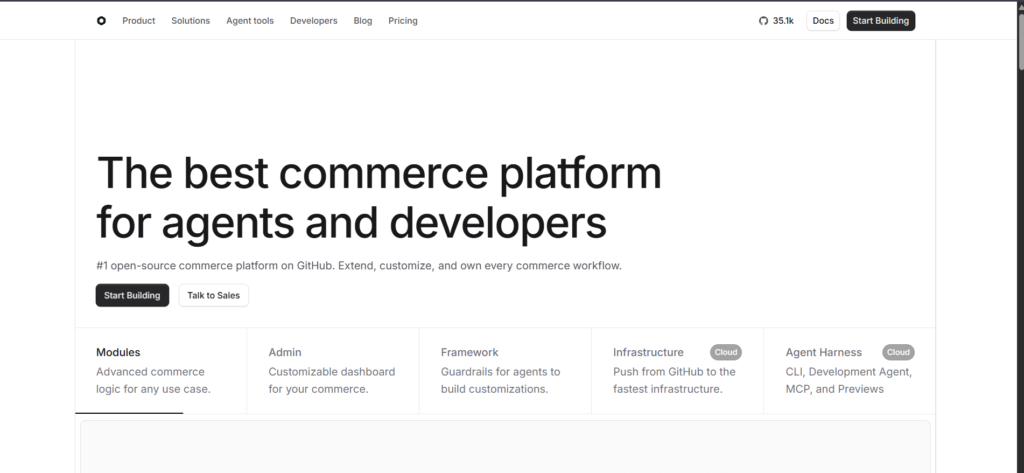
Medusa is an open-source, Node.js headless commerce framework. It’s highly flexible and developer-friendly, ideal for engineering teams that want to own the codebase and build a bespoke stack. As with any self-hosted framework, you take on hosting and maintenance, and marketplace features are something you assemble yourself.
- Best for: developer-led teams building custom commerce from a code-first foundation.
- Not the best fit if: you don’t have engineering bandwidth to own hosting, scaling, and ongoing framework maintenance.
What makes an API-first, composable alternative different
Much of the migration away from monolithic suites is driven by the shift to headless commerce and composable architecture. In an API-first model, the storefront (presentation) is decoupled from commerce logic (catalog, cart, orders), and the two talk over well-defined REST or GraphQL APIs.
That decoupling is what gives composable platforms their edge. You can change your frontend framework, add new sales channels, or swap a service without re-platforming the whole stack.
Wcart is built on this principle, which is why it slots into modern stacks more cleanly than a traditional suite, while still shipping the marketplace and white-label pieces a pure framework would leave to you. For broader background on keeping any headless storefront crawlable and performant, the Google Search documentation is a useful reference.
Migrating from a suite to a composable platform
Switching ecommerce platforms can feel like a huge undertaking, but you can knock out most of the risk by breaking it into stages instead of flipping a switch overnight. Here’s how a phased migration typically plays out:
Step 1: Migrate the data first
- Start with product catalogs, customer records, and order history. Get this data into the new platform while your existing system keeps running in the background nothing customer-facing changes yet.
Step 2: Test core functionality in parallel
- Run both systems side by side and confirm the new platform is handling catalog, customer, and order data correctly before you touch anything the customer sees.
Step 3: Move the storefront
- Once you’ve validated the backend, transition customer-facing elements like the storefront. With Wcart’s API-first setup, you can spin up a new headless storefront while your existing backend systems stay live —so you’re never running blind during the switch.
Step 4: Migrate checkout and payments last
- Save checkout and payment workflows for the final stage since they have the most direct impact on revenue and customer experience. Take your time here this is where you want to stress-test for tax configuration errors, payment gateway hiccups, and order sync issues before you flip the switch for real.
Step 5: Go live and monitor closely
- Once checkout is validated, cut over fully and keep a close eye on order flow, payment confirmations, and tax calculations for the first few days.
If your current store is on a hosted SaaS, our migration guide for moving to Wcart without losing revenue walks through the data-mapping and cutover steps in detail. If you’re weighing hosted control against DIY maintenance, the Wcart vs WooCommerce comparison covers that trade-off directly.
Who should choose what
There’s no single “best” here. The right choice depends on what you’re building and the resources behind it.
- Choose Wcart if you’re building a branded, multi-vendor marketplace or multi-tenant commerce and want API-first flexibility with marketplace logic already built in, without a GMV revenue-share. It’s also the natural fit for agencies and operators who need to ship under their own brand. Start a online store on Wcart.
- Choose commercetools if you’re a large enterprise with a strong engineering team and a strict, pure-composable mandate, and you’re comfortable building marketplace features yourself.
- Choose Shopify Plus if you run a single-brand DTC business and want the fastest, lowest-maintenance path to a polished store on a closed SaaS.
- Choose Adobe Commerce if you want open-source ownership and a huge extension ecosystem, and you can resource ongoing operations.
- Choose BigCommerce if you want managed hosting with more open APIs than a closed SaaS, without committing to a full composable build.
- Choose Medusa if you’re a developer-led team that wants to own a code-first headless foundation and build commerce exactly your way.
Frequently asked questions
Ready to evaluate Wcart?
If you want enterprise-grade, API-first commerce with native multi-vendor marketplace support and full white-label control, without GMV revenue-share, start your store or marketplace on Wcart and see how it fits your stack.

























Leave a Reply