
In Traditional ecommerce platforms create a traffic jam between your development team’s sprint backlog and your marketing team’s campaign calendar. Developers can’t move fast enough because every change to the frontend requires backend coordination. Without a developer ticket marketers can’t run more personalized campaigns. And customers see it in slow page loads, inconsistent mobile experiences, and friction at every turn.
The numbers back this up – see our headless commerce statistics.
Compare this with hosted ecommerce.
Headless commerce removes that bottleneck. Separating the customer view from the business logic running behind the scenes allows companies to move faster, experiment freely and deliver experiences that feel native across every channel web, mobile app, voice, even in-store kiosks.
The shift is already well underway. 73% of businesses now operate on headless architecture, a 14% increase from 2021, and the global headless commerce market valued at $1.74 billion in 2025 is projected to reach $7.16 billion by 2032 at a 22.4% CAGR (Swell, 2025). This isn’t fringe experimentation anymore. It’s where serious ecommerce infrastructure is heading.
This guide covers everything you need to know: how headless commerce actually works, what it costs, when it makes sense, and how platforms like Wcart make going headless far more accessible than building from scratch.
What Is Headless Commerce?
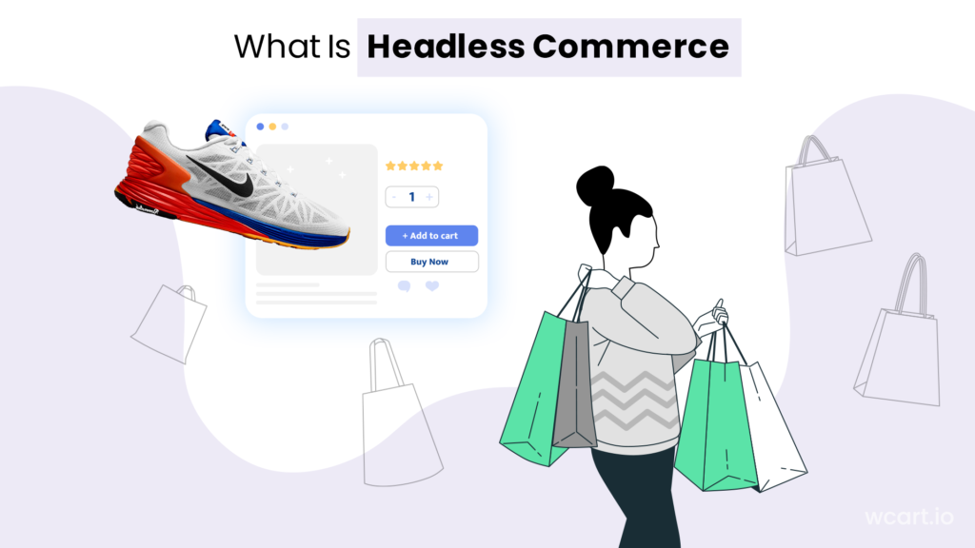
Headless commerce is an ecommerce architecture where the frontend (the presentation layer – what customers see and interact with) is completely separated from the backend (where business logic, inventory, payments, and data live). The two layers communicate through APIs (Application Programming Interfaces), which pass data back and forth in real time without either side being dependent on the other’s structure.
The term “headless” comes from removing the “head” the frontend display from the body of the platform. In a traditional setup, the head and body are one system. In headless, the head can be rebuilt, replaced, or multiplied across channels without touching the body at all.
A useful analogy: “Think of a restaurant. The kitchen (backend) operates on its own rules recipes, inventory, cooking processes. The dining room (frontend) can be redesigned, redecorated, or even duplicated as a takeaway window without changing a single thing in the kitchen. The waiter (API) passes orders between the two. That’s headless commerce”.
- Product-focused layout
- Collection-based shopping
- Organized content structure
- Customer-friendly navigation
- Clear shopping journey
Launch Your Ecommerce Website in Minutes With Our Easy Builder.
How Headless Commerce Works: The Three-Layer Architecture
A headless commerce system is built around three distinct layers. Understanding these separately is key to understanding why the architecture is so powerful.
Layer 1: The Frontend (Presentation Layer)
- Customer sees this and touches this and nothing else. It can be a React or Next.js website or a native mobile app or a Progressive Web App (PWA) or a voice interface or an IoT device or even a smart mirror in a physical store. The frontend is decoupled, so each of those touchpoints can be built and updated independently with whatever tech makes the most sense for the channel.
- Frontend developers work without worrying about backend constraints. A designer can implement a completely new product page layout this week while the backend team simultaneously updates the inventory system without blocks the other.
Layer 2: The Backend (Commerce Engine)
- The backend handles everything that makes commerce work: product catalogue management, pricing rules, inventory tracking, order processing, customer accounts, payment handling, and data storage. This is where the business logic lives.
- In a headless setup the backend is platform agnostic it does n’t care which frontend is making the request only that the request is valid. This is what allows one backend to power multiple storefronts, multiple apps, and multiple regions simultaneously.
Layer 3: The API Layer (The Connector)
- APIs are the communication protocol between frontend and backend. When a customer searches for a product, the frontend sends an API request; the backend processes it and returns the relevant data; the frontend renders it in whatever format suits that channel.
- Today’s headless platforms use REST or GraphQL APIs. GraphQL is increasingly preferred because it allows the frontend to request only the specific data fields it needs reducing payload size and improving page speed. This is one of the key technical reasons headless sites are consistently faster than monolithic ones.
What Is a Headless CMS and Why Does It Matter?
A headless CMS manages content without being tied to how that content is displayed. In a traditional CMS like a standard WordPress setup, content and presentation are intertwined change the theme and you risk breaking content formatting. In a headless CMS, content is stored as structured data and delivered via API to whatever frontend needs it.
For ecommerce brands, this is critical for omnichannel campaigns. A product launch announcement can be written once in the headless CMS and pushed simultaneously to the website, the mobile app, an email template, and a digital in-store display with each channel rendering it in the format that suits its design.
Headless vs Traditional vs Composable vs Monolithic: What’s the Difference?
These terms are often used interchangeably but they describe distinct architectural approaches. Here’s a clear breakdown:
| Architecture | How it’s structured | Flexibility | Scalability | Dev speed | Omnichannel | Best for |
| Monolithic | Frontend + backend tightly coupled in one codebase | Severely limited | Challenging | Slow | No | Small stores, simple needs |
| Traditional SaaS | Hosted platform with some API access but shared frontend | Limited to themes/plugins | Moderate | Moderate | Partial | SMBs needing quick setup |
| Headless | Frontend fully decoupled from backend; API-connected | Very high | High | Fast | Yes | Growing brands, multi-channel |
| Composable | Headless + interchangeable best-of-breed components (MACH) | Extremely high | Enterprise-grade | Fast (with expertise) | Yes | Enterprise, complex operations |
Headless vs Composable Commerce
Composable commerce takes headless a step further. Where headless simply decouples the frontend from the backend, composable commerce decouples every function of the platform payments, search, loyalty, CMS, OMS into independent, interchangeable modules (the “MACH” approach: Microservices, API-first, Cloud-native, Headless).
Headless vs Shopify: An Honest Comparison
Shopify is one of the world’s most successful ecommerce platforms, and it’s the right choice for many businesses particularly those in their early stages or with straightforward product catalogues. But as brands scale, its limitations become real constraints.
| Factor | Shopify (standard) | Shopify Plus | Wcart Headless |
| Frontend freedom | Theme-based (limited) | Some headless via Hydrogen | Fully custom any framework |
| Performance control | Shopify CDN, limited optimisation | Better, still constrained | Full control over stack |
| Customisation ceiling | Apps + theme code | Higher but still platform-bound | Unlimited |
| Multi-channel | Partial (sales channels) | Better with APIs | Native omnichannel |
| Checkout control | Shopify checkout (non-negotiable) | Some customisation at Plus | Fully customisable |
| Developer requirement | Low | Medium | Medium–High |
| Cost model | Monthly fee + transaction % | Enterprise pricing | Scales with usage |
| Best for | Early-stage, simple catalogue | Mid-market scaling on Shopify ecosystem | Brands needing full flexibility |
The Benefits of Headless Commerce
1. Significantly faster performance
Page speed has a direct and documented impact on conversion rates. In headless setups, the frontend can be served from a CDN with no server-side rendering bottleneck, assets can be optimised per device, and only the data actually needed for the page is requested via API (particularly with GraphQL).
- 45% of ecommerce site speed improvements are attributed to using a headless architecture (Gitnux, 2026).
- Page load times decrease 20–50% compared to monolithic platforms (Swell, 2025).
- 68% of mobile commerce sites on headless platforms report increased load speed (Gitnux, 2026).
2. Higher conversion rates and revenue
Faster sites convert better. More customisable checkouts convert better. More personalised product discovery converts better. Headless enables all three simultaneously.
- 80% of businesses report revenue increases after headless implementation, with an average 24% sales growth (Swell, 2025).
- Conversion rate improvements of 15–100% have been documented depending on implementation quality (Swell, 2025).
- Companies using headless architectures have observed a 23% reduction in bounce rates (Alokai / Jobera data, 2024).
3. Dramatically faster time to market
In traditional platforms, a new frontend feature requires backend coordination, staging environments, and careful deployment to avoid breaking the live store. With headless, frontend and backend teams can work in parallel on separate deployments.
- Businesses adopting headless commerce saw a 50% reduction in the time it took to launch new digital experiences (Webyking, 2026).
- 77% of organisations report faster storefront changes after switching to headless (Swell, 2025).
- 68% of business decision-makers say it takes their company three months or longer to take new commerce solutions to market on legacy platforms headless is specifically designed to solve this (commercetools survey, 2022).
Real-World Headless Commerce Examples
The best evidence for headless commerce comes from brands that have actually implemented it.
Nike
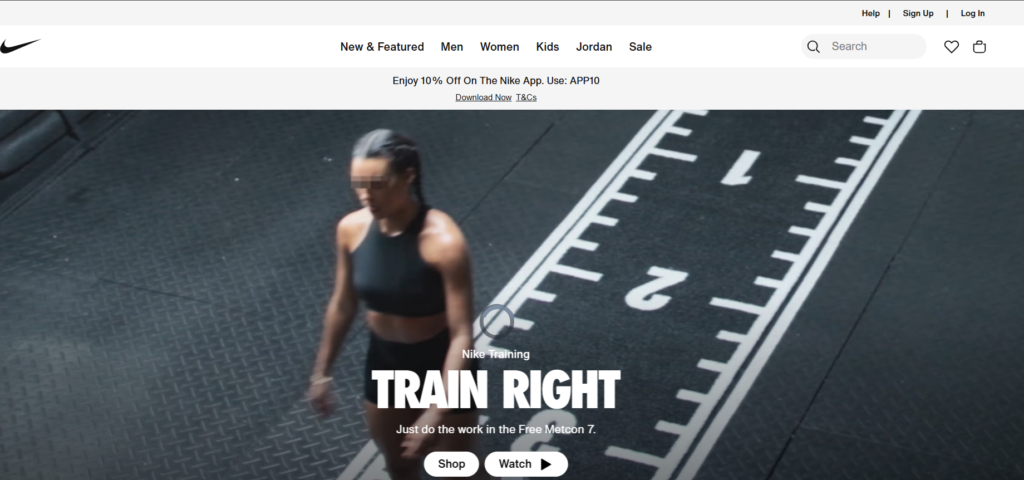
Nike uses a headless architecture to power a consistent brand experience across its website, mobile app, in-store digital interfaces, and its Nike Training Club platform. The result is a commerce experience that feels unified across every touchpoint despite running on dozens of separate frontend surfaces.
ASICS
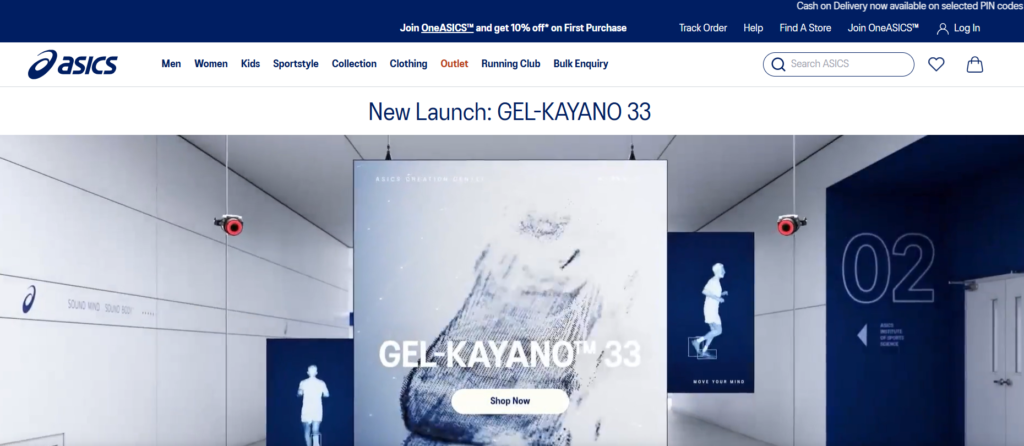
ASICS moved to a headless architecture to solve a specific problem: their global site rollouts were taking too long, and performance varied significantly by region and their mobile conversion rates improved as a direct result of the performance gains.
Olam Group
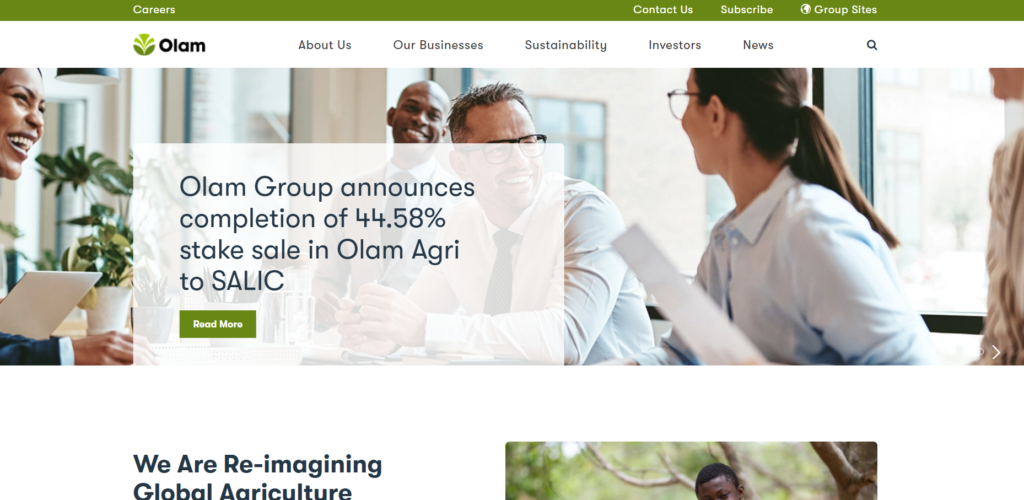
Olam Group, operating across 60 countries, used headless architecture to maintain dozens of ecommerce sites tailored to unique customer segments. The outcome was striking: cart abandonment rates dropped from 60% to under 30% by providing a seamless and personalised user experience across all platforms a direct result of the frontend flexibility headless enabled (Adobe Commerce case study).
Burrow

Burrow, the direct-to-consumer furniture brand, built a fully custom product configurator experience using a headless frontend. Customers can customise sofas in real time changing dimensions, fabric, colour, and leg options with the frontend rendering changes instantly while the backend manages SKU logic, pricing, and inventory.
The Hidden Challenges of Headless Commerce
Most headless commerce content focuses on the benefits. The challenges deserve equal attention because going headless without the right plan or platform is one of the fastest ways to waste a significant technical budget.
| Component | Typical cost range (custom build) | With Wcart |
| Frontend development | $15,000 – $50,000+ | Reduced pre-built APIs remove backend frontend work |
| Commerce backend setup | $10,000 – $40,000 | Included in Wcart platform |
| Headless CMS integration | $5,000 – $20,000 | Integration support provided |
| API gateway / infrastructure | $5,000 – $15,000 | Managed by Wcart |
| Ongoing maintenance | $2,000 – $10,000/month | Lower or less custom infrastructure to maintain |
| Total (custom) | $37,000 – $135,000+ | Significantly reduced |
1.Longer time to market (if starting from scratch)
- A full custom headless build typically takes two to six months before the first live customer transaction. For businesses that need to launch quickly, this is a real constraint.
- The answer isn’t to avoid headless it’s to choose a platform like Wcart that provides the pre-built infrastructure so your team can focus on the frontend experience rather than rebuilding commerce fundamentals.
2.Technical team requirements
- Headless commerce shifts more responsibility to your development team. If your current team has no experience with API-first development or modern JavaScript frameworks, you’ll either need to hire, train, or work with an agency partner.
3.API dependency and resilience
- Because everything in headless commerce communicates via API, API reliability becomes critical. A poorly designed API layer or a backend service that goes down can take the entire storefront with it.
- Choosing a platform with proven uptime, well-documented APIs, and redundancy built in (like Wcart) mitigates this risk significantly.
Is Headless Commerce Right for You? A Decision Framework
Rather than a simple yes or no, use this framework to assess your readiness. Score each criterion 1–3, then tally your total.
| Criterion | Score 1 (low fit) | Score 2 (medium fit) | Score 3 (high fit) |
| Business growth stage | Early stage, <$500K revenue | Established, $500K–$5M | Scaling, $5M+ |
| Channel complexity | Website only | Website + mobile | 3+ channels (web, app, in-store, social) |
| Technical team | Non-technical founder only | Small dev team, limited API experience | Experienced devs with API/JS framework skills |
| Customisation needs | Standard themes work fine | Want some custom features | Standard themes can’t meet UX requirements |
| Performance priority | Speed not a current issue | Some speed concerns | Performance directly impacts conversion/revenue |
| Budget | Under $10K for platform | $10K–$50K available | $50K+ for platform investment |
| Timeline | Need to launch within 4 weeks | 2–4 months acceptable | 6+ months planning horizon |
| Internationalisation | Single market | 2–3 markets | Multiple regions, multiple currencies |
8–12 points: Traditional or hosted commerce is likely the better fit for now. Focus on growth, then revisit in 12–18 months.
13–19 points: You’re in the transition zone. Wcart’s headless infrastructure with its lower complexity barrier is worth exploring — you can go headless without a full enterprise build.
20–24 points: Headless commerce is well-suited to your situation. The investment will pay back through performance, flexibility, and channel expansion. Start the conversation with Wcart.
How to Implement Headless Commerce: A Practical Roadmap
Moving to headless commerce is a strategic project, not just a technical one. Here’s a realistic implementation roadmap for businesses using a platform like Wcart.
Here are all 8 steps in one line each:
- Define your business goals first – Identify the specific problem you’re solving before touching any technology.
- Audit your current technical state – Map what you have, what can be reused, and what needs to be built from scratch.
- Choose your headless commerce platform – Pick a backend with clean APIs, proven uptime, and a clear upgrade path (Wcart fits here).
- Choose your headless CMS – Select early to avoid migrations later; Contentful, Storyblok, and Hygraph are the leading options.
- Build or select your frontend framework – Next.js is the default choice for commerce frontends due to its SSG, SSR, and edge deployment support.
- Define your API architecture – Map every frontend-to-backend call, authentication flow, and error handling before writing code.
- Build, test, and optimise in stages – Launch the core commerce flow first, then layer in complexity validated by Lighthouse and Core Web Vitals scores.
- Launch with a monitoring plan – Set up API response, error rate, and CDN alerts before go-live, not after the first incident.
Read More : Explore More About advanced Ecommerce header builder
Common Headless Commerce Mistakes to Avoid
Headless commerce done poorly is more expensive than traditional commerce done well. These are the mistakes that consistently trip up brands making the transition.
- Skipping the business case – If you can’t name the specific problem headless solves for your business, you’re not ready for it.
- Underestimating the frontend build – The backend choice is easy; building a fast, accessible, conversion-optimised frontend is where projects run over time and budget.
- Choosing the wrong commerce platform – Poor API documentation, unreliable uptime, or weak integration support will slow every developer on your team, indefinitely.
- Neglecting Core Web Vitals – If your headless build has worse Lighthouse scores than what you replaced, the architecture has failed its primary purpose.
- Not planning for content operations – No headless CMS strategy means your marketing team needs a developer ticket for every content change defeating the point entirely.
- Ignoring accessibility – Custom frontends are more prone to WCAG gaps than template platforms; build compliance in from day one, because retrofitting it is far more expensive.
Conclusion: Is Headless Commerce Worth It?
For businesses that are growing, selling across multiple channels, and hitting the performance or customisation roof of their current platform. yes, headless commerce is worth it.
If you’re still working out your product to fit in market, have a small technical team, or need to go live in less than a month, traditional platforms may be better for you in the short term. Headless is a strategic investment, not a quick fix Stratergy.
The biggest risk is n’t choosing headless it’s choosing headless without the right infrastructure underneath it. The global headless commerce market is projected to grow from USD 1.74 billion to USD 7.16 billion by 2032. The brands investing in that infrastructure today will be the ones delivering the experiences that their customers will expect to be standard in three years.
Ready to explore headless commerce with Wcart?: Book a demo to see how Wcart’s API-first platform reduces the cost and complexity of going headless.
Frequently Asked Questions (FAQs)
1. What is the main difference between headless commerce and traditional ecommerce?
In traditional ecommerce, the frontend and backend are tightly coupled in a single system. Any change to the design or user experience requires coordination with the backend, slowing development. In headless commerce, the two layers are completely separated and communicate via APIs allowing frontend and backend teams to work independently and deploy separately.
2. How does headless commerce improve the customer experience?
Headless commerce allows businesses to deliver personalized and consistent experiences across all channels and devices, increasing customer satisfaction.
3. How does headless commerce improve SEO?
Headless commerce can improve SEO in several ways: faster page load times (a direct Google ranking factor), better Core Web Vitals scores, and the ability to implement structured data and canonical tags precisely. However, headless SEO requires deliberate implementation particularly around server-side rendering or static site generation because a purely client-side rendered headless site can actually hurt crawlability if not configured correctly
4. Can headless commerce integrate with existing systems and tools?
Yes, headless commerce can integrated through APIs, allowing for seamless data flow and interactions.
5. Are there any risks or challenges associated with adopting headless commerce?
Headless commerce offers numerous benefits, but challenges may arise during implementation, experienced Wcart professionals help will reduce the risks during the need for technical expertise and coordination between frontend and backend teams.

























Leave a Reply