

Quick Answer
Headless commerce works by splitting your online store into two parts: the frontend (what shoppers see) and the backend (products, stock, orders and payments). The two parts talk through APIs. When a shopper clicks, the frontend asks the backend for data through an API, and the backend sends it back to show on screen.
Wcart provides headless commerce infrastructure that connects your storefront to backend systems through APIs.
Key Takeaways
- The store is split in two. The frontend shows the store. The backend runs the business. APIs connect them.
- Every click is a request and a response. The frontend asks. The backend answers.
- One backend can power many channels. Website, mobile app, kiosk and social shop can all use the same data.
- You can change the design without touching the backend. Orders, stock and payments stay safe.
- Headless is common now. 73% of businesses use headless architecture in some form. (Source: WP Engine, The State of Headless)
- The market is growing fast. The headless commerce market is expected to grow from $1.74 billion in 2025 to $7.16 billion by 2032. (Source: Netguru, 2026 )
Headless commerce actually works at its core, it’s a setup where the frontend what customers see and click through, is separated from the backend, where product data, inventory, and business logic actually live. The two sides talk to each other through APIs instead of being locked together the way they are on a traditional platform.
How Does Headless Commerce Work in Simple Words?
Think of a restaurant.
- The dining room and menu = the frontend. This is what the customer sees and uses.
- The kitchen = the backend. This is where the real work happens: products, stock, prices, orders.
- The waiter = the API. The waiter takes the order to the kitchen and brings the food back.
Here is why this helps:
- The customer never sees the kitchen.
- You can redesign the dining room without rebuilding the kitchen.
- You can open a second dining room (an app, for example) and use the same kitchen.
New to headless commerce? Start with our guide to what headless commerce is for a quick overview of the concept.
What Happens Behind the Scenes When a Customer Buys From a Headless Store?
Here is the full flow, one step at a time:
- The shopper opens the site or app. This is the frontend.
- The frontend sends an API request. It asks for product data, like “show me running shoes”.
- The backend finds the data. It checks products, prices and stock.
- The API sends the data back. It is usually sent in a simple format called JSON.
- The frontend shows it on screen. The shopper sees the products.
- At checkout, the frontend calls the API again. This time it sends the cart, payment and order details to the backend.
Flow in one line:
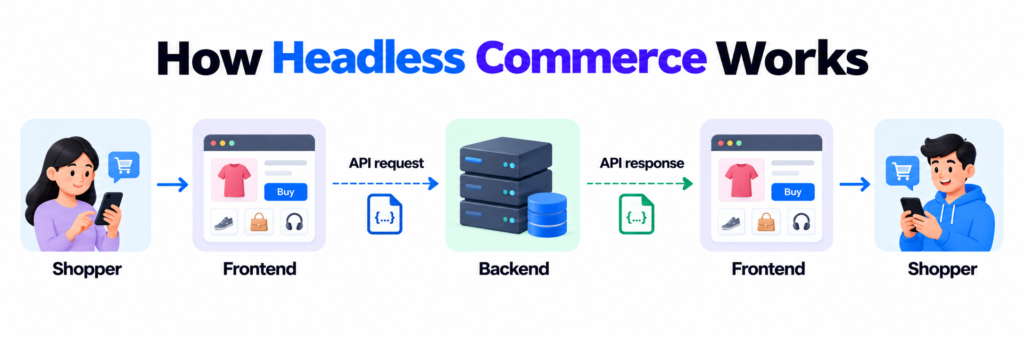
Shopper → Frontend → API request → Backend → API response → Frontend → Shopper
A simple example
- A fashion brand has a website, a mobile app and a screen in its physical store.
- All three are separate frontends.
- All three use the same backend for products, stock and orders.
- When stock changes in the backend, all three show the new stock at once.
What Are the Main Parts of a Headless Commerce Setup?
| Part | What it does | Example |
| Frontend | Shows the store to the shopper | Website, mobile app, kiosk |
| API layer | Carries requests and answers between parts | REST or GraphQL APIs |
| Commerce engine | Runs cart, pricing and checkout logic | Cart and checkout rules |
| CMS | Manages content | Banners, pages, blog posts |
| PIM | Manages product information | Descriptions, images, variants |
| Payment gateway | Takes payments safely | Cards, wallets |
| Order management | Handles orders, shipping and returns | Order status, tracking |
If you want a deeper look at the components and technical structure behind a headless setup, see our guide to how headless commerce architecture is built.
How Headless Commerce Works? : Step by Step
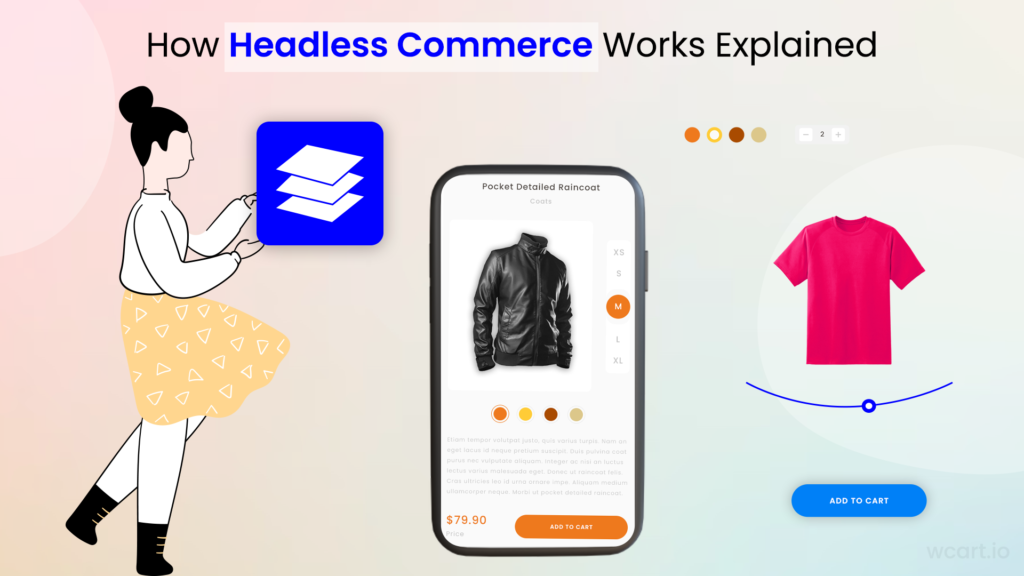
The Workflow of Headless Commerce
To better understand how headless commerce works, let’s explore the workflow involved in its implementation.
Step 1: Data Management
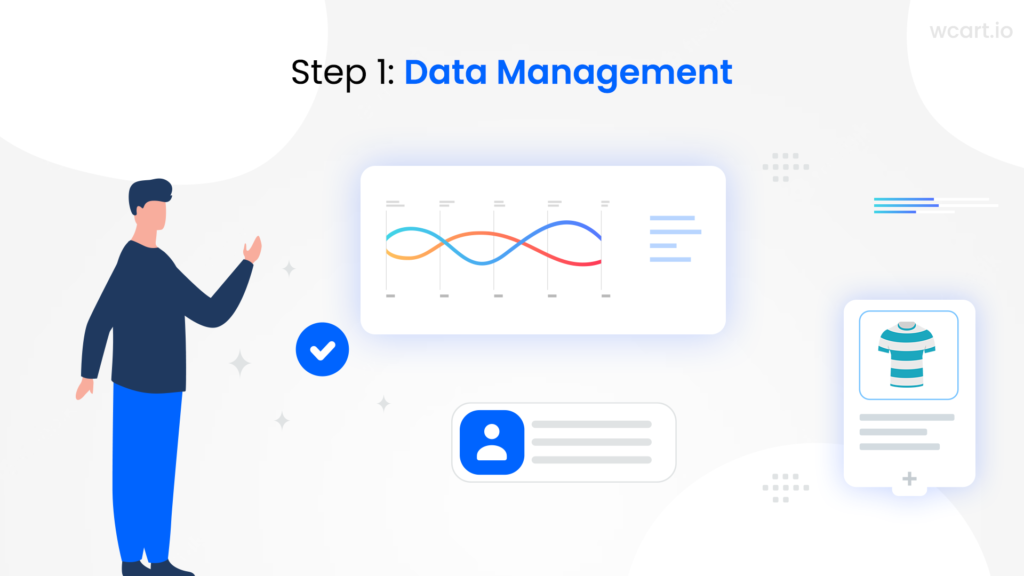
Businesses need to identify their data sources and integrate them into their system. This may include customer data, product data, inventory data, and more. CMS and PIM systems are often used to centralize and manage this data effectively.
Data Sources and Integration
- Identify the various data sources within your business, such as customer databases, inventory systems, and external APIs. Implement data integration techniques to ensure smooth data flow between these sources.
Content Management Systems (CMS)
- A CMS allows businesses to manage and organize their website content efficiently. It provides tools for creating, editing, and publishing content, ensuring that the website is always up to date.
Product Information Management (PIM)
- A PIM system is used to centralize and manage product data, including descriptions, images, prices, and variants. It ensures consistency and accuracy across various sales channels.
Step 2: API Integration
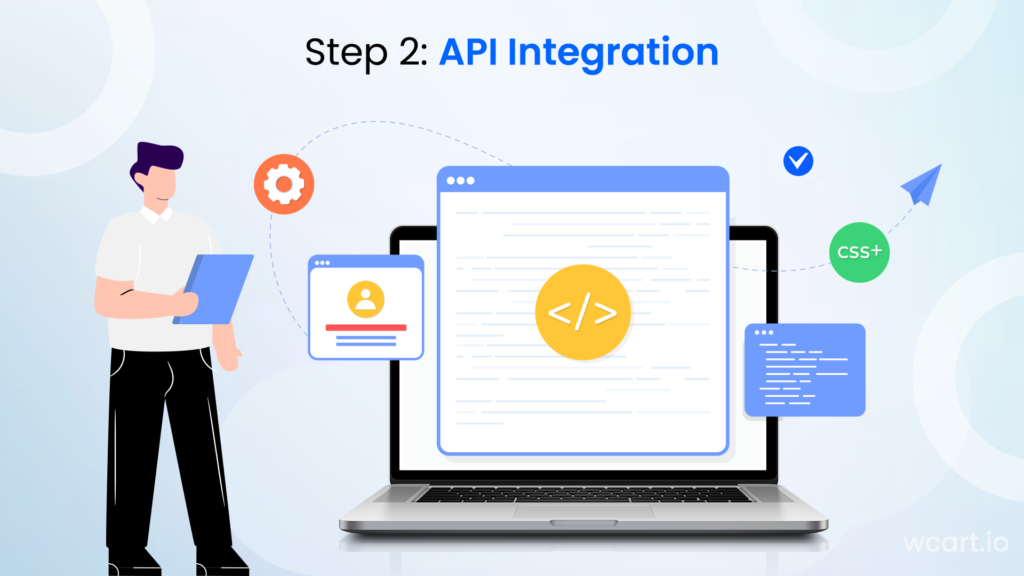
APIs play a crucial role in integrating different systems and services within the headless architecture.
Overview of APIs and Their Role
- APIs act as bridges between different systems, allowing them to communicate and exchange data. They enable the frontend to retrieve and display information from the backend, such as product details, inventory availability, and customer data.
API Development and Implementation
- Develop and implement APIs that expose the necessary functionalities of your backend systems. Ensure proper documentation and versioning to facilitate integration with third-party services and future development.
Integration Challenges and Solutions
- During API integration, businesses may encounter challenges such as data synchronization, error handling, and performance optimization. These challenges can be overcome by implementing robust error-handling mechanisms, using caching techniques, and conducting thorough testing.
Step 3: Frontend Development
Frontend development focuses on creating a responsive and engaging user interface that delivers an exceptional user experience.
Choosing the Right Frontend Framework
- Select a frontend framework that aligns with your business requirements and technical capabilities. React, Angular, and Node.js are popular frameworks. Consider factors such as ease of development, performance, community support, and compatibility with your existing technology stack.
Building a Responsive and Engaging User Interface
- Develop a user interface that adapts seamlessly to different devices and screen sizes. Implement responsive design principles, optimize images and media, and ensure smooth navigation and interactions.
Optimizing Performance and User Experience
- Optimize frontend performance by minimizing page load times, leveraging caching techniques, and optimizing code and assets. Implement intuitive navigation, clear calls-to-action, and streamlined checkout processes to enhance the user experience.
Visit Here: Empower Your Business with a Headless Ecommerce Solution
Step 4: Backend Operations
The backend operations of headless commerce involve managing inventory, processing orders, and ensuring security and data protection.
Managing Inventory and Order Processing
- Implement robust inventory management systems that track product availability, handle stock replenishment, and enable efficient order processing. Integrate with shipping providers and logistics systems to streamline the fulfillment process.
Payment Gateways and Transaction Management
- Integrate secure payment gateways to facilitate smooth and secure transactions. Implement encryption and tokenization techniques to protect sensitive customer data and comply with industry regulations.
Security and Data Protection Considerations
- Ensure the implementation of proper security measures, such as secure authentication and authorization mechanisms, to safeguard customer and business data. Regularly monitor and update security protocols to stay ahead of potential threats.
Step 5: Testing and Deployment
Thorough testing and careful deployment are crucial to ensure the stability, performance, and reliability of the headless commerce system.
Quality Assurance and Testing Methodologies
- Implement rigorous testing methodologies to identify and resolve bugs, performance issues, and compatibility problems. Conduct unit testing, integration testing, and user acceptance testing to validate the functionality of the system.
Deployment Options and Considerations
- Choose the deployment option that best suits your business requirements and technical infrastructure. Options include cloud hosting, on-premises hosting, or a hybrid approach. Ensure proper scalability and redundancy to handle increasing traffic and maintain high availability.
Monitoring and Performance Optimization
- Implement monitoring tools to track system performance, identify bottlenecks, and proactively address issues. Continuously optimize the system based on user feedback and performance data to ensure a smooth user experience.
Visit Here: How Headless E-commerce Platforms Redefine Online Retail
How Do APIs Connect the Frontend and Backend in Headless Commerce?
APIs are the messengers between the frontend and the backend. The frontend sends a request. The backend sends an answer.
- Request and response: The frontend asks for something (“show product 123”). The backend replies with the data.
- REST: Uses fixed addresses for each type of data. It is simple and very common.
- GraphQL: Lets the frontend ask for only the exact data it needs. This can mean smaller, faster responses.
- Webhooks: The backend sends an alert when something happens, like “a new order was placed”, so other tools can react.
- Microservices: Many headless backends are built from small, separate services (search, cart, checkout). Each one can be scaled on its own. Learn more in our guide to ecommerce microservices architecture.
When Does Headless Commerce Make Sense (and When Not)?
It is a good fit if:
- You sell on more than one channel (web, app, marketplace, social, in-store).
- You want full control over design and customer experience.
- You expect fast growth or high traffic.
- You have developers, or you use a platform that gives you ready-made headless tools.
It may not be the best fit if:
- You run a simple store on one channel.
- You have a small team and a small budget.
- You do not plan to change your design or add channels soon.
Final Thoughts
In conclusion, headless commerce emerges as an amazing approach, presenting businesses with the ability to provide adaptable and styled ecommerce experiences. Through the separation of frontend and backend components, enterprises can tackle the potential of APIs, microservices, and modular architectures to construct scalable, customizable, and forward-looking solutions.
By sticking to the step-by-step process elucidated in this all-encompassing manual, businesses can effectively adopt headless commerce and unlock its countless advantages. Contact Wcart Ecommerce expert team and get to know how headless commerce works in detail.
Frequently Asked Question
1. How does headless commerce benefit businesses?
Headless commerce offers flexibility, smooth omnichannel experiences, improved performance, scalability, and future-proofing capabilities.
2. What components are required for a headless commerce ?
You need three core parts: a frontend, an API layer and a commerce backend. Most stores also add a CMS for content, a PIM for product data, a payment gateway and an order management system.
3. How does the separation of frontend and backend work in headless commerce?
In headless, both frontend and backend operate seperately, with the frontend handling the user interface and the backend managing core e-commerce functionality.
4. What role do APIs play in headless commerce?
APIs serve as the communication bridge between the frontend and backend, enabling data exchange and interaction between the two components.
5. How does headless commerce contribute to improved performance?
Separating the frontend and backend allows for faster load times and better overall performance, enhancing the user experience.
6. Is headless commerce worth it for a smaller business?
It depends on growth plans. If a business expects to add sales channels or needs more design freedom soon, headless can be worth adopting early. For a simple, single-channel store, a traditional platform may still be the more practical starting point.
7 .Can headless commerce support multiple sales channels at once?
Yes – that’s one of its core strengths. Because the backend isn’t tied to one frontend, the same product and inventory data can power a website, app, and other channels simultaneously.
8. Do I need a development team to implement headless commerce?
Building a fully custom headless setup usually does need developers, especially for API integration and frontend development. Platforms like Wcart reduce that requirement by providing pre-built headless infrastructure instead of building from scratch.
9 .How is headless commerce different from traditional ecommerce platforms?
Traditional platforms join the frontend and backend in one system, so changing one often affects the other. Headless keeps them separate, so you can update either side without disrupting the whole store.


























Leave a Reply