
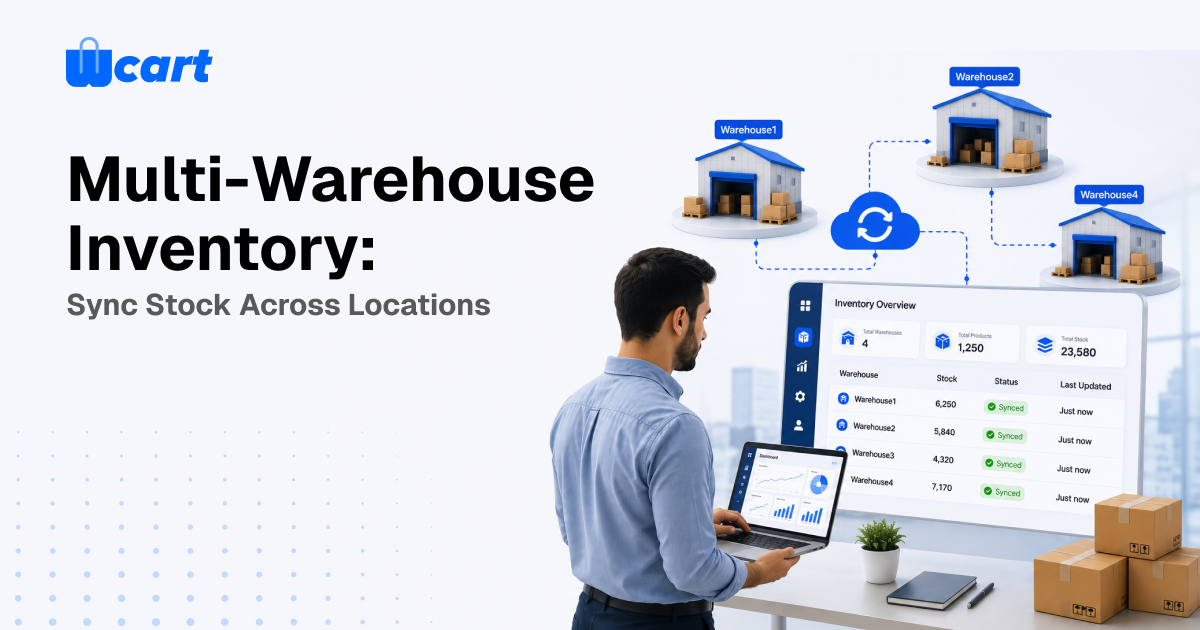
Multi-warehouse inventory is the process of managing and tracking products across multiple warehouses, stores, or fulfillment centers instead of keeping inventory synchronized in one system. Each location maintains its own stock, and inventory levels are updated automatically whenever products are sold, shipped, or restocked.
Using consistent SKUs and centralized inventory management ensures accurate stock visibility across all locations. This helps prevent overselling, improves order fulfillment, and enables businesses to deliver products more efficiently. warehouse
In this guide, you’ll learn how multi-warehouse inventory works, its key benefits, and the steps to sync stock across multiple locations successfully.
What “multi-warehouse inventory” actually means
In simple, Multi-warehouse inventory is the process of storing the same products across multiple locations while tracking stock levels separately for each warehouse. At the same time, customers see accurate product availability through a single storefront. Three key elements make this possible:
- Per-location stock ledger. Every SKU has a row per warehouse: on-hand, reserved (allocated to unshipped orders), and available (on-hand minus reserved). The storefront should sell against available, never raw on-hand.
- Aggregation rule. What the product page displays. Usually the sum of available across all sellable locations, but you may exclude a location (say, a damaged-goods bin or a vendor on holiday hold).
- Fulfillment routing. When an order lands, which warehouse ships it, and therefore which pool gets decremented.
Why a single number isn’t enough
It’s tempting to keep one global count and pretend locations don’t exist. That falls apart fast. You can’t ship from the nearest depot, you can’t show “available in your region,” you can’t let a marketplace vendor manage only their own stock, and you can’t do a stocktake on one warehouse without freezing the whole catalog. Location-aware inventory is the foundation for everything from faster delivery to vendor self-service.
Step-by-step: set up multi-warehouse sync
Step 1 – Standardize SKUs before anything else
- This is the step people skip and regret. A SKU has to mean exactly one product variant everywhere: the same code in your Mumbai warehouse, your fulfillment partner’s WMS, and your storefront. If location A calls it TSHIRT-BLK-L and location B calls it tshirt_black_large, no sync engine on earth can reconcile them.
- Before importing any stock, freeze a SKU naming convention and map every legacy code to it. If you’re loading stock in bulk, our CSV import guide covers how to avoid duplicating variants during the load.
Step 2 – Create your locations and assign attributes
- Define each warehouse as a first-class location with a name, address, priority rank, and a sellable flag. Priority drives default routing. The sellable flag lets you hold a location out of aggregation without deleting its stock. Tag locations with region or country if you plan to route by proximity.
Step 3 – Load opening stock per location
- Import on-hand quantities per location, not as a lump sum. The cleanest format is a flat file with one row per SKU-per-location: sku, location_code, on_hand. Reserved starts at zero, and the system computes available.
- Do a physical count first. Opening balances that are wrong on day one poison every downstream number, and you’ll spend months chasing a phantom discrepancy that was baked in at import.
Step 4 – Choose your aggregation and display rule
- Decide what the buyer sees. Most stores show total available across sellable locations and hide the per-location breakdown. If you offer regional delivery promises or in-store pickup, you may surface “in stock near you.” Set a low-stock threshold per location so you can reorder a depot before it hits zero.
Step 5 – Configure fulfillment routing
Routing decides which pool an order draws down. Common strategies:
| Routing strategy | How it picks a warehouse | Best for | Watch out for |
| Priority / fixed | Always the highest-ranked location with stock | Single main DC with a backup | Backup location can sit stranded |
| Nearest to customer | Closest location with stock by region/zip | Faster delivery, lower shipping cost | Needs clean address-to-region mapping |
| Lowest split | Whichever single location can ship the whole order | Reducing multi-parcel shipments | May not be the nearest |
| Stock balancing | Pulls from the most overstocked location | Avoiding dead stock and markdowns | Can increase shipping distance |
You can layer rules. For example, nearest-with-stock, falling back to priority. Define what happens when no single location can fill the order: split the shipment, or backorder.
Step 6 – Turn on real-time reservation
- The single most important anti-oversell control is reserving stock at the moment of order, not at the moment of shipment. The instant a customer checks out, the routed location’s available count should drop. If you only decrement when a fulfillment label prints, two customers can buy the last unit in the gap.
- Here’s what actually happens in that gap: on a flash-sale morning the orders queue up faster than your warehouse staff print labels, and by the time anyone notices, you’ve sold the same three units four times. Reservation closes that window.
Step 7- Reconcile on a schedule
- Even with real-time sync, drift creeps in from returns, damages, manual adjustments, and integration hiccups.
- Run a periodic reconciliation: compare system available against a cycle count per location and post adjustments with a reason code. Cycle counting a slice of SKUs each week beats an annual all-stop stocktake.
Sync architecture: how the numbers actually stay in agreement
One source of truth, many consumers
- Your enterprise ecommerce platform’s inventory ledger should be the authoritative record. External systems (a 3PL’s WMS, a POS, a marketplace channel) are consumers and contributors, but the platform arbitrates. When two systems disagree, you need a defined winner. Trying to run two co-equal “sources of truth” is the most common cause of phantom stock.
Push vs. pull, and webhooks
- Real-time sync is event-driven: an order, a receipt, or an adjustment fires an event, and the relevant pool updates immediately. Webhooks are the standard mechanism for this. Your platform notifies a subscriber the instant inventory changes, rather than that subscriber polling on a timer.
- Polling is a fallback for systems that can’t receive webhooks, and you’ll want to keep the interval tight for fast-moving SKUs. For a primer on the pattern, see the webhook overview .
Idempotency and ordering
- Two failure modes bite hard in distributed inventory: duplicate events (the same order processed twice, double-decrementing stock) and out-of-order events (a “restock” arriving before the “sale” it should follow). Defend against both.
- Make every stock-changing operation idempotent, keyed on a unique event ID so replaying it is a no-op, and version your inventory records so a stale update can be rejected.
- These are the same reliability primitives Google’s engineering teams describe for resilient API design; the practical takeaway is documented in Google’s API design guidance.
Multi-vendor marketplaces: a special case
In a marketplace, “multi-warehouse” often means “multi-vendor.” Each seller manages their own stock from their own location, and the same logic applies, just with isolation. A vendor must only see and edit their own pools, the storefront aggregates availability across vendors who carry the same product, and routing sends each order line to the correct seller.
The reservation and reconciliation rules above are identical. What changes is permission scoping and the fact that you now coordinate counts you don’t physically control. Clear SKU mapping matters even more here, because vendors arrive with their own coding habits.
Common mistakes and how to avoid them
- Selling against on-hand instead of available. Always subtract reserved. This is the number-one oversell cause.
- No safety buffer on fast movers. For SKUs that sell quickly across channels, hold a small buffer per location so concurrent sales don’t race to zero.
- Treating returns as instant restock. A returned item isn’t sellable until inspected. Route it to a quarantine location, not straight back into available.
- Editing stock in two systems by hand. Pick one authoritative system and let it propagate. Manual edits in both guarantee drift.
- Ignoring partial fulfillment. Decide upfront whether you split shipments or backorder, and make sure each path decrements the right pools.
If you’re still standardizing the catalog underneath all this, our variants and options setup guide helps make sure each variant is a clean, syncable unit before you spread it across locations.
Frequently asked questions
Bringing it together
Multi-warehouse inventory is less about clever software and more about discipline: one SKU language, one source of truth, sell against available, reserve at checkout, route deliberately, and reconcile on a rhythm. Get those right and the sync engine simply enforces what you’ve already decided. If you want a platform where location-aware stock, vendor isolation, and real-time sync are built in rather than bolted on, explore Wcart and see how it fits your catalog.

























Leave a Reply