
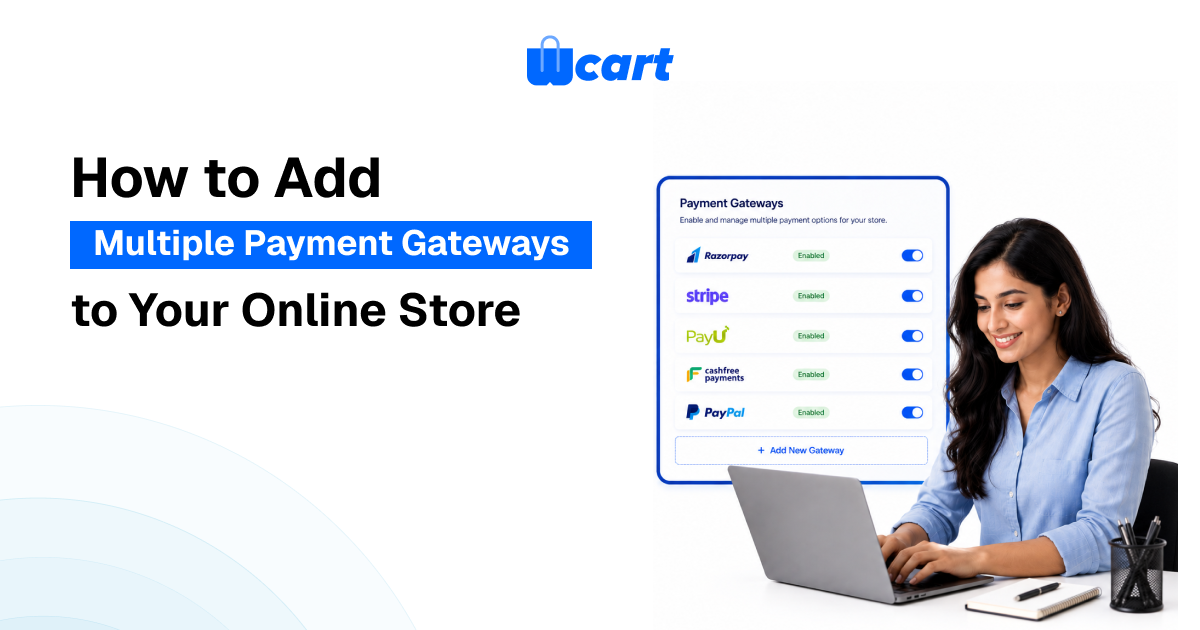
You have the products… You have the traffic… But if your checkout page only takes one payment method, you are quietly turning away customers who would have bought just not that way.
That is a real problem. A study in 2024 found that 61% of shoppers abandoned their cart simply because their preferred payment option was not available. That is not a pricing issue or a trust issue. It is a payment coverage issue. It is entirely fixable.
This guide breaks down what an ecommerce payment gateways actually is, why running multiple gateways matters. It also covers how the integration works.
What Is an Ecommerce Payment Gateway?
An ecommerce payment gateway is the technology layer that sits between your store and your customer’s bank. When someone hits “Pay Now,” the gateway encrypts their card details, sends an authorization request to the issuing bank, receives approval or decline, and passes the result back to your checkout all in a few seconds.
Think of it as the digital version of a card reader at a physical checkout counter. The difference is that the online version also has to handle fraud screening, currency conversion, chargebacks, and secure data handling all without the customer noticing any of it.
A payment gateway is not the same as a payment processor. The processor is the back-end system that actually moves the money between banks. The gateway is the secure front-end channel that collects and passes the payment data. In practice many providers offer both.
Key stat: Global ecommerce sales are projected to exceed $7.9 trillion by 2027. The payment infrastructure holding those transactions together is the gateway.
Launch Your Ecommerce Website in Minutes With Our Easy Builder.
Why Running a Single Gateway Is a Risk
Most new stores start with a single payment gateway. That makes sense in the beginning. But there are real holes in just sticking with one alone as you scale.
Here is what the data says:
- 70.19% of online shopping carts are abandoned before checkout (Baymard Institute, 2025). Payment issues are a major reason for this.
- 13% of shoppers will leave right away if their favorite payment method is not available.
- 61% of customers worldwide abandoned their carts in 2024 because they could not use their preferred payment option.
- 49% of global shoppers now choose digital wallets instead of credit cards, according to Statista.
- Mobile cart abandonment is at 75.5%, higher than for desktop, partly because mobile checkout is more challenging and payment choices seem more limited.
Problem : A single gateway might cover Visa and Mastercard but it will not work for people who like to use PayPal, It will also not work for people uses UPI in India, Apple Pay users on mobile, or BNPL shoppers who need to split payments. Every method you miss is a piece of buyers you’re quietly leaving out.
Solution : Adding multiple payment gateways solves this. It expands your coverage, reduces checkout friction, and gives customers the payment experience they expect.
Types of Ecommerce Payment Gateways
Not all gateways work the same way. Understanding the main types helps you choose the right combination for your store.
1. Hosted Payment Gateways
The customer is redirected to the gateway provider’s payment page to complete the transaction, then sent back to your site. PayPal is the most well-known example. Easy to set up, but you lose some control over the checkout experience.
2. Self-Hosted Gateways
The entire checkout happens on your domain. You have full control over the design and flow, but you take on more responsibility for security and PCI compliance. Better for stores that want a seamless brand experience.
3. API-Hosted Gateways
Payment data is captured through your site via API calls, then processed by the gateway in the background. Stripe is the prime example. Maximum flexibility, developer-friendly, and allows deeply custom checkout flows without redirecting the user.
4. Local Bank Integration Gateways
Common in specific markets. The customer is taken to their bank’s payment portal, completes the payment, and is redirected back. Popular in markets like India (net banking via Razorpay or PayU) and parts of Southeast Asia.
What to Look for in an Ecommerce Payment Gateway
Before connecting any gateway to your store, run through these evaluation criteria:
- Security and compliance : You must meet PCI DSS standards. Check for tokenization, 3D Secure authentication, SSL encryption, and built-in fraud detection tools. About two-thirds of consumers say they would stop shopping with a retailer that had a security breach.
- Payment method coverage – Does it support the methods your customers actually use? Cards, digital wallets, BNPL, UPI, net banking, and local payment options all matter depending on your market.
- Transaction fees and pricing structure – Most gateways charge a percentage and a flat fee, for each transaction. (e.g., 2.9% + $0.30). Some of the gateways charge monthly fees, setup fees, or extra for chargebacks and international transactions. Don’t just focus on the advertised rate. Compare all the fees.
- Integration with your ecommerce platform – A gateway that requires custom development every time you change something is a long-term headache. Look for native integrations or well-documented APIs.
- Multi-currency and international support – If you sell globally, your gateway needs to handle currency conversion and support local payment methods in your target markets.
- Checkout experience quality – Does the gateway create unnecessary redirects? Is the mobile exerience smooth? Is there support for one-click checkout? Poor UX directly increases cart abandonment.
- Chargeback and dispute management tools – Disputes are part of ecommerce. Good gateways include dashboards for managing them efficiently and tools to flag suspicious transactions before they become problems.
Benefits of Multiple Payment Gateway Integration
Running multiple gateways on the same store is sometimes called gateway stacking. It is not just about adding more logos to your checkout page. The real benefits are operational.
Wider customer coverage
- Different customers trust different providers. Some buyers will only pay through PayPal. Others prefer Google Pay on mobile. B2B buyers in India often use bank transfers or UPI.
Backup and redundancy
- Gateway outages happen. If your only payment option goes down, your store effectively stops taking orders. With multiple gateways active, you have a fallback. Some platforms can even route transactions automatically to an available gateway when one is down.
Regional optimization
- Payment preferences vary dramatically by country. A gateway that works well in the US may underperform in India, where Razorpay and PayU dominate, or in Europe, where SEPA transfers and local wallets are common. .
Improved authorization rates
- Different gateways have different relationships with issuing banks. A transaction that gets declined on one gateway might go through on another. This is particularly relevant for international transactions, where cross-border authorization rates can vary significantly between providers.
Better data and analytics
- Multiple gateways give you more granular data on where payment failures happen. You can identify which gateway performs best for which customer segment and optimize accordingly.
Want to recover more sales and reduce checkout drop-offs? Discover how abandoned cart recovery can boost your store’s revenue.
How Multiple Payment Gateway Integration Works
How Multiple Payment Gateway Integration Works The technical process varies by platform, but the general steps are similar across most modern ecommerce systems.
1. Choose your gateway combination – Identify which gateways serve your main markets and payment methods. A typical setup might include Stripe for card and API-based payments, PayPal for customers who prefer brand trust, and Razorpay or PayU for Indian buyers.
2. Create merchant accounts – Each gateway needs its own merchant account registration. This includes KYC documentation, linking your bank account, and verifying your business.
3. Install and configure integrations – On platforms that support native gateways, this usually means setting up a configuration panel with API keys. For headless or custom setups, it requires API integration work.
4. Set display logic for the checkout page – Decide if all gateways will show at once or if specific options will be displayed based on geography, device type, or cart value.
5. Test every payment method from start to finish – Use sandbox or test mode for each gateway. Simulate successful transactions, declines, and edge cases before launching.
6. Monitor performance after launch – Track authorization rates, payment failure points, and checkout completion rates for each gateway. Use this information to improve your setup.
Popular Ecommerce Payment Gateways – A Quick Comparison
| Gateway | Best For | Key Strength | Typical Fee |
| Stripe | High-volume, developer-heavy stores | API flexibility, advanced fraud tools (Radar) | 2.9% + $0.30 per transaction |
| PayPal | Brand-trust buyers, global reach | 200+ countries, 25 currencies, consumer trust | From 2.59% + fixed fee |
| Razorpay | Indian market, B2B payments | UPI, net banking, EMI, Indian wallets | 2% per transaction |
| Adyen | Enterprise, global multi-channel | 180 currencies, 100+ countries, omnichannel | €0.11 + payment method fee |
| Authorize.net | US-based stores needing reliability | Established, Visa-backed, 33+ countries | $25/month + $0.10/transaction |
| PayU | Emerging markets, India, Eastern Europe | Strong regional payment method coverage | Varies by market |
Common Mistakes to Avoid
1.Showing too many options at once – Presenting seven payment methods on one checkout screen can cause decision paralysis. Group related options and display the most popular ones prominently. A clean checkout page with three to four well-chosen options typically outperforms one with eight cluttered ones.
2.Ignoring mobile optimization – Mobile cart abandonment is already higher than desktop. If your additional payment gateways are not tested and optimized for mobile screens, you are adding friction rather than removing it.
3.Not accounting for total fee impact – Transaction fees compound fast at scale. Before adding a gateway for a niche segment, calculate whether the revenue gained from that segment actually exceeds the additional fee cost.
4.Skipping proper sandbox testing – Every gateway has its own test environment. Test every combination of payment method, device type, and geography before going live. A payment failure at checkout is one of the fastest ways to lose a customer permanently.
5.Assuming one gateway fits all markets – A gateway that works perfectly for US customers may have poor coverage and high decline rates in other regions. International expansion almost always requires region-specific gateway additions.
Conclusion:
Your payment gateway setup is not a backend detail. It is a direct revenue lever. Every customer who hits your checkout and cannot pay the way they want is a sale you have already lost.
Adding multiple payment gateways addresses that directly. It expands your coverage, reduces the gaps that cause abandonment, and gives your store the flexibility to serve customers across different markets and device types.
The operational lift is lower than most people expect especially on platforms like Wcart where gateway integrations are built in and multi-currency checkout is native. The math is simple: more payment options, fewer dead ends, higher conversion rates.
If you are running a B2B store and payment coverage is a gap in your current setup, this is one of the faster wins available to you.

























Leave a Reply