
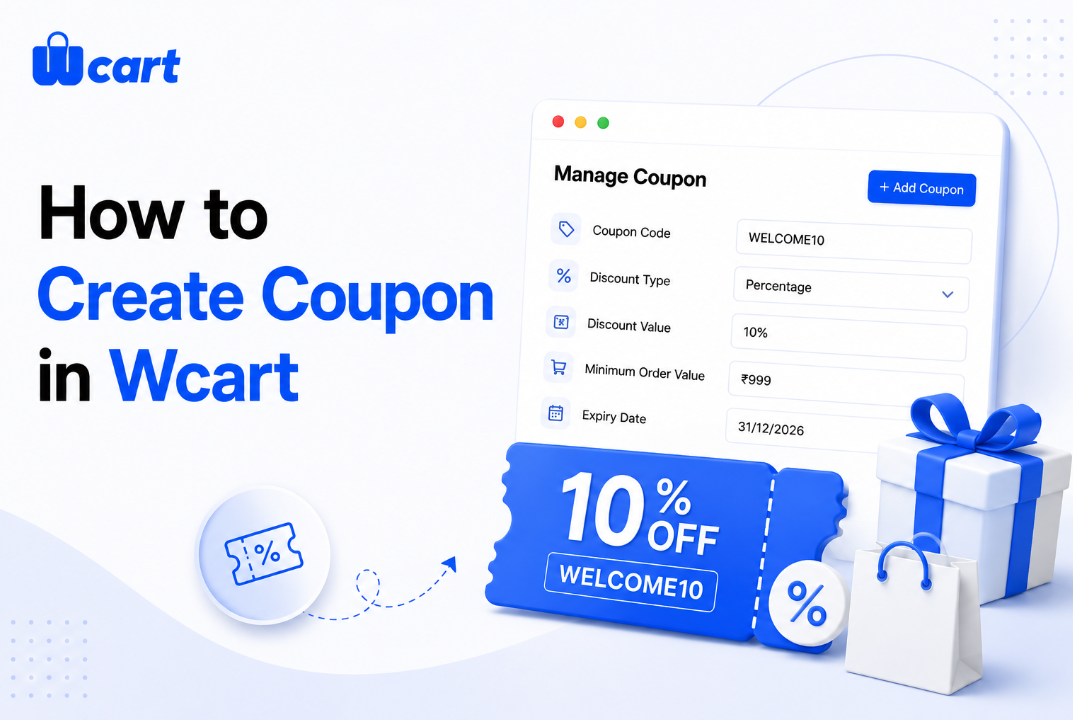
In Wcart you create coupon codes (percentage or fixed amount, with conditions) . Use coupons when you need to track a campaign, influencer or recovery offer; Always set conditions minimum spend, eligible products, usage limits and expiry, so a promotion boosts profit instead of leaking margin.
Coupons vs automatic discounts – pick the right tool
They look similar but do different jobs. A coupon code requires the buyer to enter it, which makes it perfect for tracking a specific campaign, an influencer’s audience, or a recovery email. An automatic discount applies the moment conditions are met, with nothing to type which converts better for broad offers like “spend X, save Y” because there’s no “hunt for a code” moment where buyers leave to search and don’t come back. Rule of thumb: automatic for AOV lifts, codes for anything you need to attribute.
How to create coupon codes in Wcart
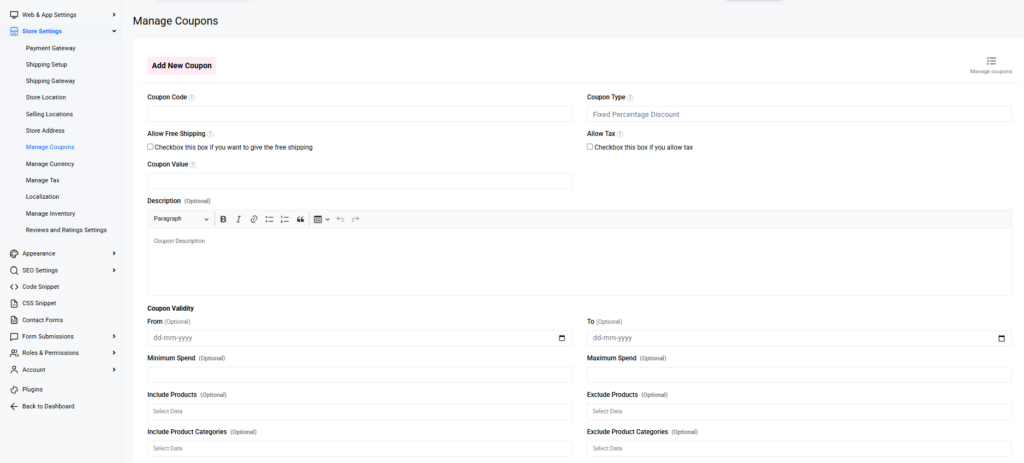
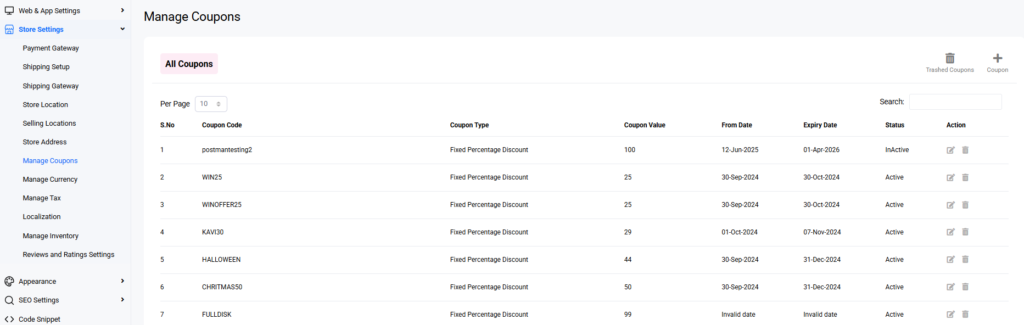
- Go to Store Setting→ Manage Coupon and click Add coupon.
- Set the type — percentage (e.g. 15%) or fixed amount (e.g. ₹500 off).
- Add conditions: minimum order value, eligible products/categories, first-order-only.
- Set usage limits — total uses and per-customer — and an expiry date.
- Name the code something memorable (WELCOME10, FESTIVE20) and save.
- Test it on a real cart to confirm it applies and respects the conditions.
Set conditions so discounts protect margin
An unconditional discount just hands money to buyers who’d have paid full price. Every promotion should earn its keep:
- Minimum spend – ties the discount to a bigger basket.
- Usage + per-customer limits – stops codes leaking and over-redeeming.
- Expiry – creates urgency and prevents zombie codes running forever.
- Product/category scope – discount slow movers, protect hero products.
- First-order-only – acquire new customers without discounting loyal ones.
Where coupons fit your promotion strategy
Coupons and automatic discounts are two tools in a bigger kit — alongside BOGO, tiered pricing, gift cards and loyalty points. Choose by goal: bigger baskets (automatic threshold offers), new-customer acquisition (first-order codes), recovery (a code in the final abandoned-cart email), or retention (loyalty points over discounts). See the Discounts & Promotions hub for the full toolkit and when to reach for each.
Common coupon mistakes
- No minimum spend — you discount without lifting basket size.
- No usage limit or expiry — codes leak onto coupon sites and never stop.
- Always-on codes — train buyers to never pay full price.
- Leading recovery emails with a code — teaches deliberate abandonment.
- Sitewide percentage on everything — discounts your best sellers needlessly.
Frequently asked questions
How do I create a coupon code in Wcart?
Go to Marketing → Discounts → Add coupon, choose percentage or fixed amount, set conditions (minimum spend, eligible products, usage limit, expiry), name the code and test it.
What’s the difference between a coupon and an automatic discount?
A coupon requires entering a code (good for tracking campaigns); an automatic discount applies at checkout with no code (better conversion for broad AOV offers).
How do I stop discounts from hurting margin?
Attach conditions minimum spend, usage and per-customer limits, expiry, and product scope so each discount drives a bigger basket or a new customer rather than giving margin away.
Can I limit a coupon to first-time customers?
Yes. Set a first-order-only condition so you acquire new buyers without discounting your existing, loyal ones.
Related guides
- Discounts & Promotions on Wcart (hub)
- Customer Reward Points System
- Abandoned Cart Recovery in Wcart
Run smarter promotions. Start your free Wcart trial and create your first conditional coupon today.

























Leave a Reply