
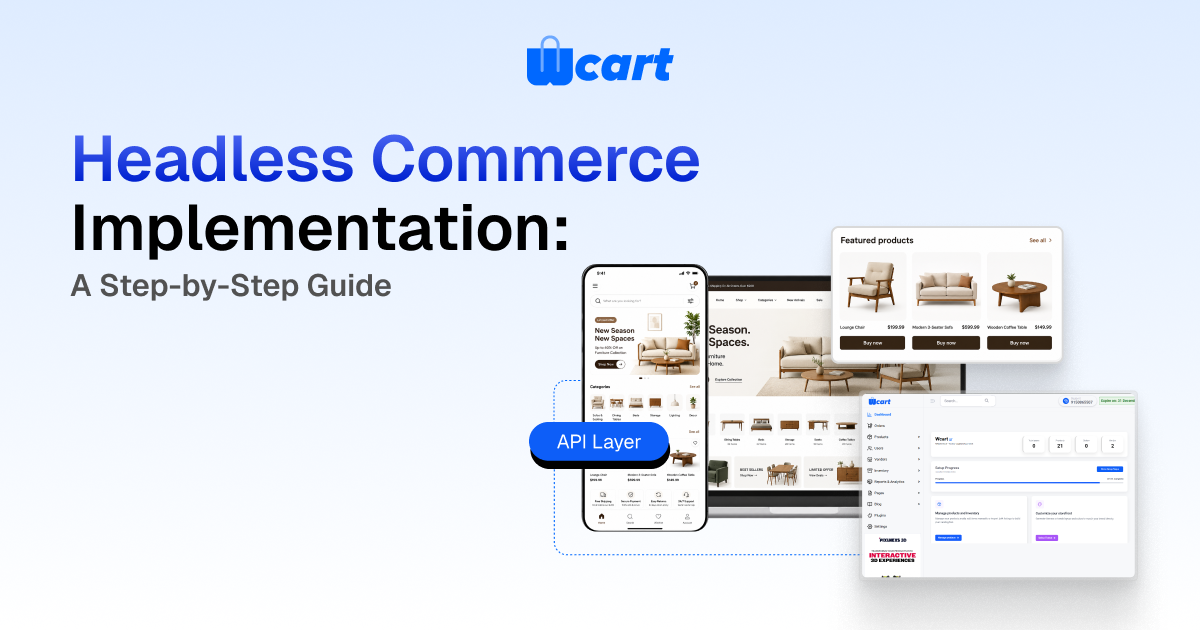
Headless commerce implementation means decoupling your storefront (the front end customers see) from the commerce engine (catalog, cart, checkout, orders) and connecting them through APIs. To implement it, you
- (1) audit your current stack and define a clear API contract,
- (2) choose a commerce backend that exposes complete REST or GraphQL APIs
- (3) build or adopt a front end framework
- (4) wire integrations like payments, search, and inventory via APIs and webhooks, and
- (5) migrate, test, and cut over carefully.
The payoff is front end freedom and faster iteration. The cost is more moving parts and engineering ownership. Plan for 8–16 weeks for a typical mid-market migration, longer for complex catalogs.
Going headless is one of the most consequential architecture decisions an ecommerce team makes. Done well, it lets you ship a new mobile experience, a kiosk, and a marketplace front end from one commerce core. Done carelessly, it scatters business logic across services nobody fully owns. This guide walks through the implementation end to end (the decisions, the sequence, and the traps) based on how merchants actually roll it out in production.
What headless commerce actually is
In a traditional (monolithic) platform, the storefront templates and the commerce logic live in the same application. The theme, the cart, and the checkout are tightly bound. Headless commerce breaks that bond. The back end becomes an API-first commerce engine, and the front end becomes an independent application that calls those APIs.
The term you will hear alongside it is composable commerce: assembling best-of-breed services (a search provider, a CMS, a payment gateway, a commerce engine) into one experience. Headless is the architectural pattern. Composable is the broader strategy it enables.
When headless is worth it and when it isn’t
Headless earns its complexity when you have real front end ambition: multiple touchpoints, a content-heavy brand experience, custom UX that a theme engine fights you on, or performance targets a monolith can’t hit. It is usually not worth it for a small single-store merchant who is happy with a templated theme. The honest rule of thumb: if you don’t have (or won’t hire) front end engineering capacity, a well-built monolith or a hosted theme will serve you better and cheaper.
Benefits of Headless Commerce Implementation
Implementing a headless commerce architecture offers several long-term advantages for growing ecommerce businesses.
Faster Website Performance
Modern frontend frameworks deliver faster page loads and improved Core Web Vitals, creating a better shopping experience.
Better Customer Experience
Businesses can build unique shopping experiences across websites, mobile apps, kiosks, and marketplaces without backend limitations.
Omnichannel Commerce
A single commerce backend can power multiple customer touchpoints while maintaining consistent product and order data.
Easier Integrations
API-first platforms simplify connections with payment gateways, ERP systems, CRM software, inventory management, and marketing tools.
Future Scalability
Headless architecture allows businesses to adopt new frontend technologies without replacing their ecommerce backend.
Headless Commerce Implementation Checklist
Before starting your implementation, make sure you have completed the following:
- Define business goals and customer experience requirements.
- Audit your existing ecommerce platform.
- Document all business logic and workflows.
- Select an API-first commerce platform.
- Choose a frontend framework.
- Plan integrations for payments, ERP, CRM, search, and inventory.
- Define API contracts before development begins.
- Prepare a staging environment.
- Test every API endpoint thoroughly.
- Plan a rollback strategy before launch.
The headless commerce implementation roadmap
Below is the sequence we recommend. Each phase produces an artifact the next phase depends on, so resist the urge to start coding the front end before the contract is settled.
Step 1 — Audit and define the API contract
Start with what you have. Inventory every place business logic lives today: pricing rules, tax, promotions, shipping, tax-inclusive vs. exclusive display, customer groups, and multi-currency. Decide which of these stay server-side (almost all of them should) and which the front end is merely allowed to display.
Then define the API contract before anyone builds a screen. List the resources the front end needs (products, collections, cart, customer, checkout, orders) and the exact shapes returned. This contract is the single most important deliverable in the whole project. If it is vague, every team downstream improvises and you end up with logic leaking into the front end.
Step 2 — Choose the commerce engine
Your back end must expose complete, documented APIs, not a partial set that forces you back into the admin UI for half the operations. Evaluate candidates against the operations your storefront and your back-office actually perform. A platform like Wcart is built API-first precisely so the same engine can drive a web storefront, a vendor portal, and a mobile app without forking logic.
Key questions: Does it cover cart and checkout via API, or only catalog reads? Can it emit webhooks for real-time order and stock sync? Does it support the customer, pricing, and promotion models you need? Is rate limiting documented? That last one bites people late. A storefront that fires fine in staging can start getting throttled the day a sale drives real traffic, and nobody thinks to check the limits until checkout starts returning errors.
Step 3 — Choose the front end approach
Most headless front ends today use a JavaScript framework with server-side rendering or static generation for SEO and speed: React/Next.js, Vue/Nuxt, or similar. The non-negotiables are fast first paint, crawlable HTML, and a clean data layer that talks to your commerce APIs. Google’s guidance on rendering and Core Web Vitals is the reference here, since a headless SPA that ships a blank shell to crawlers will quietly tank your organic traffic. See web.dev on Core Web Vitals for the metrics to design against.
Step 4 — Wire integrations via APIs and webhooks
This is where composable becomes real. Payments, search, reviews, inventory, ERP, and analytics each connect through their own API. Two patterns matter:
- Synchronous calls for anything the shopper waits on: price, availability, applying a coupon, placing an order.
- Asynchronous webhooks for state changes you react to: order created, payment captured, stock decremented, refund issued. Webhooks keep your search index, ERP, and notification systems in sync without polling.
One thing to plan for here: webhooks fail. The endpoint times out, the receiving service is mid-deploy, a payload arrives twice. If your stock sync assumes every event lands exactly once, you’ll eventually oversell. Build the consumers to be idempotent and keep a retry queue, or expect a reconciliation headache after your first busy weekend.
If you are connecting back-office systems, plan the data flow explicitly. Our guide on connecting your store to an ERP or accounting system covers the order-to-cash sync that trips most teams up.
Step 5 — Migrate, test and cut over
Never big-bang a revenue site. Run the new front end in parallel against staging data, then route a small slice of traffic to it. Validate the money path obsessively: add to cart, apply tax and promotions, checkout, payment capture, order confirmation, and the post-order webhooks. Keep the old storefront warm and a rollback ready until the new one has proven itself across a full traffic cycle including peak.
Typical Headless Commerce Implementation Timeline
| Phase | Activities |
|---|---|
| Week 1–2 | Business requirements, architecture planning, API design |
| Week 3–4 | Commerce backend setup and API configuration |
| Week 5–8 | Frontend development and API integration |
| Week 9–11 | Payment, inventory, ERP, and third-party integrations |
| Week 12–14 | Performance optimization, SEO testing, and QA |
| Week 15–16 | Production deployment, monitoring, and optimization |
REST vs GraphQL for your storefront APIs
One of the first contract decisions is the API style. Neither is universally better. They fit different shapes of front end. Here is how we frame it for merchants.
| Dimension | REST | GraphQL |
|---|---|---|
| Data fetching | Multiple endpoints; can over- or under-fetch | Single endpoint; client requests exactly the fields it needs |
| Caching | Simple HTTP caching (CDN-friendly) | Harder to cache at the edge; needs app-level strategy |
| Learning curve | Low; familiar to most teams | Higher; schema and resolver concepts |
| Best fit | Straightforward storefronts, server-rendered pages | Rich, component-driven UIs with varied data needs |
| Versioning | Explicit versions (v1, v2) | Evolve schema with deprecations |
A pragmatic middle path many merchants take: REST for the bulk of catalog and cart operations (cache-friendly, simple), with GraphQL where a complex page genuinely benefits from precise field selection. For a deeper treatment, see our companion piece on ecommerce REST vs GraphQL APIs and which to use when.
Traditional Commerce vs Headless Commerce
| Traditional Commerce | Headless Commerce |
|---|---|
| Frontend and backend are tightly connected | Frontend and backend are completely independent |
| Limited design flexibility | Unlimited frontend customization |
| Slower feature deployment | Faster frontend updates |
| One storefront | Multiple digital touchpoints |
| Limited API capabilities | API-first architecture |
| Easier setup | Greater development flexibility |
Common pitfalls we see in real implementations
Leaking business logic into the front end
The most common mistake. Tax, discount stacking, and currency rules belong in the engine. The moment a developer hardcodes “apply 10% if cart over $50” in React, you have two sources of truth and a future bug. Keep the front end a renderer of decisions the back end makes.
Ignoring SEO until launch
Headless front ends can rank beautifully, or invisibly. If crawlers receive an empty shell, you lose organic traffic that took years to build. Decide server-side rendering or static generation up front, test with real crawler tooling, and watch Core Web Vitals.
Underestimating operational ownership
A monolith is one thing to monitor. A headless stack is a front end, a commerce API, a search service, a CMS, and a payment integration, each with its own failure modes. Budget for observability, on-call, and the “who owns this when it breaks at 2am” question before you go live.
Skipping the rollback plan
For any revenue-critical site, treat cutover as reversible. Back up before changing, keep the previous storefront deployable, and rehearse the rollback. A one-click way back is cheaper than a bad night.
Common Headless Commerce Implementation Mistakes
Avoid these common mistakes to ensure a smooth implementation.
Choosing Technology Before Defining Business Goals
Always identify customer needs and business objectives before selecting frameworks or platforms.
Ignoring API Performance
Slow or poorly designed APIs create bottlenecks regardless of frontend performance.
Putting Business Logic in the Frontend
Pricing, taxes, promotions, and inventory rules should remain in the backend to maintain consistency.
Neglecting SEO
Use server-side rendering or static site generation to ensure search engines can crawl and index your content effectively.
Skipping Performance Testing
Load testing, API monitoring, and Core Web Vitals should be validated before production deployment.
Launching Without a Rollback Plan
Prepare backup systems and deployment strategies so issues can be resolved quickly if necessary.
How Wcart fits a headless build
Wcart is an API-first ecommerce and multi-vendor marketplace platform, which means the same commerce engine can sit behind a custom storefront, a vendor dashboard, and a mobile app. You get the catalog, cart, checkout, order, and vendor APIs plus webhooks for real-time sync. That’s the back end half of a headless build, ready to connect to whatever front end you choose. If you want to talk through whether headless is right for your roadmap, explore Wcart.

























Leave a Reply