
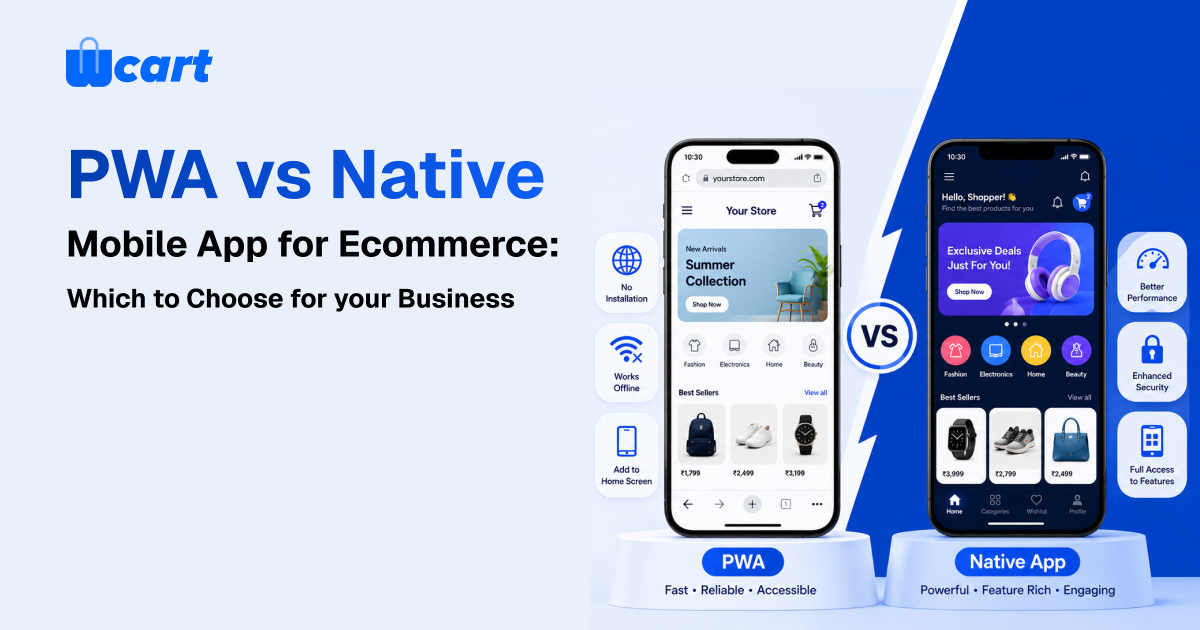
For most ecommerce businesses, a Progressive Web App (PWA) is the best area to start. It gives the customers a fastest, app-like experience without requiring any downloads from an app store or play store, which costs less to build than separate mobile apps, and runs on a single codebase that search engines like Google can index.
A native app (iOS/Android) better choice when you need deep hardware access, the best possible performance, powerful offline functionality, or the home-screen presence and more reliable push notifications that keep loyal customers coming back to shop.
For many growing ecommerce brands, the best approach is to use both for they business but the main thing, use at the right time. Start with a PWA to test and validate mobile demand. As your customer base grows and repeat purchases become a bigger part of your business, invest in a native app to strengthen your customer retention.
“PWA vs native app for ecommerce” is one of the most common questions business owners ask once mobile becomes the majority of their traffic, which it already is for most stores. The decision shapes your budget, your release cadence, your discoverability, and how you keep customers coming back. This guide breaks down what each approach actually is, where each one wins, the real costs, and a decision framework you can apply to your own store today.
What is a PWA, and what is a native app?
Progressive Web App (PWA)
A Progressive Web App (PWA) is a website that feels and works much like a mobile app. It’s built using standard web technologies such as HTML, CSS, and JavaScript, along with features like service workers, a web app manifest, and HTTPS. Users can add it to their home screen, browse even with a weak or unstable internet connection, enjoy faster loading after the first visit, and, on supported devices, receive push notifications.
Even with these app-like features, a PWA is still a website at its core. It runs from a single URL, uses one codebase, is easy for search engines to crawl and index, and updates instantly without waiting for app store approval. Google’s official Progressive Web Apps documentation explains these capabilities in detail.
Native mobile app
A native app is built specifically for a platform (Swift/Objective-C for iOS, Kotlin/Java for Android) or via a cross-platform framework like React Native or Flutter that compiles to native components. It is downloaded from the App Store or Google Play, installs as a discrete application, and has direct access to device hardware and OS-level features. Native apps deliver the smoothest possible animations and the most reliable push notifications, but they live behind app-store review, store fees, and a slower release cycle.
PWA vs native app for ecommerce : the head-to-head comparison
| Factor | PWA | Native app |
|---|---|---|
| Discoverability | Indexed by Google; found via search and shared links | Found in app stores; needs ASO and marketing to drive installs |
| Install friction | None to low, visit a URL, optionally “Add to Home Screen” | Higher, store visit, download, install before first use |
| Build cost | Lower, one codebase shared with your site | Higher, separate iOS + Android (or cross-platform) work |
| Updates | Instant; you control the release | Subject to store review and user update behaviour |
| Offline support | Good for caching and resilience; limited for heavy workloads | Excellent for rich offline and background tasks |
| Push notifications | Supported on Android and on iOS (for installed PWAs, recent versions) | Full, reliable on both platforms |
| Hardware access | Camera, location, payments via web APIs, broad but not total | Full access to all device APIs and sensors |
| Store fees | None, you keep payment flows on the web | Platform commission may apply to in-app digital sales |
| Performance ceiling | Very good with disciplined engineering | Highest, especially for animation-heavy or compute-heavy UX |
Where a PWA wins for ecommerce
Discoverability and acquisition
- The single most important reason why ecommerce businesses choose a PWAs. The web is a PWA. Each product page is a URL that Google can crawl and each link a customer shares goes straight into the shopping experience. A native app makes the customer find you in a store, download and install before they can buy a single item. When your goal is to attract new visitors through Google Search, paid ads, or social media, a PWA usually provides a smoother path from discovery to purchase.
Speed to launch and lower cost
- A PWA shares one codebase with your storefront. You are not maintaining three things (web plus iOS plus Android); you are enhancing one. That means lower build cost, faster iteration, and no app-store review queue sitting between you and a bug fix or a flash-sale change. For lean teams and merchants still validating mobile demand, that is decisive.
- Here is what actually happens with a native build the day you spot a pricing bug an hour before a sale: you fix it, submit, and then you wait on review, while the PWA version of that same fix is already live.
Resilience and a fast repeat experience
- Service workers allow a PWA to cache assets product data, so the store loads fast on return visits and degrades gracefully on bad connections, which is useful in markets with patchy mobile data. Another benefit is Tthe “Add to Home Screen”option, which allows customers place your store’s icon on their device and open it in a full-screen, app-like interface without downloading anything from an app store.
Where a native app wins for ecommerce
Retention and repeat purchasing
- For stores whose economics depend on repeat buyers (subscriptions, fast-moving consumables, marketplaces with frequent re-engagement) a native app’s home-screen presence and reliable push notifications are powerful retention levers. An installed icon is a daily reminder. A well-timed push, back in stock, price drop, order shipped, brings customers back in a way email increasingly struggles to.
Performance and rich interaction
- If your shopping experience leans on heavy animation, augmented reality try-on, complex media, or large catalogs browsed offline, native gives you the highest performance ceiling and the deepest hardware access. The gap with a well-built PWA has narrowed, but for the most demanding experiences native still leads.
Platform features and trust signals
- Native apps integrate cleanly with platform wallets, biometric authentication, and OS-level features, and an app-store listing carries a trust and credibility signal for some audiences. For an established brand with a loyal base, the app store is also a discovery surface in its own right.
The honest cost and trade-off picture
The cost of building a PWA or a native app depends on several factors, it contains the features you need, development team, and whether the work is done in-house or by an agency. In most cases, a PWA is the more affordable option because it extends your existing website instead of requiring separate apps for iOS and Android. It also costs less to maintain since updates are made from a single codebase. While a native build adds the cost of one or two more platforms plus ongoing app-store maintenance, OS-version testing, and release management.
There are also two important factors to consider:
The first is app store fees. Platforms may take a cut of in-app purchases of digital goods, and their policies on linking out to outside payment have shifted over time, so check current store rules before assuming you can route around fees for your category.
The second is push notifications on iOS. Web push for installed PWAs has improved on recent iOS versions but historically lagged Android, so if push-driven retention is core to your model, validate current support for your target devices.
The trap teams fall into here is reading a year-old blog post, assuming iOS web push “just works,” and only discovering the gaps after the app ships. Apple’s developer documentation and the platform release notes are the authoritative places to confirm what is supported today.
A decision framework you can apply today
Run your store through these questions:
- Where do your customers come from? If acquisition is mostly search, ads, and shared links, the web’s zero-install advantage favours a PWA.
- How often do they buy? High repeat frequency and loyalty justify a native app’s retention machinery; one-off or infrequent buyers rarely do.
- What is your budget and team size? Lean teams should usually start with a PWA and avoid maintaining three codebases prematurely.
- Do you need deep device features? AR try-on, heavy offline, advanced sensors, or platform wallets push you toward native.
- How fast must you ship? If you change promotions and UX constantly, the PWA’s instant-deploy model is a real operational advantage.
For most owners the pragmatic path is sequential: ship a fast, well-built PWA first to capture mobile demand and validate behaviour, then add a native app once you have a repeat-buyer cohort whose lifetime value justifies the second investment. You do not have to decide on day one.
Whichever route you take, the mobile fundamentals matter more than the wrapper. Our guide to mobile commerce optimization covers the conversion work that pays off either way, and if you decide to go native, see how to launch a branded ecommerce mobile app. If you would rather have the decision handled on a platform that supports both, explore Wcart to see how white-label storefronts and apps fit together.

























Leave a Reply