
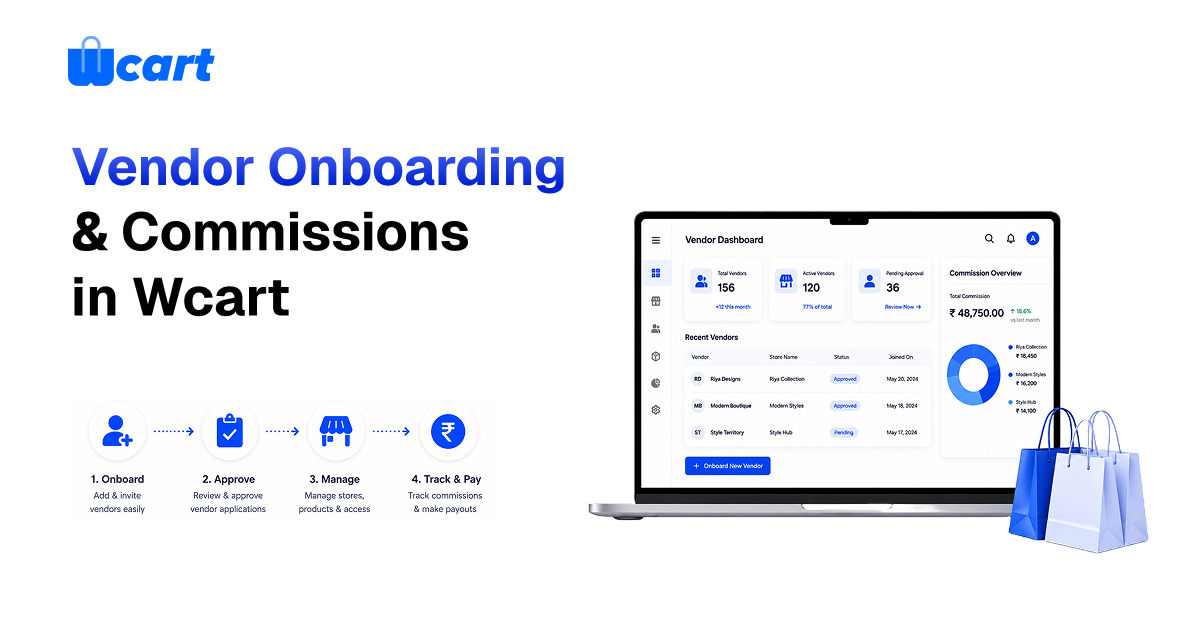
Adding sellers to your WCART marketplace starts with setting up a vendor application and approval process under Settings → Vendors. Vendors can apply with business and KYC details,and once you review and approve their application , then they get a self-hosted dashboard to list products and manage orders.
Before inviting vendors, Decide your commission model (flat, per-category or per-vendor) and payout schedule up front.
Two things make or break a marketplace:
- When the onboarding process is simple
- your commission structure is transparent.
Get onboarding and commissions right and the good vendors stick around.
Why onboarding quality matters more than vendor quantity
Chasing vendor count is tempting. The problem is that one bad seller, think fake products, slow shipping, no support, drags down trust in your entire marketplace. Buyers blame your brand, not the vendor who actually shipped them a counterfeit. So onboarding isn’t paperwork. It’s quality control. A tight application and verification step is the thing that lets you add sellers without adding the same amount of risk.
Setting up the vendor application flow
- Enable the marketplace/vendor module and open Vendor Settings.
- Define the application form: business name, contact, product categories, and the KYC documents you require (registration, tax ID, bank details for payouts).
- Decide whether sellers go live only after manual approval (recommended) or auto-approve into a probation tier.
- Set what a vendor can edit themselves versus what you control (pricing rules, categories, policies).
Manual approval early is worth the effort. You’re setting the quality bar for everyone who follows. Here’s what actually happens if you skip it: you wake up to a dashboard full of vendors you’ve never vetted, half of them with no products and a couple actively gaming your listings, and now you’re cleaning up instead of growing.
Choosing your commission model
Commission is how the marketplace earns — the classic online marketplace business model where the platform takes a cut of each transaction. Wcart lets you set it precisely:
- Flat percentage: simplest, one rate on every sale.
- Per-category: higher commission on high-margin categories, lower on thin ones, so vendors in low-margin verticals still find it worth their while.
- Per-vendor: negotiate special rates with anchor sellers who bring volume or prestige.
- Listing/subscription fees: optional fixed fees alongside or instead of commission.
Start with a flat rate to keep launch simple, then layer per-category and per-vendor deals as you learn which sellers and categories actually drive the business. One trade-off to weigh early: per-category rates feel fairer to vendors, but they also give you more knobs to fiddle with and more questions to answer when a seller asks why their cut differs from the shop next door.
Commission Model Comparison
| Commission Model | Best For | Advantages | Considerations |
|---|---|---|---|
| Flat Percentage | New marketplaces | Simple to set up and explain | May not suit every category equally |
| Per-Category | Multi-category marketplaces | Aligns commissions with category margins | Requires more management |
| Per-Vendor | Strategic or high-volume sellers | Flexible and helps attract key vendors | More complex to maintain |
| Listing Fees | Large vendor networks | Generates predictable revenue | Can discourage smaller sellers |
| Subscription Fees | Established marketplaces | Recurring income for the platform | Higher barrier for new vendors |
Payouts: the trust contract
- Vendors will tolerate a lot. Getting paid late, or wrong, is not on that list. Configure payouts clearly. Wcart tracks each vendor’s earnings net of your commission, you set the payout schedule (weekly/biweekly/monthly) and method.
- Make the math transparent in their dashboard. A vendor who can see exactly what they earned and when they’ll be paid is a vendor who stays, and who recruits others. Tie payouts to your payment setup so funds reconcile cleanly.
Give vendors a dashboard, not a ticket queue
- The whole point of a marketplace is leverage: vendors do their own work. An enterprise ecommerce platform with multi-vendor capabilities can give each seller gets a dashboard to add products, manage stock, process their orders, and handle their shipping (with split shipping handling multi-vendor orders automatically).
Keep quality high after onboarding
- Watch per-vendor ratings and fulfilment metrics. Reward top sellers, warn or remove poor ones.
- Give your best vendors better placement or lower commission so they stay and bring peers.
- Set clear policies (shipping times, returns) and enforce them consistently.
Case Study: Growing a Marketplace with the Right Vendor Strategy
Successful marketplaces are built on strong vendor relationships. Zeekas leveraged Wcart’s ecommerce capabilities to support marketplace growth, manage an expanding product catalog, and create a better experience for both sellers and customers.
By focusing on scalable operations and marketplace management, the business was able to grow efficiently while maintaining quality standards across its platform.
Read the full case study: Zeekas Case Study
Key takeaway: Effective vendor onboarding, transparent commissions, and clear marketplace policies help attract quality sellers and support long-term marketplace growth.
Common onboarding mistakes
- Auto-approving everyone: one bad vendor harms the whole brand.
- One commission rate forever: different categories need different economics.
- Opaque or late payouts: your best vendors leave first.
- No quality signal: without ratings, you can’t tell good sellers from bad.
- Recruiting broadly before nailing one category: thin selection everywhere beats depth nowhere.
Frequently asked questions
Related guides
- Multi-Vendor Marketplace on Wcart (hub)
- Shipping & Fulfillment on Wcart
- Payments on Wcart: The Complete Guide
Recruit your first vendors. Start your Wcart trial and set up onboarding and commissions today.

























Leave a Reply